<img src="https://secure.office-information-24.com/785669.png" style="display:none;">
QT9 BI Software

QT9 Business Intelligence Software — Real-Time Dashboards for Smarter Decisions

Transform data from QT9 QMS, ERP, MRP and external data sources into interactive dashboards, KPIs and reports, all in one secure, integrated platform.

Request a Demo Get a Quote

Why QT9 Business Intelligence Software?

Live Dashboards

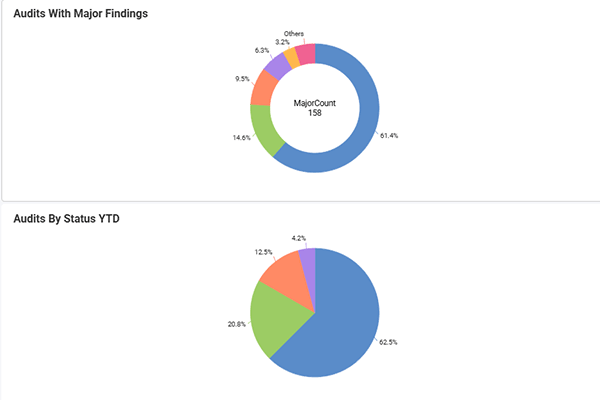
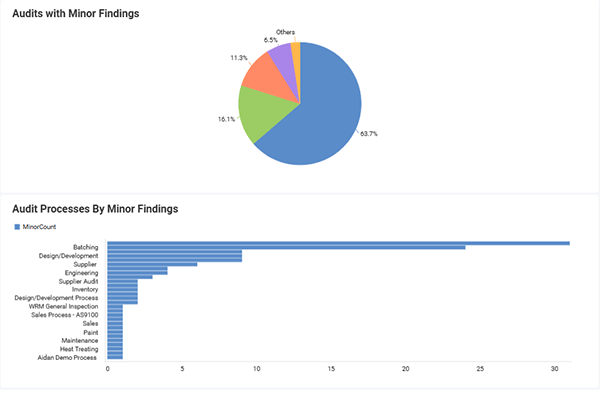
Instantly visualize real-time performance across all QT9 modules — no exports or third-party tools required.

Automated Reports

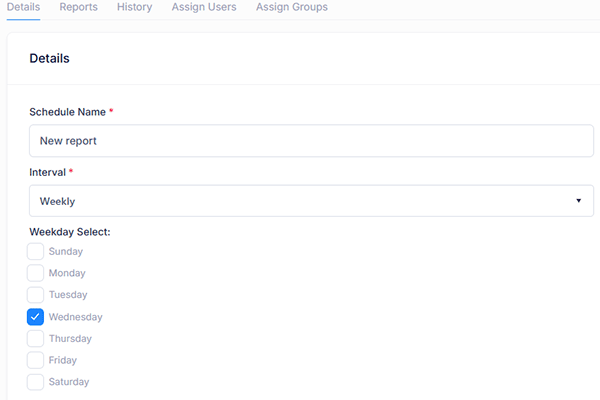
Schedule recurring reports and automatically email insights to stakeholders for effortless visibility.

Flexible Data Sources

Connect to SQL, API or Excel data sources and combine them with your QT9 platform for unified analytics.

Built-In Security

Protect your data with Single Sign-On (SSO), two-factor authentication and role-based access controls.

Business Intelligence built for quality, compliance and manufacturing teams

QT9 Business Intelligence Software (BI Software) empowers teams to access real-time performance data directly within the QT9 platform. It is built to visualize and express data analytics. Connect seamlessly to QT9 QMS, ERP, MRP and other external sources to get complete visibility without exports or third-party systems.

With interactive dashboards, KPI tracking and automated reports, teams can uncover trends, measure performance and make data-driven decisions faster. From quality and production to audits and supplier management, the QT9 BI Software helps organizations continuously improve by turning live data into actionable insights, all in one secure, centralized platform.

Request a Demo →

Interactive Video Demo

Key features of QT9 Business Intelligence Software

Turn your quality data into meaningful decisions. The QT9 BI Software delivers real-time dashboards, performance analytics and automated reporting so you can track KPIs, monitor quality and improve efficiency across your entire organization.

How QT9 Business Intelligence Software works

Getting insights shouldn’t be complicated. QT9 BI Software streamlines business intelligence into three simple steps: Connect, visualize and act, all within your QT9 platform.

Step 1 — Connect Your Data

Connect directly to live data from QT9 QMS, ERP and CRM modules. Add external sources like SQL, API or Excel to consolidate your operations into one, unified analytics environment.

Step 2 — Visualize Key Metrics

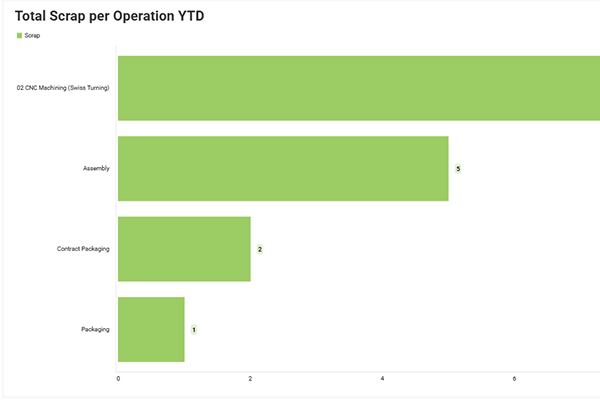
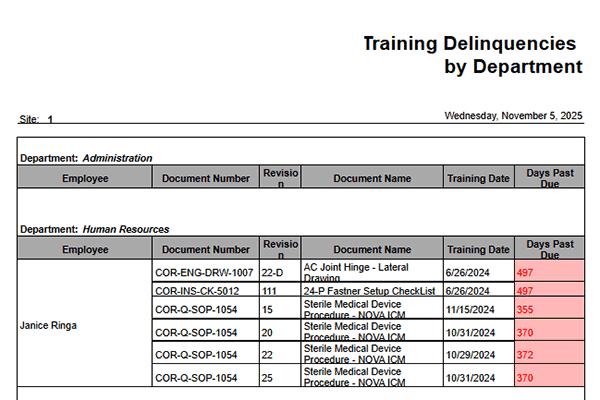
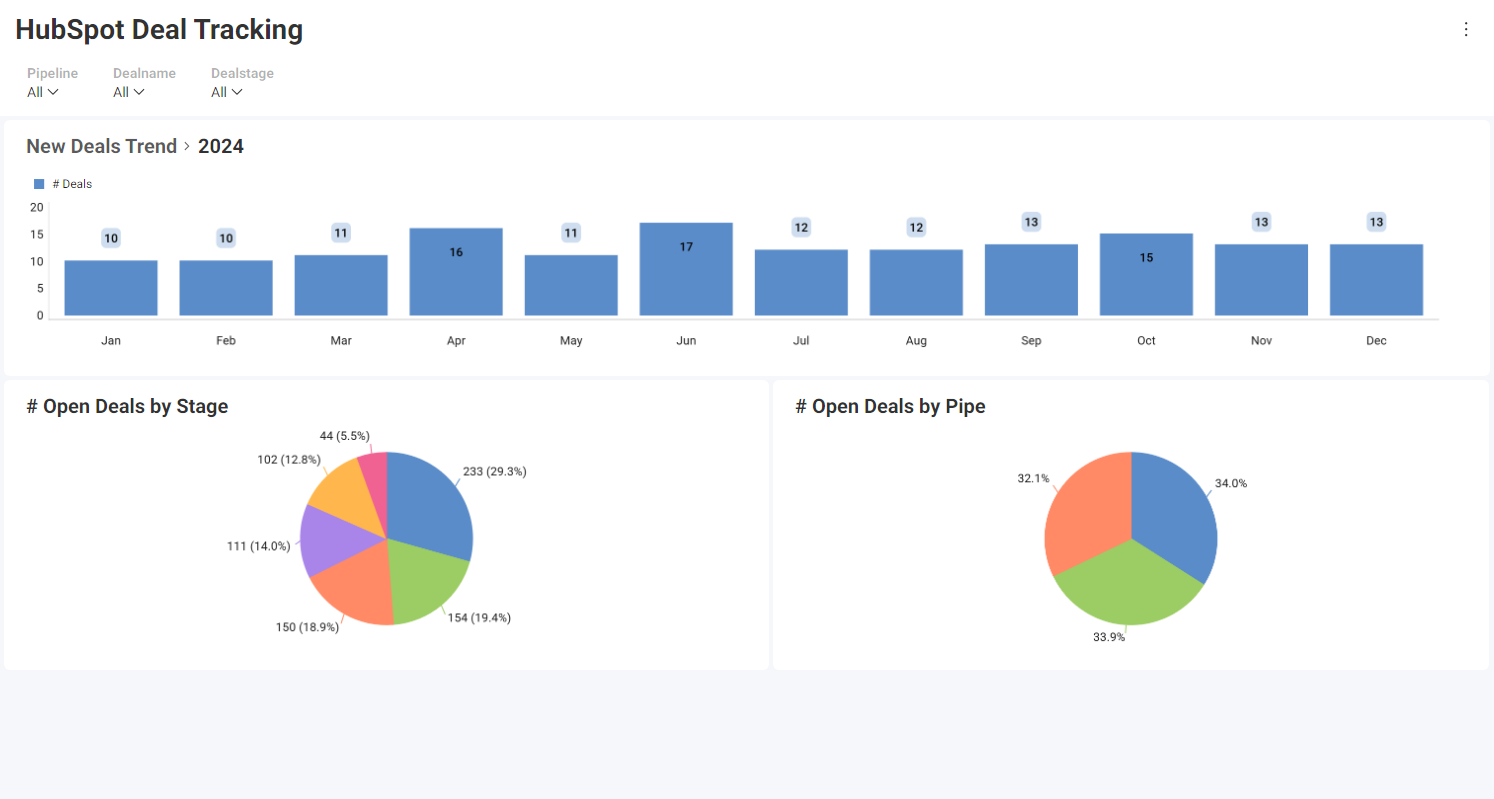
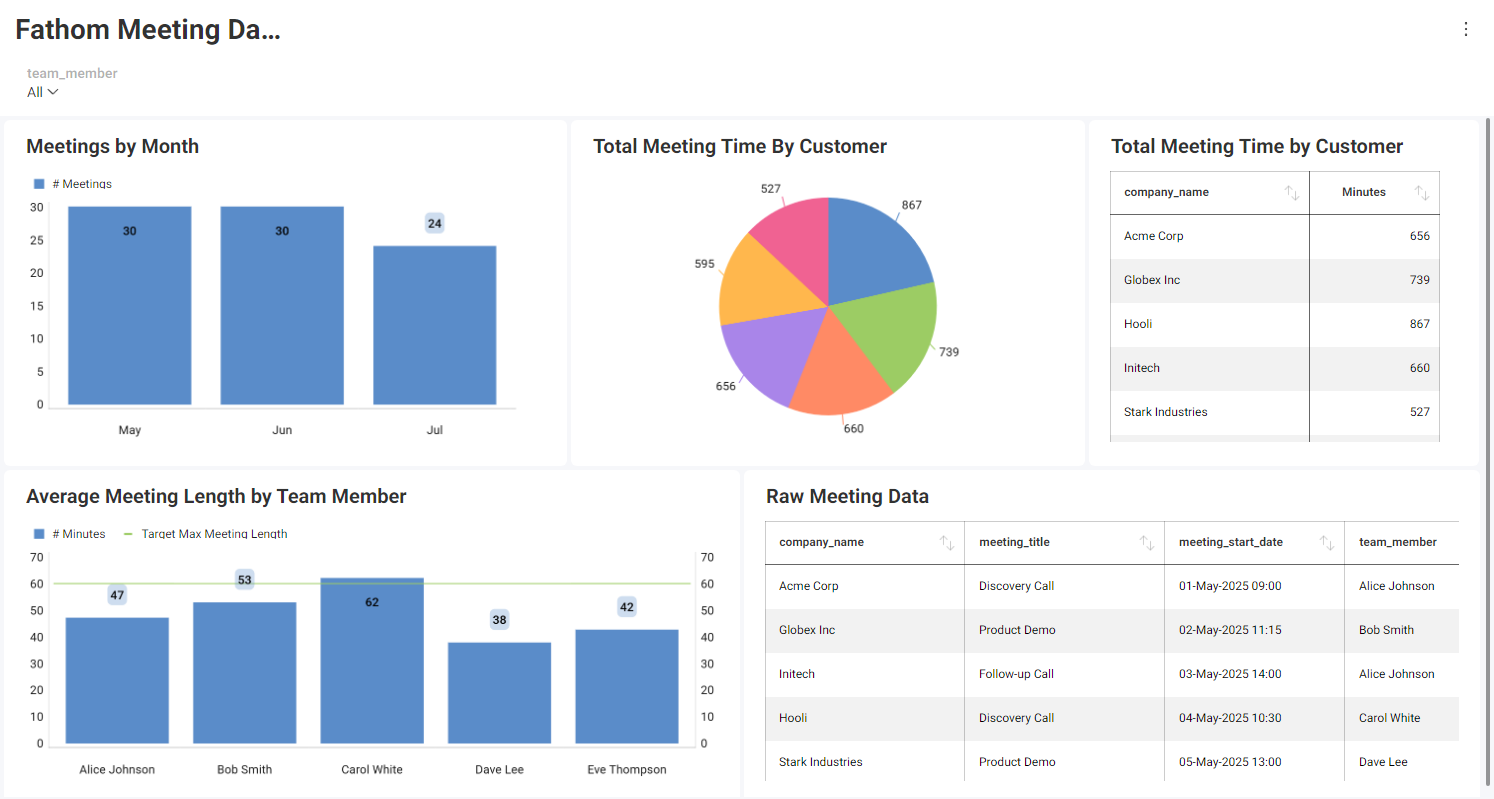
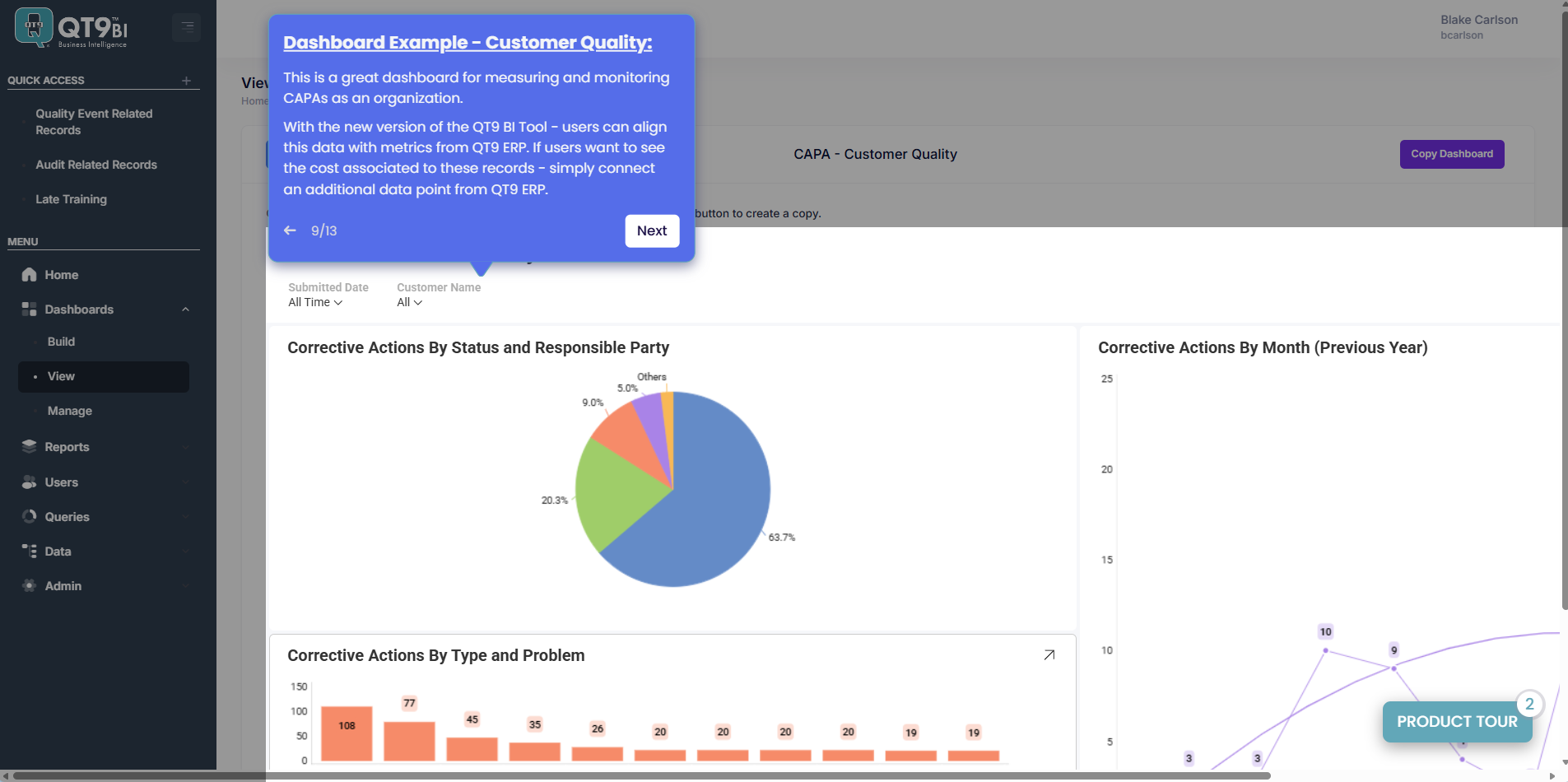
Build dashboards and reports that update automatically with real-time data. Track KPIs for audits, supplier performance, production trends, sales numbers, purchasing metrics, supplier performance, maintenance, inventory, etc. 

Step 3 — Take Action & Share Insights

Turn insights into action by creating CAPAs, follow-ups or performance reviews directly from reports all from an intuitive drag-and-drop interface. Schedule automated emails or share dashboards securely with view-only access.

Watch Overview Video

Supplier performance by dollar value

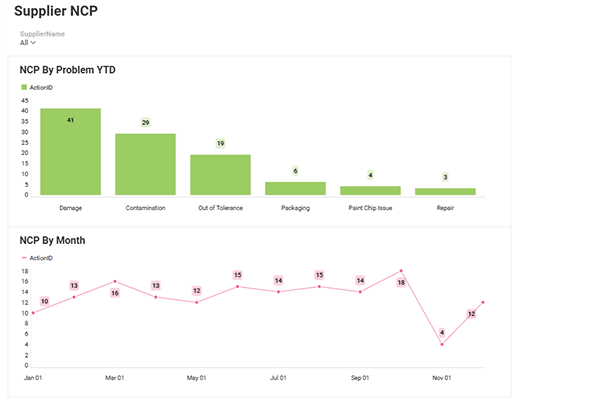
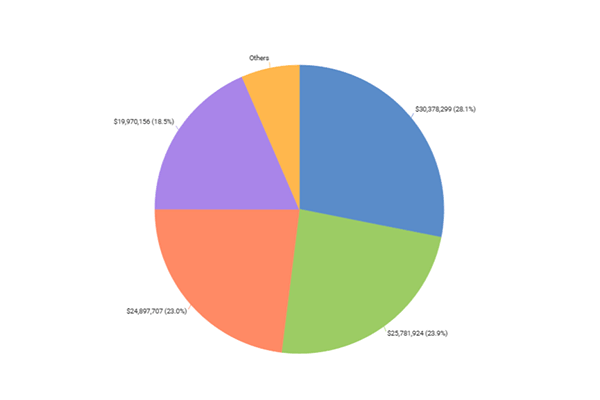
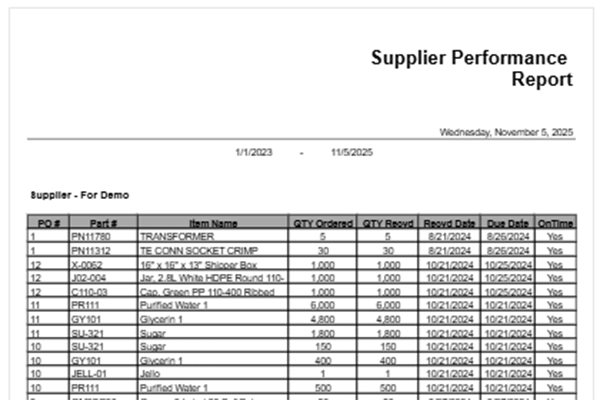
Unify ERP and QT9 QMS data to evaluate every supplier’s real financial impact. With the QT9 BI Software, you can link purchase-order spend, on-time delivery and defect data to reveal which vendors actually improve your bottom line.

Use it to:

  • Rank suppliers by cost-adjusted quality score.

  • Identify trends in on-time delivery and COPQ.

  • Quantify cost savings from CAPA effectiveness.

QT9 Business Intelligence Tool

Customer satisfaction with ROI in focus

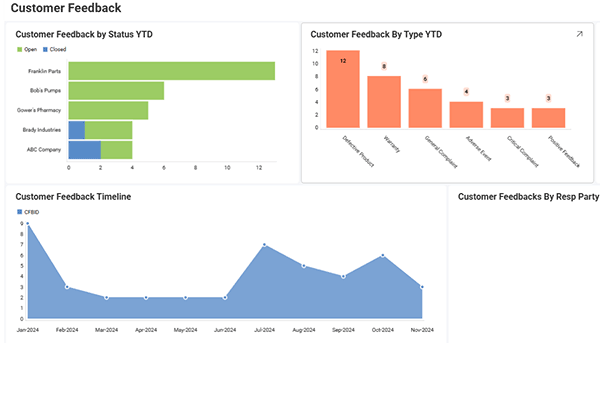
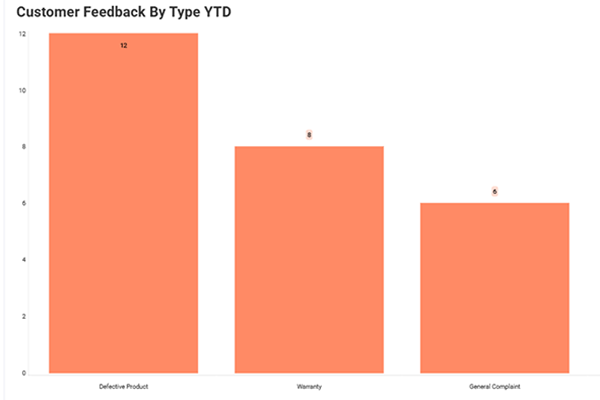
Combine ERP sales, return costs and QT9 QMS customer-feedback data to see which customers and products truly drive profit. QT9 BI Software helps teams visualize satisfaction, cost and revenue side-by-side, giving leadership a clear view of quality’s dollar impact.

Use it to:

  • Correlate CSAT / NPS with warranty and return costs.

  • Identify top-margin customers by quality score.

  • Forecast customer retention impact from improved quality.
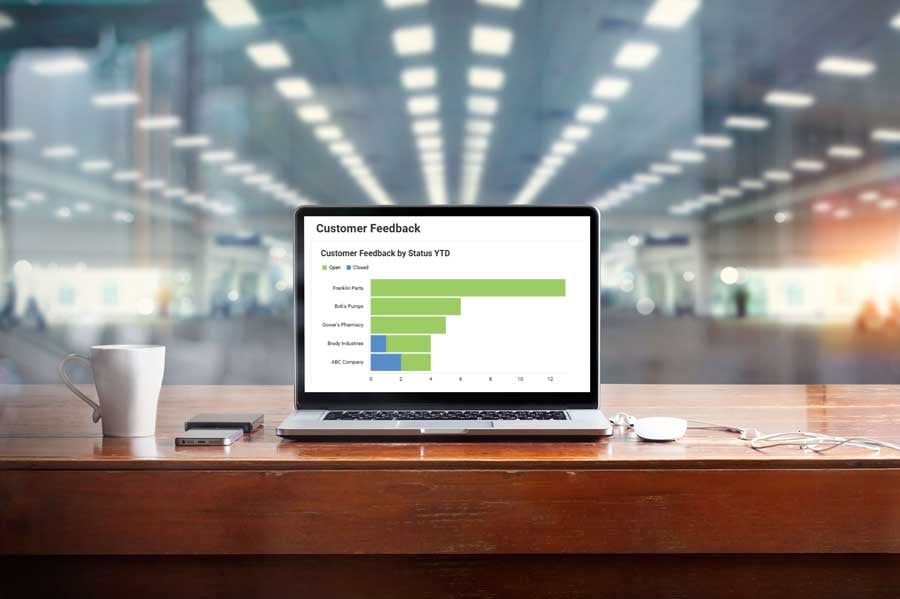
QT9-Business-Intelligence-Tool-Customer-Feedback

The QT9 BI Software advantage: See the difference

Move from manual reporting to real-time intelligence. Here’s how QT9 BI Software simplifies data analysis and decision-making compared to traditional methods.

Benefit
Without QT9 BI
With QT9 BI
Real-Time Visibility
❌ Data updated manually or delayed
✅ Dashboards refresh instantly with live QT9 data
Reporting
❌ Hours spent building and emailing reports
✅ Reports automated and shared securely
Continuous Improvement
❌ CAPAs, audits and trends tracked separately
✅ All improvement data visualized in one system
Supplier & Quality Insight
❌ Limited visibility into supplier performance
✅ Track supplier scores, delivery and defect trends
Efficiency
❌ Teams chase data instead of acting on it
✅ Teams make faster, data-driven decisions
Security
❌ Shared spreadsheets and uncontrolled access
✅ ISO 27001-certified, SSO and role-based permissions

QT9 BI Tool is designed with enterprise-grade security, including Single Sign-On (SSO), two-factor authentication and role-based access controls. QT9 Software is ISO 27001 certified, ensuring our information security practices meet international standards.

How QT9 BI Software compares to Power BI, Tableau and Domo

QT9 BI Software delivers the analytics power of top BI platforms, purpose-built for quality and compliance teams.

Feature
QT9 BI Tool
Power BI
Tableau
Domo
Integrated with QT9 QMS & ERP
✅ Native integration
❌ Requires API or connector setup
Real-Time Live Data
✅ Instant QT9 updates
⚠️ Partial (scheduled refresh)
✅ Live but via custom connectors
Built-In Security (SSO & 2FA)
✅ Included
⚠️ Add-on or configuration required
✅ Included
Regulatory & Compliance Focus
✅ Built for ISO, FDA, GMP environments
❌ General-purpose analytics
Ease of Setup
✅ Ready for QT9 ERP and QT9 QMS out of the box
⚠️ Requires setup & data mapping
⚠️ Cloud setup required
Automated Report Scheduling
✅ Built-in
✅ Available
✅ Available
✅ Available
Custom SQL Query Builder (3.0)
✅ Built-in with validation
✅ Advanced
✅ Advanced
✅ Advanced
Purpose-Built for Quality & Manufacturing Teams
✅ Yes
❌ No
❌ No
❌ No

What’s new in QT9 BI Software 3.0?

QT9 BI 3.0 introduces new tools and enhancements that make reporting faster, integration easier and security even stronger.

NEW! BI Viewing Portal

Access dashboards and reports in a dedicated viewing portal with view-only permissions for shared users —ideal for expanding access without extra licenses.

NEW! API Connections

Connect live data from external systems via restful APIs for real-time, cross-platform analytics alongside your QT9 QMS and ERP data.

NEW! Custom Datasources

Create and validate SQL, API or Excel data sources for reuse across multiple reports, simplifying setup and ensuring data accuracy.

IMPROVED! Report Scheduler

Easily schedule recurring reports, assign recipients and automate delivery with a new streamlined interface.

IMPROVED! Dashboard Sharing

Get simplified sharing with email notifications when dashboards are assigned or updated — keeping everyone aligned in real time.

ENHANCED! Security & Access Control

New SSO, two-factor authentication and user-group management provide stronger protection and centralized user control.

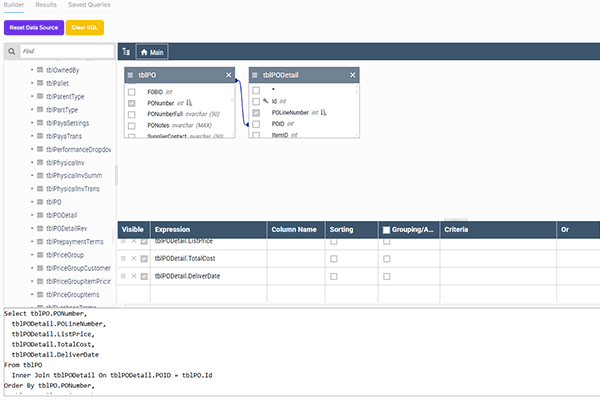
NEW! SQL Query Builder & Editor

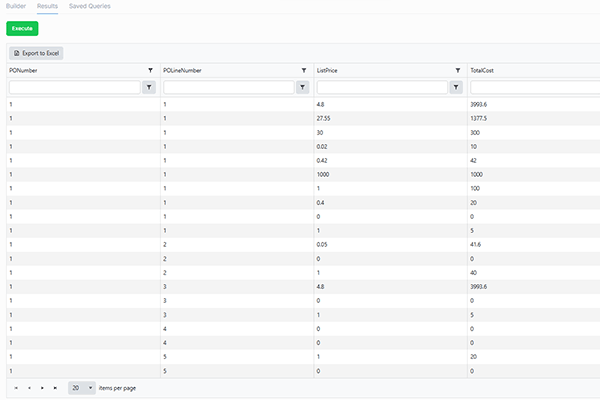
Design, preview and test custom SQL queries directly in the BI Tool — no external editor required. Build queries faster with syntax highlighting, validation and instant result previews.

Experience the latest version today

Request a Demo

See your data come to life with QT9 BI

Explore interactive dashboards and real-time analytics that help teams monitor quality, performance, and compliance — all without leaving your QT9 platform.

FAQ: QT9 Business Intelligence Software

What is QT9 Business Intelligence Software?

QT9 Business Intelligence Software is an integrated analytics solution that transforms real-time quality data into interactive dashboards, KPIs and automated reports. It helps teams visualize performance across QT9 QMS, ERP, MRP and other external sources, eliminating the need for external BI systems or manual data exports.

How does QT9 BI Software work with QT9 QMS and ERP?

QT9 BI connects directly to live data in QT9 QMS and ERP modules, giving users instant visibility into KPIs, such as CAPAs, audit outcomes, supplier performance and production efficiency. Because it’s built within the QT9 platform, reports and dashboards always reflect up-to-the-minute data — no syncing or re-uploads required.

Is QT9 BI Software included with QT9 QMS or ERP?

The QT9 BI is a licensed add-on available for both cloud and on-premise QT9 customers. It integrates seamlessly with existing QT9 QMS, ERP, MRP systems as well as and other external sources, allowing organizations to expand their reporting capabilities with real-time dashboards and analytics.

Can I connect other data sources like SQL or Excel to QT9 BI?

Yes. QT9 BI Software supports flexible data connections, including SQL, API and Excel sources. You can validate and combine this data with your QT9 QMS or ERP information for unified analytics and cross-functional insights — all without leaving the QT9 platform.

How secure is the QT9 BI Software?

QT9 BI Software is designed with enterprise-grade security, including Single Sign-On (SSO), two-factor authentication and role-based access controls. User permissions and data visibility are tightly managed to protect sensitive information. QT9 Software is ISO 27001 certified, ensuring our information security practices meet international standards.

How is QT9 BI different from Power BI or Tableau?

Unlike standalone tools, such as Power BI or Tableau, QT9 BI is built directly into the QT9 platform. It delivers real-time manufacturing and quality insights without complex integrations or added costs. Users can visualize data, trigger CAPAs and share reports instantly, all within QT9.


1,000+ of the world's leading companies trust QT9

See what quality leaders say about QT9

“I love that QT9 is an all-encompassing suite of modules that covers every part of my QMS. We maintain an ISO9001:2015 certification, and this program will take the place of countless spreadsheets and emails.”
Sara Cutigni
APR Allen Plastics
“Easy to use and helps to organize information across our company. I like that you can easily load in tasks and reminders. Also, you can see who in the group still needs to complete something.”
Bill Ranous
Fulton
“QT9 QMS Software is a gamechanger for my organization. Implementation of the software was easy and quick. The customer support was unmatched. ”
Tara Buchanan
Torrent Photonics

QT9 resources

From Paper to Performance: Turning Quality Into a Strategic Advantage
QT9 EU office Director Angela O'Sullivan discusses the advantage of using an electronic QMS during latest QT9 podcast.

From Paper to Performance: Turning Quality Into a Strategic Advantage

January 15, 2026 4 min read
FDA QMSR Webinar Answers Common Industry Questions About the New Rule
Medical device manufacturer uses software on tablet to monitor quality and production. Image for FDA QMSR webinar recap answering common questions about the new QMSR rule.

FDA QMSR Webinar Answers Common Industry Questions About the New Rule

January 08, 2026 4 min read
Know the Facts About Software Validation in 2026
Three software engineers looking at tablet and laptop with colorful grid in background. Software validation best practices 2026.

Know the Facts About Software Validation in 2026

December 30, 2026 5 min read

Schedule Demo

See a personalized demo of  QT9 QMS with our sales team.

Start a Trial

Explore how easy QT9 QMS is able to connect operations.

Get a Quote

  See how much QT9’s all-in-one platform costs. 

Call QT9

Available M-F 8 AM to 5 PM CT. Speak to a QT9 expert.