Medical Device ERP Demo: eDHR, eDMR & Batch Records in QT9 ERP
September 20th, 2022
Full Webinar Transcript
Thank you everybody for attending our webinar today with Ke9 Software. Our webinar today is on electronic device history records and electronic device master records for the medical device industry. So we will be going through a little bit of the compliance and requirements of the FDA and actually jumping into the interface itself to show off these features. So before we get started here, let's talk a little bit about the webinar controls. This is you we are using GoToWebinar right now. so you will see in this little
image right here. If you want to get rid of that control bar, there's a little orange arrow that will shrink it down. It'll collapse it all. So you can actually click and drag it off your screen and get it out of the way. If you want to ask questions during the webinar, you'll see right here in the red box on that control panel is a little text box to ask questions. We do have staff that are it that is ⁓ attending this as well and they can answer a lot of the questions as I go through the webinar and I will also answer a bunch of these and maybe reiterate reiterate some of these questions at the end of the webinar for everyone's benefit.
now ⁓ again, this is this webinar is geared to show off the functionality of our our solutions and also features, functions, ⁓ tips, etc. for using QT9 ERP and even QT9 QMS. the focus today, if if ⁓ we really want to keep the QA specific to the topics at hand, just so we're not ⁓ risk we're we're not wasting the time of other attendees in here. ⁓ and then if you do have further questions, even if they branch out into other areas of our ERP solution, our quality management.
We can always schedule one-on-one sessions with you with our training and implementation staff. They'll be happy to get that set up via Teams and walk you through any issues or questions you may have. Of course, you could always email support at qtninesoftware.com for help. And then we do have a survey at the end of this webinar. We'd love for you guys to stick around and fill that out for us and give us some feedback on the webinar. It helps us understand ⁓ what our customer base and potential customer base is looking at for webinars and what we can do in the future here. Okay, so let's get started here.
How do you create your device history records? So a majority of the manufacturers that I've seen in the 17 years of being a part of QT9 software is all manual. ⁓ and ⁓ that generally means it's it's predicated in Word or Excel or something along those lines. a lot of paper pushing, paper routings for approvals. usually there's some sort of packet that goes with a job out onto the production floor as things are getting filled out and then and then off to QC.
Which ends up in binders. ⁓ a lot of times ⁓ companies are are taking it out of binders and they maybe scanning it in. They have might might have a staff that's scanning it in and throwing it into some Windows folder share so that you can at least try and search for it. Come on. Of course, it's a little laborious doing all this. It's ⁓ very error prone, ⁓ an additional process on top of just the manufacturing side, ⁓ just to get all of these things completed.
Now with QT9 software, we have our ERP solution, which is a web-based ERP solution, and our quality management solution, both in the cloud. And these two combined can make this process completely electronic and at your fingertips with the click of a button. Rather than scanning things, filling out paper, manual routings, et cetera, you can retrieve past device history records very easily, current DMRs and even past EMRs on old revisions.
So let's talk a little a little bit how we do that. So we'll go left and right on this slide here. So the device master record. So the device master record is its core is built out of the bill of materials in QT9 ERP. So obviously, our you know the bill of materials is what dictates how to manufacture a product. So it's the perfect place to have the DMR's ⁓ information. Now we do have unlimited revisions of our bill of materials. So that means you have full traceability of your DMR as your product matures.
now the way we do this is obviously the bill material pieces, you know, your routings and processes, machine types, the materials that go into making that. So the actual subassemblies and purchased items, raw materials that go into making that product. Also, we can pull the documents out of QTNI QMS. So your control documents can flow directly out of QTIQMS directly into the bill materials in QT9 ERP. And then also for specification management and
in terms of acceptance, we have our inspection plans in the QT9 QMS side. So the full inspections module on the quality side is key to getting these DMRs and DHRs ⁓ automatic. So you can actually build those out. Those are revision controlled. Inspection plans have to be approved on the quality side as well. And then for any catch-all, if you have anything outside of inspections or documents or the bill materials that you need in your DMR, you can attach PDFs to the bill of materials.
And flag it for a DMR. That way it always prints in one window for you. And you don't have to go searching for that file as a separate entity. So we'll actually collate everything together. There's no paper needed. You don't have to worry about folder structures in Windows or on your servers. And again, every one of these EDMRs are tied to the different revisions of every manufactured part you have. Now moving on to the device history record here in the middle. Then that's obviously based off of your job. So the device master record is how you make it.
in the approval of that and that's all in the bill of materials whereas the device history record is the actual history of manufacturing it. So that's going to be in the job section of QT9 ERP. now what's great about that it's all web-based and it's you know generating from the bill of materials, but it is now going to utilize the inspections module. So any any one of the processes to manufacture this in your bill of materials can generate an inspection record in the QMS side.
So on the device master record, it's the inspection plan, which is basically the criteria for acceptance, whereas the device history is the action of acceptance. So we're gonna create those inspection records. It will be linked to your job. It is seamless. You also need your labeling. Well, labeling comes for free with QT9 ERP, and they can be completely customized with all sorts of barcodes for anything you want for your UDIs. All of that can be built into our labeling in QT9ERP. As a matter of fact, every printout.
In QT9 on ERP can be completely customized to match any requirements you might have. And then very similar to what we had in the DMR with file attachments, you the same thing on the job side. So if there's anything in addition that you needed to attach into the DHR that's not in our ERP and our QMS, which should handle everything. But if you have like pictures, scans, or maybe you're just you don't have the time to implement our inspections module, well, you could attach the PDF of the inspect, the completed inspection to the job.
So at least it's all in one ⁓ EDHR. So that those file attachments really kind of bridge the gap into you getting implemented into the QMS inspection side. The most important part, all of this is done at the click of a button. So there's no manual work involved, even if you're looking up history. Now, how do we get to this stuff? You know, you really don't want the FDA poking around in the jobs, the inventory records, in your bill materials. So what we did is we built a compliance portal, and this is
Free with our ERP solution here. So the compliance portal is great. Now, when you're in the main interface of Kitchen on ERP as a power user or just a regular user, you can seamlessly go in and out of that compliance portal. Because that is also where you sign off on the job approvals and even inventory approvals. So that way if you complete a job, you can actually sign off on that and approve the inventory to be able to be used. But let's say you're you're
Your manufacturing department is a little overwhelmed, they just haven't systemically closed that job out, but they need to use that inventory. they can still make a partial inventory transaction, but that would still have to go through the approval process. That's all done in this compliance portal. now, the other ⁓ part of this is that's where your DMRs are, that's where your DHRs are. So you can print them all out from one place there. And what's great about that is let's say the FDA comes knocking on your door one day.
You can log out of QT90 RP's main interface and log specifically in to our compliance portal. It'll only show you device master records and device history records and QC approvals of the jobs. That way you're only filtered down to what the FDA needs to see. You can confidently not worry about them poking around your ERP or your QMS solution. It's just sucking in the right data from those jobs and from those bill of materials to be able to print and visualize for the FDA auditors. So it's a very, very powerful portal.
For medical device manufacturers. So let's get into the compliance side here. So, what does the FDA require for these master records and history records? So, part 820, 181 for the device master record compliance broken into five subparts here. So, subpart A, device specifications. How do we handle that? Well, obviously, with our bill materials, you're gonna dictate what types of equipment it goes onto, what type of machines, what are the specifications of manufacturing this device?
And then also you're gonna use the inspection plans from key to nine QMS. You might also have work instructions, spec documents, anything like that in document control. So between those three, it doesn't have to be everyone, but you between those three, you can put them together to cover subpart A very easily. Subpart B is process specifications. What's the process of manufacturing your medical device? Well, that's obviously done in our bill of materials because you're breaking out those processes in the bill of materials, which I'll show you here in a moment. Also.
Again, your inspection plans in the QMS and your documents in the QMS in case you're documenting it. All of this can pull together very easily without you having to do any major work at all. You set it up once and you can reprint at all times. Subpart C quality assurance procedures and specifications. That's clearly going to be your QMS documents on the quality side, and those can be brought in. The specification side, you might still utilize the inspection plans. And one of the nice things about
The inspections module in QT9 QMS is it too also links to documents. So you could actually just link it all on one side and then link that inspection plan directly into the bill material. It all kind of works the same way. ⁓ but that way you have complete traceability to what version of what plan, to what vision version of what part and what version of what document, all the tied specifically together. In subpart D, we have our packaging and labeling specifications. Now we have
Are labels built into the ERP system? So you could that's actually inherently built right into printing off labels from the job and inventory records, which will automatically stamp into our DHRs. But for the specifications, you might need to use your ⁓ document control if you're dictating it there, ⁓ or even the file attachments to just put a a ⁓ a prototype label in there for the DMR. All of that is acceptable and capable in our bill materials.
And subpart E, installation maintenance, and servicing procedures. That would obviously be in document control. And again, ⁓ not to beat a dead horse, but that will tie directly into the bill of materials. So everything you need for device master record compliance for the FDA is completely baked into QT9 ERP's bill of materials with the help of QT9 QMS.
All right, let's jump into the device history records here. So you know, part part A20, 184, broken into six subparts. obviously subpart A, the date of manufacture, that's clearly stamped in our job record for the ERP side. Subpart B, the quantity manufactured, also stamped in there. So we were clearly tracking that type of data when you're manufacturing a job in the ERP side.
Quantity release for distribution that's also tracked on the job side, ⁓ as well as ⁓ inventory transactions. So remember you have to approve those jobs to approve that inventory to be available to be released. And then subpart D, the accepted acceptance records, which demonstrate the devices manufactured to the DMR. So that's going to be your inspection records. Remember, the plan is already baked into the DMR. So when you get into the job, you're gonna be able to create those inspection records.
You have the QMS documents linked to the job as well, which flows over from the DMR from our bill of materials. And then each one of the routings on a job gives you the ability to QC check and verify with full Part 11 compliance through our free shop floor manager. So QT9 ERP does have a free shop floor portal. That way your production staff on the floor can actually log in. They can time in and time out of jobs.
They can barcode scan an inventory, and obviously they can sign off on the routings and complete them. So it will do part 11 compliance in the signatures for each individual routing in the system. Subpart E is labeling. And obviously, as I've mentioned, we have labels baked already into the system, which you more than likely customize as you go live with QT9 on ERP. So that will actually stamp directly into the DHR automatically for you. But if you
had a separate system like bartender or something like that, and you didn't want to use our labeling, you can still maybe take a picture and scan it directly in from your phone because it is mobile enabled and attach it right to the job so you have a file attachment built in to the DHR. And then of course UDI UPC, that's going to be part of our labeling. Our labeling can handle any type of barcode, QR code, et cetera. So whatever you're using for your UDI, we can handle that. And that way it's a part of the DHR automatically. And again, you could also use the file attachments for that.
So, what I'd like to do right now is we've we've talked about the compliance and and how QT9 ERP and QT9 QMS handles all this. I would like to walk you through the interface now so we can take a peek at how this is handled. So I'm gonna go ahead and get us out of the slideshow there. And now we're gonna go into the actual interface. So, what we're looking at right now is our actual ERP solution. So we're at the home page here with our news feed, and we have a bunch of dashboards in here.
We're going to do on the left side here, we're going to go into the manufactured item master. So we're going to start off with the device master record here and how we handle it. So when we get into the to the manufactured items, that's where our bill of materials exist. So we're just going to use this vascular valve. Now this is a one-level bill of material. And one thing I want to ⁓ kind of caution you to is the device master records and the device history records are can be multi-level. So if you have multi-level parts, if you're at the parent part, it will roll it all the way up to the top.
And suck in the DMR from the subassembly, same with the DHR. So that it's still one printout. You don't have to go searching for sublots or subparts at any time. We automate that entire process for you. But just for the sake of simplicity, I'm going to show off a one-level bomb here, this vascular valve. So I'm going to go ahead click into this product and we're going to jump right into the bill material. So this is just a little bit of the header information, you know, what's his item category, primary unit measure, etc. If you'll notice here in the revisions, you have unlimited revisions of bill material.
We care about the active one here. This is gonna be the one I use here, ⁓ cleverly tagged used for demonstration. So we'll click into this bill of material. So as we get into the bill of material, we want to track the rev level, which can be an alphanumeric. ⁓ and we're gonna jump right into the routing. So the routings are how we break those processes of how to manufacture this device. So to make this vascular valve, we're gonna go through cutting on a CNC lathe, we're gonna go through assembling, we're gonna go through packaging.
Imagine your own processes in here. This is unlimited data. You can build as many routings and processes you need to go to to whatever types of machines, or or even if you don't have machines, it's just manual packaging or assembly or what have you. You can do all of that and bake those right in here. Obviously, we care about pieces per hour in cycle time that helps us dictate how long jobs are going to take. And then there's obviously, if I scroll over here, there's a lot of costing involved here to get costing in. Now for each one of these routings.
You can actually link it to a QMS inspection plan. So whether you have 30 routings, you could have 30 inspection plans tied in here. You can make this as specific as you want to. It will still roll it all up into your EDMR printout. Now I'm going to focus on the assembly routing here. And the reason I want to do that is this is the one that I've had to have the inspection plan tied to. So as we get into the routing, you can see in the detail, this doesn't have a machine type, this is gonna be manual assembly.
But if I had machines, I could add multiple machines, just dictate which which one's the primary. So you have a lot of flexibility in this system. We do have a traveler notes section here, which is an unlimited note field that you can dictate a lot of things in here as well. But if you look at this tab, here's our inspection plans. This drop down is pulling data directly from QT9 QMS. So this is pulling any approved inspection plan for this part number for the vascular valve. So
We're using plan 1079. Remember, all inspection plans have to be approved before they can be used. So this is only showing us improved approved inspection plans. So this is how we kind of set up the routing here for individually. And again, you can have an inspection plan tied to any routing or all routings. Going to the materials tab. Now, obviously a very important part of your DMR and any bill of material for that matter are what are the materials or assemblies that we use to put in and manufacture this vascular valve.
They will be assigned to the individual operations, which is also important. Again, this is one level. So these are all purchased items here. But if you had a self-assembly that was a manufactured item, you can actually break it down and break it down and break it down further. All those again will roll up. Now I mentioned how we have all this linkage to the QMS documentation side. So the document control module and QT9 QMS seamlessly goes into our bill of materials and even more seamlessly into the job side. So remember that free shop floor manager that you have.
Those documents flow right through to there. So you can be as paperless as you want to on the production floor. And if I want to see this document, I can just click right here. It'll actually bring that document down from QTIQMS and put it directly into a viewable window here. So here's our vascular angular bracket product design specifications. A mouthful. So this will actually bring that all the way down here. And we know that this is a part of this DMR. And remember, I mentioned file attachments. So you have file attachments all over the place in both QT9 and ERP.
And QT9 QMS, you have no limit to that. But if you look down here, I have a little I ⁓ little flag here for DMR. So as long as it's a PDF, I can put a file attachment onto this bill material that will be a part of the DMR printout. So now we're taking our printout. So we do have a printout for the for the bill materials, which can be customized. You can make it as as detailed as you want and ⁓ however you want it to go. But I'll show you the default one here. It's gonna break down the routings, the inspection plans.
all these printouts and the documents will all sync right into our device master record printout. Now I'm gonna go ahead and show you what that looks right here. You see, I have a print DMR button right here because I'm an admin. ⁓ also we'll show you that on the compliance portal. So I'm gonna go ahead print this. So now that you've kind of seen the construct of this bill of material, which is how to manufacture this vascular valve, now it's gonna start processing that DMR for me. Might take a second because it is pulling a lot of data from the QMS side. And here we go, it's already done.
So you have your device master record, your logo print at the top. What revision of this part is it? As we go in, here's the default bill materials printout. So you can obviously put more detail in this if you like. This is just our default one. As we scroll down here, it brought in the inspection plan that we had tied to the assembly routing. Now, again, if I had an inspection plan for all three of those routings, we'd have three inspection plans that would get brought in here. And then here's that document, pulling the most current version of that in here.
And if we scroll past this document down here, we'll see the file attachments, which are just PDFs that our sales team has put in here. But you get the idea. These would be PDFs that are flagged as DMR. So all of that is electronic. I don't have to do anything else. I don't have to make any files. I don't have to put it ⁓ outside somewhere in a Windows file store. And I can bring this up, even if we go from revision one to revision four down the line, and I need to pull the DMR from revision one for whatever reason, I can easily do that.
from from this screen right here. So so you guys understand kind of the construct here, the bill of materials is the engine for how to manufacture, it's the guideline. So when we go to a job, it actually sucks all these routings in, all the materials in, just calculates how long each one's gonna take, how many materials we need based on the quantity we're manufacturing in the job. So let's go ahead and segue down to the jobs. So I'm gonna go here on the left menu.
I'm gonna open my jobs here and I'm gonna go to the job manager. So the job manager is gonna show us all of the open jobs in QT9 ERP. Now you can see there's a lot of color code and we use stoplight analysis here for production scheduling. That's something we can get into in a whole another session for our manufacturing people. but what I wanna do is I'm just gonna jump into an open job here for the vascular valve that I have set up for us.
Now, obviously the DHR is not complete on this because the job is still open, but I want to show you these components before we actually get into the compliance portal. So this is this can be done make to order or make to stock, you know, make the forecast. But you'll see right here, every job when you have this turned on for DHRs is gonna require QC sign-off. So when we complete this job, it will go to our job approvers. And if you look at the top here, you do have a to-do list. So you can see I have quite a few jobs that I need to approve for my user.
You will get an email alert. You can click that email, go in here to approve the job in the compliance portal. And like I mentioned before, like this is a quantity of 500. Let's say our team is a little backed up, they don't have the time to close this out, but we need to ship to satisfy customers' need. You can actually make ⁓ an inventory transaction here, as you see, this one has, and that will have to go through the approval process in the compliance portal to be released. So it's all part 11 compliant.
And it's all put in our timeline and can all be shown on the prints and everything that you need for this DHR. But you'll notice here we go: cutting, assembly, and package all got brought over here. They have different pending start times and end times, obviously, from when this was started. If we look at the materials on this, it actually told us how much we need in quantity. And if I expand this out, it's going to show me what lots are assigned to each material. So obviously, this one's got four different material lots.
That are gonna go into this manufacturing, which is obviously very important for the DHR. So that's what gets printed out on this job traveler as we put it into the DHR side. As I mentioned before, we have our QMS documents. So it brought over our version of this document right from QMS. We also have file attachments here. So if we wanted to flag a file attachment as a DHR, so again, if you're shortcuting the inspection process because you don't have time to implement on the QMS side, that means you have a manual inspection process.
Put a PDF of that finalized record, scan it into this. It's now permanent part of that DHR. Now, a couple of the things that we've got here. I'm gonna jump into that assembly routing. Remember, this is the one that we had set up that has the inspection tied to it, or the inspection plan tied to it. I'm sorry. So we're gonna go into the edit. So this is the the doing side, right? So we're actually manufacturing this. That means we can also create the inspections. You see this button right here? You can also do this.
Through the shop floor manager. I'm kind of in the job admin screen right now. but if you're on the shop floor manager, ⁓ yeah, you'd be able to actually create an inspection right from there. Now, if you try to close this routing out without creating inspection, key turning RP is gonna stop you right there and say, No, you need to do an inspection. There's an inspection plan tied to this. So we always try to keep the authenticity of that DMR enhanced in this job side. And if you look right here, here's that QC sign-off and that verification right here.
So that's been done by Brian Stanley through the shop floor manager with electronic signature and it's all timelined on this routing. So I just wanted to show you and an open job, what that looks like from the admin side here. And you do have user-defined fields if you want to put required check boxes and text and stuff like that for them to fill out, which you can also have a part of this DHR. So now going back to the main job.
what I'd like to show you is kind of the printouts here now. So we talked about labeling. So let's give you an example. So I'm gonna hit label printout here. And this is a sample label that we created. As you can see, we've got a QR code here. We've got a couple code 128 barcodes. You can make them any size, any which way you want to. When we do the DHR, it's gonna stamp this label directly into the DHR for us. So that way we know our label is correct. This could be printed from any interface that has links to this job or to the inventory itself.
That way you always have the same label and it will stamp this label into the history of this DHR. Now I've mentioned the job traveler before, so I'm gonna hit print on the job. You can also build custom job prints to print with this. ⁓ but we're gonna hit next here and we're gonna show you what the job traveler looks like. Now, again, this is just our default one. You can make these completely different if you want to. It's identifying the job number, the job lot, which is auto-generated for you. All the part numbers and lot numbers get automatically generated for you.
The ERP solution. We know what revision of what part we're making and it's breaking down each individual operations. We could see when things got QC'd and verified. So we could see Vince Neal QC. This one no one's verified it yet, it's not closed. This one's been QC'd and verified. We could see all the lots of material going into this. ⁓ and you notice these barcodes. This is what you can be used to scan in and out of these routings if you're not automatically assigning machines to these things, to these routings.
That way your employees have something to scan in and scan out of. As we go to the bottom here, and we'll go to the second page. You can see it's also going to show all the inventory that's been manufactured and a status. So you can see this 50 pieces, it's still waiting for approval from our ⁓ compliance portal. So those are some of the prints that are gonna make components of the DHR. And again, this is an open job, so nothing's complete yet. So now what I wanna kind of walk you through here is our compliance portal.
So if you look on the left of your screen on the menu, this is how we get to the compliance portal. Now you're gonna see I'm gonna show you how to log specifically into the compliance portal, and the rest of this menu disappears. That way, if the FDA is in, or even if you have a 1345 auditor in, you can focus directly on that compliance portal. So let's go ahead and click in here. ⁓ that way I can seamlessly get in here and approve jobs, et cetera. So here's the compliance portal. First thing I wanna see is
What jobs need to be signed off, our inventory partials that need to be signed off right here. I could click right into those. But if we go right here to the device history record, here's all of our closed jobs that have all been approved and completed. And I can actually come in here. Let's go ahead. We're just gonna click on this first one. And this is gonna give me a nice little summary of this job. What was the part that was manufactured? What's its lot? What's revision? What job number? I could see if there's any files, ⁓ flags, DHRs on that job.
What inspection records from the QMS are coming over, I could print that right from here. I could see what materials we needed and what lots were used on these. I can see who approved them. So Jared Brady approved this actual job. ⁓ if there were partials made, I could see that this one didn't have a partial made. You can see it was approved by job completed, meaning this was all created at the job completion. I even have a costing structure to compare. So actually compare my actual job costs to the bill of material costs to see how close we are.
and now from right here I can print the DHR. So let's go ahead print that. And what this is gonna do is gonna take the file attachments, the job traveler, the version of the document stamped into this job, as well as the completed inspection records from the QMS. So it looks similar to that DMR. So this EDHR has what job it is, the job number and lot number, plus the rev of the part. As we scroll down, here's a stamp of that job traveler in here.
And we can see how much inventory was manufactured and released. Here's our inspection record. So we can see how everything was completed and passed. and then as we scroll down, here's some PDFs that were flagged as DHR. And as we see, here's our label that's stamped in here. Here's the version of that document that was tied to this that came over from the DMR. And that's our entire DHR. Now, again, this is a one-level DHR and it's 15 pages broken down for you.
So you can imagine how many how many trees you're saving by making this electronic, much less the amount of labor put into this. So that's how easy it is to print your DHRs in the compliance portal. And obviously, there's approval pieces in here. You have to have your DMR set up. And I'm gonna go back here. ⁓ and you'll what I'd like to show you here is a multi-level device history record. So we were in the vascular valve this whole time in this webinar. Now I have a parent part that uses that in a kit.
So I'm gonna go ahead and look this up here. This is job 326, by the way. This is how easy it is to search for jobs and lots. And you can see we have a syringe and valve kit here. So I'm gonna go ahead and click in this. This is a completed job that used that vascular valve into an actual parent job. This doesn't have any files, but we do have an inspection plan. And you can see right here, I have a vascular valve and I know what lot we used, which we also manufactured this lot.
So this is gonna this FG7530 will also have a DHR that's gonna roll up to the parent part. We know who approved this, the costing, everything that we just went through. So let's go ahead and print this DHR. And so this is just gonna give me a little flag here. Hey, this is a multi-level job. Do you want to roll all of them up into your top level? Because maybe you just want to print the top level and hit no. We're gonna say yes. So this is gonna roll our entire.
⁓ vascular valve up to this syringe and valve kit so that you get two DHRs at the price of one here. So here's our device history record for ⁓ the valve and syringe kit. As we scroll down, here's the job traveler for it, everything built into it. Here's the inspection record from there that was completed. As we keep going down, here's a longer inspection record. Here's the actual label for that one. And yes, you could have different labels for different parts. They don't have to all be the same label. You can make them as
Custom as you want per item or globally. Either one will work. Here's the document that came over from this for the packaging side here. So we have a packaging work instruction, as you see, that came over with that ⁓ that valve kit. And as we scroll down here, get through that instruction. Here is we're going right into the job traveler of that vascular valve. See how it says it's a sub job that was automatically linked to that parent job. So the system will automatically create subjobs if you're out of stock.
And then it breaks down that vascular valve right here. And this all should look very familiar. And then you can see we went from 15 pages to 25 pages. So QT9 ERP is robust enough to handle those multi-levels and still utilize the QMS to do all of the important parts for the documentation, for specifications, and acceptance, all tied together, giving you one complete EDHR. Now there's a lot of companies out there that claim they can do electronic device history records.
But they're cutting corners to do so, and you're still doing a lot of manual work. You're essentially doing a bunch of manual work and then scanning it in just so you can electronically retrieve it. Retrieval and creation are two different things. We're creating it electronically here, and we're retrieving it electronically. Those are very different points from what our competition does to what QT9 software does here. Okay, so now let's talk about logging into that compliance portal.
On its own. So I'm gonna go ahead and log out. So we're gonna go up here to the top and I'm gonna log out of the main ERP interface. And what I'm gonna do is I'm gonna jump right into this compliance portal here. So I'm gonna click compliance portal. I'm gonna go ahead and log in. We're gonna say that the FDA or my 1345 order is here. And look at this, there's nothing left on this menu to go to. I can I can definitely see what's out for approval, but I can pull any of my DHRs.
And look this. I could pull any of my device master records right here as well. This is always going to show you just the active bill of materials. If I want to see historical, I'll have to go back to the item master to do that. So you might want to do that separately. So this shows you everything right here in the compliance portal, all scaled down. So you don't have to share all the nitty-gritty of your ERP or your QMS with the actual FDA. One last thing I want to go through interface-wise.
We've really focused on the ERP side, but we've been talking about pulling all these records out of the QMS. So I just want to take a quick peek at our QMS. This is my demo version of our QMS. And we all probably on this, whether you're a current customer or a prospective customer, document control is document control. So our current documents right here, that's what's feeding into our bill of materials and into our jobs for the DMR and the DHR.
But what about those inspections? So a lot of our customers don't necessarily have inspections running. So just to give you a quick peek on this, this is how it looks. So you have inspection plans as a module. This is where you build all the criteria and specification for each manufactured part and what its acceptance criteria is. And then once it's approved, we can then create those inspection records. So let's look at inspection plans. And I'm going to go back here to the vascular valves part number, just so I can search for that.
All right, so we'll search for our vascular valve here. And here we go. So I'm gonna go ahead and click into this approved inspection plan. And you can see you could add multiple products or product categories in here. you get to name this, you can put external external links into this. Most importantly, let's get into the criteria here. So you can build header and footer questions in your inspection plans. So think of these as questions that are kind of govern the entire plan, not individual measurements or anything like that. So you know, was the labeling correct? Was it damaged?
Those are good questions to ask here. We get to the sampling. Now, this is where you're actually asking nominal values, top and bottom variances, maybe visual pass fail, which this only has two questions, but you can see you can set your own unit of measure. What's your nominal value here? Your top and bottom variance. This will automatically pass it or fail it based upon your reading you enter. And then you have visual pass fail here. You do have documents that you could link to this. You can see approvers who approve this version.
even file attachments. So this is the plan that we ⁓ added into the bill of materials to make our device master record and then when we're looking at the inspections here this is when we're actually filling it out so if we go in here to our inspections and we'll look up by we'll just look up my product name here actually we just go right into this first one here we'll just go into this this I this isn't the vascular valve but just give you an idea so this is a cough suppressance of pharmaceutical product that we've got
But you could see it brings over the job number, the lot number right from the ERP side, the total manufactured lot count. You can put your sampling in here, it brings over file attachments. As we jump into the header and footer questions, you can answer them all right here. And if you look, any failed part of an inspection can escalate to non-conforming proxy or corrective actions. So there is so much mobility between these two applications to handle every single part of this DHR.
As well as just regular quality control and manufacturing operations. When we look over here at our actual sample response, this is where we're able to put in our readings. It'll automatically pass or fail it. So I put in 40 on this outside of its range, it will automatically fail that. I can do visual pass fail. I can even identify specific gauges from the calibration module. All the things that are on this screen are going to go on that inspection printout.
and suck right into that device history record for you. So that's kind of the components that we've got between the QMS and the ERP. Obviously we have our dot control over here as well.
All right.
So going back here, oops, I just reset our slide here. Let's go right to the end. So that's concluding our webinar. so if you have any questions, you can obviously, especially for prospective customers, email sales at qtnstopper.com. We can get you guys into a live demo, get you a trial side of both our products. just to mention you guys down here in the blue bar, we will be at the Biomed Device Trade Show in Boston. I believe that's ⁓ next week, the 28th and the 29th. We're at Booth.
1128. We will be doing demonstrations ⁓ in our booth for both these products. So we'll be happy to walk you through meet you in in person and show you how we can handle these DHRs in maybe more granular fashion than we did in this webinar. ⁓ I'm gonna go over here to questions right now. We had a couple questions in the middle. This is a great time to start asking questions. it says labels and build materials are only in your ERP. That is correct. All of those are in here. Technically, if you have labels.
In a separate application, that's where you're gonna use those file attachments we talked about for both the device master record and the device history record. You would just have to attach those in if you're not gonna use our labels, but the bill materials are strictly in our ERP solution. Another question is: when an associate is in a job, can a QMS document be launched? The deviation is documented during job completion. we do have a full deviations module as well. you know, and you can obviously fire that off.
From a non-conforming product or corrective action, which can be linked to that inspection, which was found during that investigation. So, yes, absolutely you can do that. ⁓ Next question here: Will you add DHF to QMS? That's a great question. You kind of took the words out of my mouth. So it's gonna finish up with the final circle here for medical device: is that DHF, the device history file? That is gonna be in our one of our 2023 releases. So you will have that in the next 12 months.
In the QMS side. So yes, we do have a DHF module that'll be launching. It will be tying into a bunch of the different modules in the QMS side, whether it be ECR, ECN, DOC Control, et cetera. All of that will work. It'll follow all the guidelines for the FDA and the different phases that are required for the DHF. So yes, that will be in the QMS next year. ⁓
It does not look like we have any other questions right now. So I want to thank everybody for their time today, this afternoon. this has been a great experience for us. I hope you guys got a lot of information out of this. Please stick around to fill out that survey at the end of this webinar. We really appreciate that. If you have any questions and you would like to see a more granular detail, contact us. Or if you have a sales rep, contact your sales rep. We'll be happy to schedule a one-on-one session with you to walk you in detail.
on how to set up these device history records and device master records to simplify your life. thank you again for your time. We're looking forward to the next webinar. Everyone take care and have a great day.
Questions From This Session
What is the difference between an electronic Device Master Record (eDMR) and an electronic Device History Record (eDHR)?
An electronic Device Master Record (eDMR) defines how a medical device is manufactured, including bills of materials, routings, inspection plans, controlled documents and specifications. An electronic Device History Record (eDHR) captures the actual production history for each manufactured device, including jobs, inspections, approvals, labels, materials and traceability.
How does QT9 ERP generate electronic Device Master Records?
QT9 ERP generates eDMRs directly from approved bills of materials, manufacturing routings, QT9 QMS inspection plans, controlled documents and supporting file attachments. All revisions are maintained electronically to support FDA traceability requirements.
How are electronic Device History Records created in QT9 ERP?
QT9 ERP automatically builds eDHRs from production jobs by combining manufacturing records, inspection results, labels, material lots, electronic approvals and linked QT9 QMS documents into a single electronic record.
How does QT9 ERP support FDA 21 CFR Part 820 compliance for medical device manufacturers?
QT9 ERP helps organizations comply with FDA 21 CFR Part 820 by maintaining electronic Device Master Records and Device History Records, providing complete revision history, electronic approvals, production traceability, inspection records and controlled documentation through an integrated ERP and QMS platform.
What is the QT9 Compliance Portal?
The QT9 Compliance Portal provides a dedicated interface for reviewing and printing electronic Device Master Records, Device History Records, and production approvals. It allows auditors to access only the compliance records they need without exposing the full ERP system.
How do QT9 ERP and QT9 QMS work together for medical device manufacturing?
QT9 ERP manages production jobs, bills of materials, inventory, and manufacturing operations, while QT9 QMS supplies controlled documents, inspection plans, inspection records, and quality approvals. Together, they automatically generate FDA-compliant electronic manufacturing records with complete traceability.
Key Takeaways
Presenters
See QT9 ERP in Action
Discover how QT9 ERP helps medical device manufacturers automate eDMRs, eDHRs, production workflows, and FDA compliance within a fully integrated ERP platform.
Request an ERP Demo →Explore QT9 ERP in Action
Take a self-guided tour of QT9 ERP and see how manufacturers manage production, inventory, purchasing, job scheduling, traceability and compliance from one integrated platform.
Launch Interactive Tour →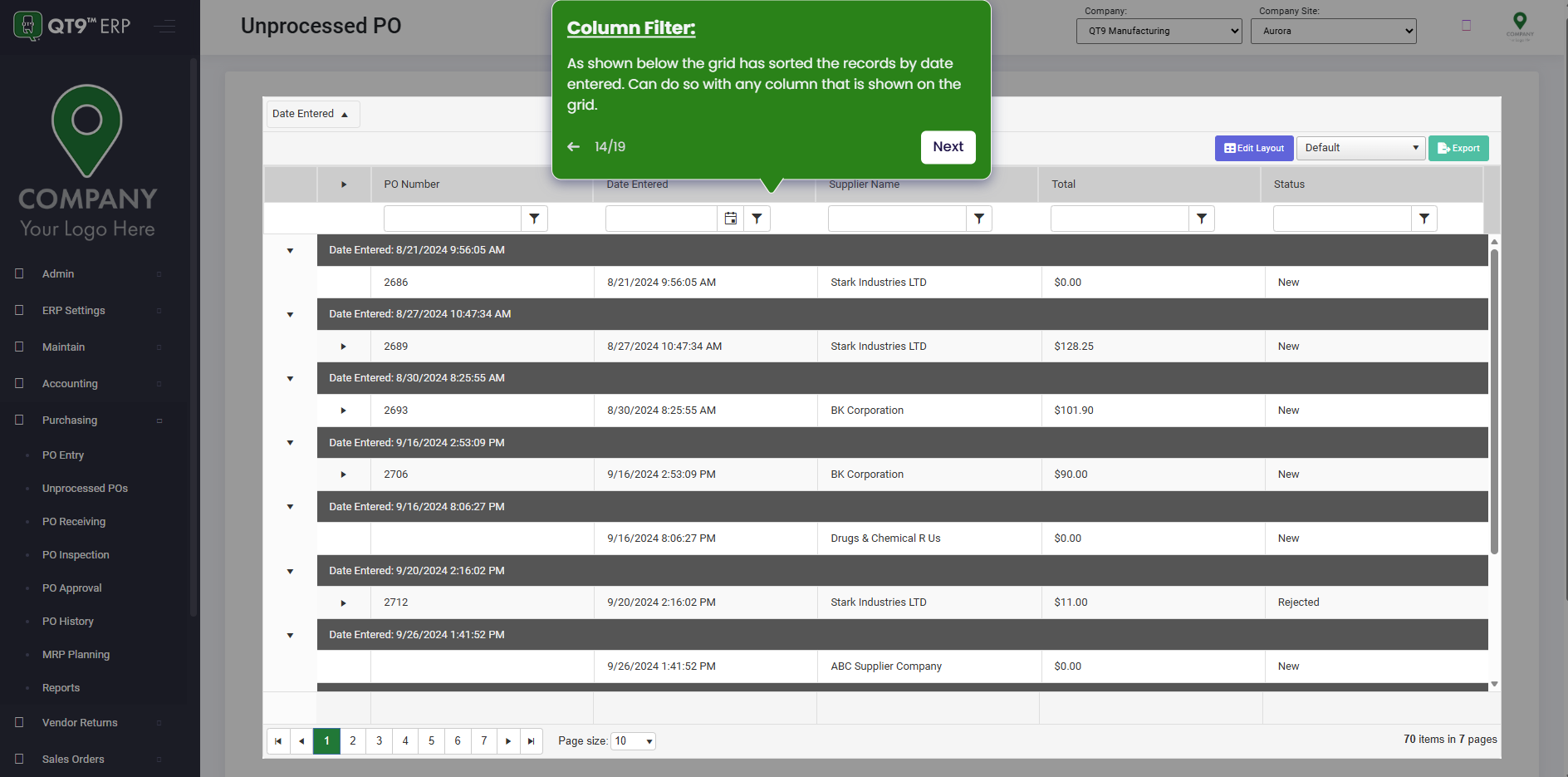
Simplify Quality, Compliance and Operations
Start a Trial
Try QT9 free — no credit card required.
Start Free→
Schedule a Demo
See QT9 live with one of our product experts.
Book a Time →
Get a Quote
Get custom pricing tailored to your team size.
Get Pricing →