
QT9 QMS and ERP Integration: Connecting Quality and Operations End-to-End
February 10th, 2026
Full Webinar Transcript
Hey everyone, and welcome to the QT9 ERP QMS Integrations Transforming Compliance webinar. My name is Artan Sakiri and I am the sales engineer and implementation manager for QT9 Software. And today we're going to be showing you how to how QT9 ERP and QT9 QMS work together to create a single compliance-driven ecosystem, one that connects your operational data with your quality processes to support traceability.
Accountability and audit readiness across your organization. Whether you're currently using both systems or just one or brand new to QT9, the goal of today's session is to demonstrate how these integrations help move manual steps, reduce risk, and ensure compliance is built directly into your everyday workflows, not manage as a separate process.
Now, before we dive in, I want to take a moment and thank our both our current customers and prospective customers for joining us today. We truly appreciate your time and your interest in the QT9 platform. Being part of the QT9 community means partnering with us to support compliance today and adapt to regulatory demands in the future. We have attendees today from wide range of industries on this call, so for today, please keep your questions aligned with the compliance focused integration topics we're covering.
If you'd like more one-on-one time or we have questions specific to your organization, you can reach out to your assigned implementation specialist or email us at support at qt9software.com. One of our specialists will be happy to walk you through specific use cases across both systems. All right, what we'll be covering today.
In ⁓ today's webinar is what we're gonna do is we're gonna walk through a real compliance-driven workflows that demonstrate how QT9 ERP and QT9 QMS operate as one unified system. So when we look at purchasing, for an example, how do we get for purchasing into inspections and finally into a non-conforming product record? So we're gonna see how receiving material and ERP can automatically trigger that quality inspection and the non-conformance management.
Ensuring supplier quality issues are documented, traceable, and corrective actions are enforced. As you can see, we're going to be walking through this actual workflow today so you guys can see the audit trails between the two systems. Bill of materials tied directly into control documents, inspections, and job workflows. So when a work is executed through the jobs module and shop floor manager, compliance is enforced automatically at the point of execution.
As you can see here, we'll be able to see where we stop for bill of materials, what documents and compliance records and inspections get tied into it, whether it starts off the bombs and it gets into your jobs. On the back end things, then when you get a customer return, how do we link that into a customer feedback record? And then ultimately, if need be, do we do a corrective action or non-comporting product? So when a return is processed in ERP, we're going to demonstrate how it ties seamlessly to that customer feedback record and corrective actions in QMS.
Closing the loop and preventing repeat issues. So now your operational data and your quality data are in sync here. And you know what you're here for is batch records for the medical device and pharmaceutical companies. For our regulated industries, we're gonna we'll finish by showing how QT9 dramatically simplifies the batch record creation with our one button batch record solution.
You can automatically compile batch record documentation, saving hours of manual scanning, filing, verification, while maintaining full compliance and traceability. As you can see before QT9 here, you have so much work and so many batch records to go through. You even got a second desk and a second cup of coffee. Not needed after QT9. As you can see, this guy is very happy with our one-touch batch record system, and we're gonna see what that looks like live today. Alrighty. Now
if you'd like more information about QTN ERP or QTN QMS, you can visit us online at www.qtninesoftware.com. For an ⁓ for an in-depth demonstration or discuss pricing, please contact our knowledgeable sales team at sales at qtninesoftware.com. And you can always call us toll-free at 866-913-5022. With that, let's get started and take a look at how integrated systems turn compliance from a burden into a built-in advantage.
All right, guys, let's get into it. We're gonna get into the systems now. ⁓ what we want to start off with first is really understanding how the compliance is driven from a receipt of materials through a purchase order. So what we're gonna do is one, look at our ⁓ maintain record or item master, set it up for inspection, and then see what that inspection process will look like during the purchasing ⁓ workflow. So to start off, we're gonna go into our maintain menu, go in my purchase items,
Looks like we got kind kicked out of here. Get right back in in a jiffy. Maintain purchase items. And we're gonna be looking for a housing here. So if I type in the word housing in our nice grid view, I'm gonna be looking at this GGX300 housing assembly. We're gonna get this ordered in for one of our production runs.
From the item master, all you would have to do is simply set it up for an inspection on here and you should be ready to roll. So now this will enable a new workflow that will go in through an inspection queue at that point. Now, if inner if the integration between Q QMS and ERP is valid, you're gonna be able to see you're gonna have to choose an inspection ⁓ plan at that point, and we're gonna be able to see what that looks like shortly. So let's go ahead and do a purchase order in and receive it. So
We're going to go into our purchasing module here. Go to PO entry. We're going to be ordering this one from our friends over at Stark Industries. And then I don't want to get into the add item, so I'm going to go ahead and use our batch edit item on here as well. So in here, I could go ahead and easily find my housing assembly, what the unit of measure is going to be, if a supplier part number came in, if there's any item revs, we can choose those, PO numbers, what the quantity I'm going to order is.
My schedule date of when I need it by, a supplier commit date once they commit to your delivery, and then unit costs will come in directly from my supplier item relationship. And this is a good way to batch enter some things into the system. And we have these batch edit grids all throughout to make it very seamless and easy without having to pick up your mouse to enter in any data. Let's go ahead and save and close that.
And we're going to go ahead and process this purchase order. So what's going to happen once I process this is it's going to go into an open PO or a PO receiving queue. You can have download receiving sheets for your team and the and the warehouse. This clears it out, ready for the next purchase order to get rolling in here. So when we go into our PO receiving area, we will see that our PO line that we just processed today for that ⁓ you know X300 housing assembly is ready for us to go ahead and receive it.
Now, what's gonna happen when we receive this is we're gonna get right into this module here. We're gonna hit that receive button, and we're just gonna say the quantity we actually received in here. Now, what this is going to do is make this make a lot for this item, put it in a waiting for approval status, and then it's going to be stuck in there until we release it for production use or being able to be shipped to a customer. All right, so let's go ahead and receive this in here. I'm gonna say we got all five in, ready to roll.
We're simply going to click receive. Our prompt tells us that we verified that we received the correct amount that we've entered. And we're going to go ahead and say yes. All right, we see lot RM2830. And we're going to take a look at the label later. But what just as you can see, it's a control factor on the compliance side of things. If I go in my purchase item inventory, if I look up this lot, we will see a nice traceability piece on here. Now I have a status of waiting for approval.
Waiting for approval in our system just dictates we have a quarantine until we did an inspection or we do some testing to this item. Once it's out of waiting approval, depending on where the decision matrix is, are we going to be a pass or a fail, it's going to show it available or non-available here at that point. All right, so just you'll know you'll say we can quarantine things right away. So they cannot be used in a job or cannot be shipped to any one of your customers. All right, so we'll come back to this once we have this inspected so we can take a look at this as well.
Alright, so now we're out of PO receiving. We're gonna go into our PO inspection queue here. And then we're gonna have our housing assembly ready for us and waiting. Once we get into this mini menu, we're gonna click ahead into inspect. And then you'll see at the bottom left-hand corner I have a create inspection button. This is gonna die directly in our QT9 QMS of an inspection plan that I've already created. So when I go ahead and hit create inspection,
It's going to give me a list of inspection plans I can choose from. I have two of them that are available for this part number. It's really driven by the part number. And I can go into here. I'll choose my GS GGX300 housing assembly and we're going to go ahead and create it. What's going to happen is you'll see inspection number 1779 successively created. A QTN QMS tab opens up in the record. And now we can see that I have a linked records area on here.
All my linked records will show up in this tab. And if I want to go and take a look at that inspection, we'll be ready to roll here. So this is a QT9 QMS inspection screen. And you can see like a lot of the information just flows right through to it. So my product, my part number, the lot number flows through. If there's a PO involved, as you can see, ⁓ the lot size, and I could decide what my sampling is going to be on here, and then get the inspection rolling.
You'll be able to put in parties involved because you can see my supplier flows through automatically into the inspection record. If there was a supplier lot that I captured at the time of receiving, it will flow into your automatically as well. I can select employees from my quality management system and then assign them the questions that I've asked within this ⁓ record itself. Whether it's a header question that's going to be asked prior to your inspection, your sampling questions will be kind of taken care of, you know, during the inspection.
And your footer questions to be answered after the qu after the inspection, you can kick off a corrective action or non-conforming product record directly from any one of those answers. So I can say in here, container seal intact with no visible damage. So this is just a visual inspection, or go ahead and say five all pass. We're gonna go ahead and add that response. I'm gonna do a sampling of five up here and then add response. Okay, we're switching this back over to per sample, make it a little bit easier.
On this one, we're gonna go ahead and say passing all five. But if something of that did not pass or you wanted to kick off a corrective action or non-conforming product record, you're simply gonna click back on the save sample response and you can see I can kick off a non-conforming product record or corrective action directly from any specific question on here. So I can have a true audit trail from my receipt on the purchase order to my inspection record to a non-conforming product record.
Imagine how seamless that will be when you have an auditor at your door trying to figure out what your process look like. Can we verify the process that you guys are doing one-on-one? How easy would it be to be able to show them that? So this is kind of the beauty of working with between both systems and one single unified platform to get these things rolling. All right. This one's pretty simple. We're gonna go ahead and complete that inspection and then we're ready to roll here. Beautiful. You can always reopen inspections if there's mistakes being made.
any of that good stuff, but as it sits right now, we're ready to roll with this item as well. Now with that being said, we can either daisy chain those corrective actions or non-conforming product records directly from our inspection record, or we can go back to the purchase order and just kick them off from there as well. So I can go into here and say, hey, maybe I did find some nonconformance on here and say maybe we're going to reject one out one out of these five.
These are all pulling in from your QMS. So for an example, your priority is gonna be telling you when the due date's gonna be. You set these up in your maintain and your QMS site to drive your due dates. You know, what site is it going to? Who's the responsible party so they could get emailed on this one? So we're gonna grab my my colleague Alyssa here and let them know there's a problem with packaging. Pack packaging was damaged. ⁓ opened item and item was damaged, right?
Ready to roll here and then you'll be able to create one directly from here as well. Okay, so these are just quality issues. We have to turn this on first and then we could create it. Again, you could do kind of choose your own adventure on here. We give you the flexibility. Do you like your audit trail to be daisy chained from one record to another, or do you want it to be flowing through from the original record? This instance, the original record is going to be your purchase order. So you're gonna have a decision on here. Do I wanna make them all directly from here or do I want to daisy chain them from one record to another?
All right. So we open this up on my nonconforming product rise. You'll be able to see again, we'll have all this information pulled in, but the priority, the ⁓ problem type, the description, material info flows through seamlessly for you, your product description, part numbers, relot number. ⁓ then you're just kind of simplified your process. You're gonna w do your root cause analysis and your five Ys. You're going to go in any user defined fields of to capture any data that we don't natively capture to really personalize your experience with us here at QT9.
It may be an outside out of the box solution, but there's ways you could personalize it to your specific industry or specific company, even with these user-defined fields. And we're we got these in both systems. So ⁓ personalize away. ⁓ you'll be able to do an your analysis on your the whole nine yards, you know. This is gonna show you every kind of workflow. Now it's tied into the receipt of that purchase order. All right. That's what we want to show on you here is how does this really work out? And then once I go ahead and finish this inspection.
on this one, I'm just gonna say I did a quantity rejected of one on here. I'm gonna go ahead and inspect it. We're gonna go ahead and complete. All right. So well now what I did is I rejected one of those units and I'm gonna go ahead and refresh this one. Now we're gonna see after I completed the inspection, what is what does this look like now? Now you're gonna be able to see four of my units since I said they were good and they passed inspection. They're available for use in a job or able to be shipped to a customer while.
That one unit is a non-available status and now it's in quarantine in the system. You won't be even able to see this item when you're actually assigning materials to a job. So it's just something to think about as we're working through the rest of the system is these statuses matter. Are they released or not released in in the system itself? All right. So that's how how we kind of really look at the purchasing side. You know, we have a good interaction between our QMS and ERP to be able to have you a seamless workflow between the two systems.
It really give you a really holistic view between quality and operations to get you going on the data you need to run your business properly. What I want to shift to now is kind of change the gears a little bit. Now we're going to go into the production side of things. We're going to start off with a bill of materials, get into a job and show a little bit of shop for manager. We want to look at what are the connections with the QT9 Europe and the QMS at that point and what does that mean for your compliance. So let's go ahead and take a look. Our bill of materials are going to be housed under your maintain menu.
And manufactured items. What I'm going be looking at today is our vascular valve here. Nice little medical device we're making today. One thing I'll point out, this is ripe for inspection as well. So we're going to touch this one on here, hit save now. This opens up more functionality within the bill of materials itself. Now, the way you want to think about your bomb, it's your foundation of any ERP system. So and QTN ERP strength strengthens this core by seamlessly connecting your quality documentation.
Such as procedures, work instructions, and other control documents directly into your bonds. This ensures that all relevant documentation automatically flows through to your jobs and shop floor manager, keeping your operators and production teams aligned with the latest requirements. Now you can also flag specific operations for inspection, allowing your team to complete inspection records within the QTN QMS. These activities work behind the scenes to automatically build out your batch record, which is especially critical for organizations.
Is medical device and pharmaceutical industries that must maintain strict traceability and compliance. Even though we don't have a specific module marker for foods, this works really well for batch records and foods as well. So whether you're in pharma, med device, nutraceuticals, foods, this is all right up your alley around the compliance piece of it as well. All right, so under this revisions tab is going to be where all of our bill of materials are housed. You can see that there there's a status of approved, they're open.
And we're going to circle back to this once we get into compliance portal towards the end of our call today. What I'm going to do is I'm going to look at our unapproved revision so we can take a look at what are the building blocks of building outer bomb. Alrighty. So when we're looking here, your revision tab is going to have some basics in there: the type, the name, the rev level, the standard batch size, if you make it your primary rev or not. Then you're going to get into your operations. Your operations are going to be your main line aspects of
your ⁓ production process. So as you can see in my ⁓ my example today, we have an assembly, we have a sterilization, a packaging, and then we have a contract packaging at the end ⁓ as well. And the materials tab is going to be a mix of raw materials and subassemblies for this product. And this one is going just to be all raw materials. If there was a subassembly in here, you'll be able to see the bomb within here as well and a nice pivot.
Now, before we get into the other pieces on here, when I go back into routings, one piece on here that's new to our recent ⁓ versions is routing steps. Within here, you can create like a work instruction level ⁓ checklist that will need ⁓ need dual signatures on it. So, for example, if you're a pharmaceutical company and let's say you have ⁓ you have me as your assigned employee that's doing some work on this product.
⁓ maybe I need to sign off that I did something, such as use the correct work instruction. Did I verify use work instruction three rev one? ⁓ did I, you know, did I thoroughly clean the removable contaminants? ⁓ that I sub applies surface treatments. This will give you the ability to sign off on it, and then you'll have a verification signature. Of course, as you know already, if you're a customer of ours, all of our signatures are 21 CFR Part 11 compliant.
so the FDA locks that in as a wet signature within our system. Okay, so there's something to think about as we're walking through this. This is just showing you how to set it up, but we'll see this in action when we get into the jobs as well. Just another piece to control ⁓ compliance, right? We want to make sure that these steps are completed. You'll have a setting in the system as well to say that all of these items need to have to be signed off and verified before we can close the job. And that's something that we can control the movement of the job until that happens.
All right. Just something to keep in mind as we're looking at that as well. One other thing while in the we're in this routing, we can see that we have the inspection toggle turned on. You'll see when I have this off, we have a little sneaky QMS tab out of there. So when I turn it back on, it pops up again right there for us and it asks us what inspection are we going to be using. So again, this is going to be tied in by your part number. So when we when we sync up your QMS and ERP data.
The part number is gonna be your source of truth where that's how it's gonna connect between the two systems and be able to function throughout each workflow. So on this one, we're gonna go ahead and say the in-process manufacturing inspection needs to happen during this, and we're ready to roll there. All right. So now that's assigned to that operation, and I can kick that off during ⁓ during the job and and QMS side of things, just like we did on the ⁓ material receipt at that point as well. All right.
Couple things to note on here, for the batch record pieces of it, you're ⁓ whether you're a a medical device or a pharma company, you you have a batch record level at the item master and then you have a batch record level at the job level ⁓ at there as well. So we are on a medical device size, so we can see our DMR on here. When we print the DMR, you're you're gonna see that it's asking me, do I wanna look at everything that has a multi-level bomb on it? So if I have any sub assemblies.
This will roll up all of your paperwork into one top level batch record. You could either have just the top level, you could have all the sub assemblies, or you could have them all ⁓ and one batch batch record to rule them all. So you guys can decide depending on how how your organization is lined up which one is best for you. When I click on this, there's gonna be a number of different, you know, records that are automatically pulled in.
One of them is going to be your bill of materials. Pretty straightforward on here. We know that our routings, materials, and routing steps is going to show up on here and get that rolling and ready to go. If you require approval for your bombs, they'll be showing up in here as well. Now, a couple other things that'll come in here automatically is if you have an inspection plan tied to this ⁓ as well. And then if you have any QMS documents, so
So when I go to my QMS documents tab, this is pulling directly from my current documents in our quality management system. So if I want to assign something new, I can simply click assign new document. It's going to pull into our quality management system. I can search, sort, and filter between this grid. So if I want to look at an instruction, all my instructions or work instructions, we'll be able to see them here. All right, so you'll be able to see like this instruction manual. I want to add that on there.
Go ahead and check that box or multiple boxes on here, assign the selected documents, and now you're ready to roll. You're ready to get this thing rolling. All right. Not only do we give that flexibility on the quality management side, but then you might have a uncontrolled document that you want to be part of your ⁓ master batch record. So when I go in this file attachments area, you have two items down here that will be part of this. So one of it is going to be this DMR slider.
If I turn this on, browse for a flyer of for a file, you'll see that it's going to append a DMR prefix to it. This is going to be something that's going to be brought into that batch record when we hit that button. All right, so it's going to automatically bring it right in there. This item spec slider is going to be more if you did not have our quality management system and you didn't want to have a document available during the production process, you had it as an item spec, you pop in that document there or file. This is file agnostic, not only PDS, but Word documents, zip files.
Anything under 500 megs ⁓ will be able to knock handle this no problem. All right, so that's how the bill of materials was set up in a nutshell on here. So this is how it's gonna get you going here. We'll come back for approvals a little bit later when we get into the ⁓ compliance portal itself. But this you got to think about your bill of materials as well as your ⁓ projection of production, right? So you're gonna be putting in what do you expect to happen, how long does it you expect to take?
What materials you expect to use? How many? What's the cost of these materials generally going to be? So that way you can benchmark your actual job and you see your actual values happen in real time. Let's let's jump over to their jobs module and see what that looks like. So if I go into my jobs, my job manager, super clean on here. I only have one job. And that's the beauty of having these grid layouts. So you can go like when your manager's not around, you can see what the real skeletons behind the behind here are looking like. You have red, yellow.
you're a little bit late on there, but I'll flip it real quick. You know, back to my webinar. Now we're clean. Okay. So this the beauty of our ⁓ you know, our grids are very powerful. You can add, remove, customize these the way you'd like them, personalize them to your own self, and then save them as multiple different grid layouts, depending on what you're looking at. Maybe you want to look at specific products or you want to look at maybe a keyword in the job name like my did here when I just looked it for that keyword of webinar. All right.
something to kind keep in mind as as we go through these pieces as well. All right, so now that we built the bomb, what does this look like in an actual job? How do we execute that bill of materials to make sure that we're in line with our compliance structure? One thing you're going to notice this requires QC sign-off is always going to be slid on if you do have our compliance portal. This is going to ensure that you have to go and approve this batch record in the compliance portal before you can actually ship the final product to a customer or use that subassembly in the next job.
So unless the admin level on the job turns this off, this will all go through that especially that workflow on it ⁓ as well. All right. Something to think about as well there. Now, if you're probably wondering, how does everything flow into the job once we did it? We set up documents, we set up inspections, we set up all that kind of good stuff. How does it flow through? First and foremost, you'll see on the job itself, you see our QMS documents on here. You'll see that we have a lesson we looked at earlier.
⁓ this is the approved bill of materials that we had, not the unapproved one that I did not put through approval process. So this is gonna have more accurate documentation to it. Once I click on it, depending on what type of file it is, if it's a PDF, it's gonna open up in this nice little viewer for me. If it's something outside of a PDF, it's just gonna download it to your system, whether it's like an Excel file or you know a zip file or anything along those lines, ⁓ you'll be able to see that. So as you can see, my work instructions ready to roll down here.
And then I can view it as I need it as we go on there as well. All right. Another piece on here is how do I kick off ⁓ an NCP or corrective action directly from here? ⁓ you can do it directly by clicking this quality issue slider on here, and then it's going to open up another QMS tab. It's gonna look very familiar to what we looked at earlier. We could see our non-conforming product record and corrective action, and we'll do a linked records on here as well. So
We did an NCP last time. Let's do a corrective action this time. It's gonna pull all my debt metadata directly from our quality management system and then say, like, what is the issue on here? So equipment damages. We're gonna give this one to my guy Chris Stingley down in Australia. And then what's our secondary or what's the problem? Damage. Machine was damage was causing damage to finished goods.
And needs PM, needs maintenance. All right, we're gonna go ahead and create it. Same process as we did before. It's gonna do that record, it's gonna go to my linked records. I'll be able to grab it directly from here and get into my quality management system. And again, from this corrective action, you could go and daisy chain this to other records we have in the system as well. ⁓ you know, we we do a risk assessment, we need to create a deviation.
You need create a training record from this incident because maybe someone wasn't trained on that process or process properly, or maybe they need extra training. You know, you can really tie a lot of this stuff together and have a true audit trail for everything quality and production within your t within your processes. Okay. This is real stuff that's going to really save you time, save you headaches, and get through audits with ease. I'm telling you, our customers love this stuff. All right.
Beautiful. All right. So we're getting back into the job itself. We'll close some of these tabs out so we're not going too crazy in there. And then let's go ahead and take a look. We're gonna go in our routings, and you know, for an example on here, we might have one of these routings on here, like cutting or assembly rolling. I'm gonna get in my job routing edit on here. This is where all the magic happens. And again, we're looking at this from ⁓ think of this as an operations manager view.
think of this as your command center to running your day-to-day operations while your employees are going to be in the shop floor manager later. And we're going to see just a sneak peek of that ⁓ as well today and see how we can kick off some of these items from there. ⁓ one thing I'll point out is ⁓ you know on here, it's not on this operation where we'll kick off the inspection on the next one, but your routing steps. So just like I said before, you can see that this is a signature-based routing on here. So I can say make sure the machine belt is in sync with the computer.
measure five minutes five centimeters of adhesive and apply it on the machine. I'll go ahead and click these and hit save. Since I'm the one logged in, it's going to sign me off digitally on it. Now on the shop floor manager you're gonna see that we do this with a scannable badge and barcoding system. So instead of doing it this way, you're gonna do it by scanning an ID badge and we're gonna see what that looks like short. Now let's see if we have an inspection on one of these guys.
So we can see what that looks like. So you're gonna kick off the inspection at the routing level or operation level. And when you go to the bottom left-hand corner, you're supposed to have a create inspection button on here. It looks like we don't have it on this one, but essentially it will works the same exact way as we did on the purchasing side. You kick it off from the operation itself, and then ⁓ it'll kick that off from there. ⁓ and same process to an inspection, whether you do it in process or within a ⁓ material seat.
It's going to give you the same idea there. Alrighty. Now, one thing I'll show you as well is the shop floor manager. So I'm actually going to switch over to a different view on here. This is going to be another web-based portal that is a great add-on. So think about a shop floor manager as an add-on module for the KTN ERP system that's going to provide web-based access for your production team. The portal can be used on the shop floor by as many associates as needed throughout the entire production process.
Currently without requiring additional user licenses. But any crucial documents or files stored in the job manager section of the main ERP site is also accessible within the shop floor manager itself. Ensuring operators always have the information they need to complete the work accurately and efficiently and ready to go from there. So what you need to think of is first of all, before we get into this, how do we get created users for this or employees? We have it under jobs and jobs setup.
One thing you'll see on here is I have my ⁓ my production ⁓ front man here, James Hetfield. ⁓ I have him set up in here what his wages are and then the account that's gonna go through on here on our general ledger, since our accounting is integrated into the system. No more of that QuickBooks you know, stuff from before we have disconnected processes, premium finances and accounting. It's all done.
Once you make an action within our system, there's a subsequent accounting action that happens to the background. You don't have to think about it. You don't have to manually put in general entries. The system does it for you. You just have to verify that stuff. With that being said, let's take a look at what this ID card will look like. So you have a couple different sizes on here. You can go ahead and print this. This is what I'm going to be using to sign in and out of our shop floor manager. All right. Let's get signed in with James on here and just see what this will look like from the shop floor manager itself.
Alright, so I'm gonna go ahead and scan my name or my ID card here. First time in the system, you're going to put in your password. All right, shop floor manager is pretty straightforward. I'm gonna go ahead and time into my job, and then we're gonna see exactly what your people on the floor will see. So I'm gonna go ahead and get into that cutting operation. Oops, got to scan my batch first. And then James is gonna get into my cutting operation on here. You'll see it at the bottom for that vascular valve job. And now we see some basic info. We're gonna go ahead and time into it.
Therefore capturing the labor in real time. So in here, what I'll be able to do is like, do I need to print out a traveler or a route sheet to see what's going on? You could do this digitally, but as you can see, maybe I need this traveler figure it out. You can see my digital signatures on these two items as right off the bat on here as well. You know, you'll have your spec files if you have them. Your QMS documents are lined up directly from here, and you will be able to kick off your inspections directly from this area as well.
When you go into the routing info, this is what they're going to be capturing routing info in here as well. ⁓ you'll be able to have a create inspection button on here. Once we hit this complete steps, it's gonna ask you to sign in again. And if you're probably wondering, hey, that seems like a lot of times to sign in with our IDs our time, what's the deal there? It's basically so if you have one machine to rule them all, let's say you have 30 employees and you have one workstation, it ensures that the right people are logging the right information, the right record.
you may have a situation if you're lucky enough to have your own like computer or workstation per workstation that you have on there. That's a different story. You can have a singular unit for for your employees, but we want to be able to be flexible so you don't have to go buy a lot of hardware. We like to try to keep your costs low here at QT9, especially for those startups out there. We know cash flow is a little tight, so we want to make sure that you get the tools that you need to be successful in our systems. So as I said before.
As you can see on here, I have a completed by and a verification. Let's say my supervisor is gonna come in, James is gonna check, hey, did our time actually do this stuff? I'm gonna go ahead verify that by go ahead and checking these checkboxes, save routing steps, and then scanning my ID badge. As you can see now, since I scanned my ID badge, now I have a compliance record that shows I have verified the steps that of our process were taken, right?
So now you have a bill of materials that goes through an approval process that goes through ⁓ major steps. That probably went through an engineering change on our QMS side. Then you let that flow into a job. You're capturing data, you're capturing insights and things like that. And then these steps are going to make sure you're compliant with each one of these processes. So if you have a work instruction that's a release document that's been trained on and everything like that, this is going to be your verification of effectiveness right here.
Hey, we have it signed up, we have it verified, and now we have a solid rock solid process for your for your auditors to go through with you. All right. This is something that's seamless between the systems. You know, whether it's shop floor manager, the job manager to QMS, you have it end-to-end on here. All right. ⁓
⁓ a ⁓ customer feedback record so you can do an investigation. So let's get into that next and we're gonna go ahead then wrap it up with the compliance portal and see if you guys have any questions for me to answer live on this webinar. So let's get into a customer return. To do that in our system, we're gonna go ahead and go into the customer returns module. We're gonna grab a return slash credits on here, grab our customer we're returning from, where we're getting from this from. Let's go Boston Bart's one of my favorites. And we're gonna grab an item.
Now you have you have a choice here. Do you want to cur a grab it from a selected order that we already shipped to them, which is ideal because now you have a traceability from the sales order? Or maybe you can do an ad hoc return because maybe ⁓ this was done prior to going live in KT9D. ⁓ you know, how many do we want to credit? One, how many do we want to return? One. So it's going to create a credit memo for you and get it ready to roll. All right. So now that I have my return line item ready, I can keep adding line items on here as well.
I see that I have linked orders, so this is gonna link directly to that original sales order, and now I have that line of traceability on there as well. What you'll notice on here, since I did require an inventory return, now I have to say what's the scheduled return date for that inventory to come in. I'm gonna go ahead and say that's gonna be the end of this month. All right, so I'm gonna go ahead and process this. But what happens when I process it? It clears this form, and then it's gonna go into my RGA queue. So my returns goods authorization. So
Or we're gonna go ahead and be able to knock that out here. All right, so let's go and check on the one that we just did. Boston Parts. I got that one unit. Now you'll see on here when we do that return, you have some options. Now, let's say a customer is mad, they're upset, there's a non-conformance with the product. You want you you're gonna bring it in, you find out, hey, we got a quality issue. Let's take a look at what's going on there.
Now difference this time around that you didn't see in the previous ⁓ examples is we got another action type. Boom, we got three action types on here: corrective action, non-conforming product, and customer feedback. If you guys are new to QTI and QMS or maybe they have not kicked this module off, think of customer feedback as a module to document an investigation to a non-conformance. You're probably wondering, how does that work? Let me show you. So we're gonna hit this customer feedback record.
We're gonna say our responsible party is going to be me. My feedback type is a non-conformance. Feedback category is going to be when I did my research, or my initial thought of this is going to be device malfunction. We don't know why it's happened just yet. Okay. ⁓ customer is not happy with nonconformance. ⁓ please in investigate.
Alright, we're gonna go ahead and create that record. All right, same idea here. We got it in my linked records on here. So I can see customer feedback. We're gonna go ahead and kick that off into the QMS. Again, all that stuff just flows right through. So we can grab in, you know, customer, the phone number, the address if we needed to, from depending on what ship to you they're they're shipping they're getting this back from. ⁓ responsible party categories can be changed. Do we need to do a risk assessment? Is this gonna lead to an NCP or corrective action action on?
But before you get even to any of that, you want to start working through your customer feedback record. What's the feedback details? Here's some internal notes. And maybe we don't want to print it out on a record or anything like that, but I want to have some internal notes. And does this issue involve, unfortunately, anything like death, injury, safety ha hazard, or if it's MDR reportable? So something for you to be able to report on, being able to have an understanding of what that looks like. Finally, you're going to see a product info tab on here. It's going to pull all your information in there.
Order numbers, invoices, all that kind of good stuff. Here's your evaluation and investigation come into play. So you're gonna say, hey, is this gonna require an investigation? We're gonna say no or yes. Now, once you say yes, now you're gonna have to add investigation results as you're doing investigations and documenting what you found on it. You know, at that point, that way you know how to move forward, right? You you investigate it, you find out there's an issue with training.
We just need to train our employees a little bit more. We could kick off a training record and get that thing rolling as well. So something to think in my ⁓ think about when we get into those pieces. when we get into those kind of pieces there. Alrighty. Awesome, awesome, awesome. Hide that. another piece on here is again, we could go ahead and daisy train them directly from this customer feedback record, or we can go right back to that RGA and then just kick off our records directly from here.
We give you that added flexibility as needed to get that thing rolling. Okay. So that's how it's handled between on a return. I know returns are really, really important, especially you want to find out what's that root cause of that nonconformance. Let's document it. Let's put guardrails and training in place so that doesn't happen again. We don't want any repeat offenders on here, whether it's a non-conforming product or a non-conforming process. I just want to make sure we knock that out. We don't have that happen again. And QT9 is your partner to do that.
Alrighty, final thing is going to be our compliance portal, everybody. Let's go ahead and take a look at that. So, first and foremost, I just want to show you what the settings look like in the compliance portal so we can take a look at a little bit of a deeper dive. One thing you'll see on here is when I get to my compliance portal, you'll see a drop-down once we enable it. Is it going to be a medical device or pharmaceuticals? Food companies, don't be shy, a lot of our food companies use the pharmaceutical compliance type.
And all this really does is changes the nomenclature on what you call your batch records. DHRs versus EBRs, DMRs versus MBRs. A lot of acronyms. Really they have the same function. Okay. That's the way you want to really think about this. And you're going to decide what your batch records approval process is going to look like. Ours is pretty simple on our side. We need one minimum approver for our batch records. And then we have this pool of
approver. So an anywhere from Jared to Christian can go ahead and approve this. Whoever's first passed the post gets a ⁓ approved batch record. Again, you get up this too. So let's say I need two minimum approvers. So that means two out of these pool of ⁓ you know approvers need to go through this process and ready to go. All right we see inventory release release on job approval this ensures that remember that checkbox that I had on the jobs
Is going to make sure that goes into the compliance portal and waits for that approval process. So that's going to be all done automatically for you. You don't have to think about it. You just set it and forget it within our system. Okay? All right. Another thing that you'll see at the bottom on here is Bill of Materials Reproval. So you'll see as revision approval settings on here. And you'll be able to kind of bring bring that through on here as well. And
I know really the back recording process is a really challenging process. You may need some extra help with that stuff. We do offer professional services on that. Hire us to help you as a consultant instead of just a trainer to really help you really dial this process in. Are you missing pieces? Can we make things more streamlined for you? That's what our professional services team can do. All right. So just something to keep in mind as you're going through this implementation or you or you're making the calculus of QT9 ERP is the right fit for you, just know we have your back.
And our our customers will speak to that at any point in time that our service is world class. All right, so you can see the same thing for revision approval settings on here. ⁓ minimum approvers, your approver pool, and this is going to be for your bill of materials, your revision. So as if you remember when we looked at those revisions earlier on, we saw that it can go through an approval process on those. Same thing with the jobs. We'll have to go through a compliance portal process.
Now, one thing to say on here is whether you're going to be inside the system. So if I go into my compliance portal within here, you'll be able to see the same thing outside of the system as well. So when I open up our side thing here, and I exit out of this guy, go ahead and punch out of everybody here. Bill Murray's in here, Jack Nicholson. Guys gotta punch out, guys. What's going on? Alrighty.
Got me locked out. We're gonna go ahead and exit. All right. So one thing to put on here is like another portal that it comes with your QTN ERP subscription is your compliance portal. You know, and you're probably wondering why do you have it separate, our time? What's the reason? The reason is you don't want the FDA poking around your other data, so we made it so they only look at your batch records. That's what they're there for. They're not here to go look at your purchasing or anything like else like that. They want to make sure your process is locked tight.
in your batch record. So get them into the compliance portal. Are you going to have like something that is going to be local, like on site, or is it going to be a remote desk audit? Imagine doing a desk audit where just give your ⁓ you know your ⁓ auditor a login and then you go about your day. I mean this is this is the kind of stuff that could be possible with the QT9 ERP and QMS platforms. So caveat here is you have to remember your password.
And that's the key to everything. And you can see it's just a simplified version of it. And it's just one portal, one module ready to roll. All right. But as you can see on here, there's a couple different areas. So this one's geared towards a medical device. That's why you see a DHRs and DMRs. but then that will just change into ⁓ master batch records and electronic batch records for the pharma side. Again, it's just a nomenclature shift, no added functionality between the two. ⁓ or removed functionality if you want to look at it that way.
So you'll see QC sign offs on here. Once you do a QC sign off, I'm gonna grab this vascular valve that we did earlier on. We can look at all the inspections that were taken care of, any materials that were on. Who's the approvers? When were they approved? Any partials. Looks like this one's done as a bunch of serialized products. So you can see we get down to the nitty gritty on every serialized product that gets approved in here. We're not messing around with this. So when hit this print DHR.
This is going to roll up all that information into here. You have your job approvals with your 21 CFR PAR 11 electronic signatures right in here. You got your job traveler, which is your execution of your bill of materials, your inspection records that we just did in QMS rolls up. You don't have to even think about it. You just hit a button. ⁓ your label for your for your manufacturer lot, and then we have a bunch of QMS documentation. And you guys saw what I did. I set it up and we did it within this hour.
And how much time is this going to save you over over the next year to get this thing rolling? Imagine how much time it takes you to manually do batch records right now. With that paper base, you have piles of paper, you have binders, you have all that kind of crazy stuff in your offices right now. Roll it up into here. Make it all digital. Help us with help us help you with your digital transformation to get you guys into this space. This is going to be revolutionary for anyone in medif medical device or pharmaceuticals.
On this side, the device master record, this is where you're gonna go ahead and improve your bill of materials. We don't have any bombs on here submitted yet, but these are all the approved bombs, and you can see on here item name, part number, and all the reps on here that are approved. I can also create kick off my ⁓ my device master record on here as well. So I can either go into the item master and do it from there. I can come into the compliance portal and give me the same thing. Seamless, easy, one button, ready to roll.
All right. All right, guys. That is my full webinar on everything ⁓ connected between QTN European and QTN QMS. As you can see, both systems are rooted in compliance. That's how we started this company. This is how we're going to keep going, is where everything we do is rooted in compliance. We want to make sure that ⁓ all these actions really align with what you're expecting within the the systems here. All right, with that being said, let's see if we have any questions, we could pop over in the Q<unk>A ready to go.
All right. We got some great questions in here. my gosh, we got a lot. So I'm gonna try to pick a couple of them in here to ⁓ get this rolling. can the ERP communicate with other ERP systems like NetSweek? Christine, really good question. Not right now. ⁓ we do have an open API though, so which means that ⁓ if you have the ⁓ either wherewithal internally or you wanna hire a third party to create any type of connection, we don't charge for API access like other ERP companies do.
so if you want to build it, by all means, you could run with it. but just know we're gonna have integrations coming up with some systems in the future on here. We're currently integrated with Paia, we're currently integrated with ShipStation, ⁓ we're gonna be using Avalera in the future for taxes and things like that. ⁓ Brittany Hayes, if we're doing batch records manually today, how does ERP and QMS integration help automate or simplify that process? how much time does it save? You know.
That's a really great question there. it can say it really depends on a company. Like if you're a batch record, imagine how long it takes you to do like a hundred or hundred twenty page batch record and then you have something along the lines of, you know, hitting that one button and you're ready to roll. You know what I mean? So ⁓ it really depends on each company. What we can do is as a team here, we will be able to look through your batch records as a professional service. We'll be able to run through all that pieces for you, whether it's on site or anything like that, we'll be able to get that going.
⁓ we have an how do we access the APIs? if you reach out to support at qt9software.com, they will be able to ⁓ get that rolling as well. they'll let you they'll give you your data dictionary and everything like that. We'll we'll get a mutual NDA in place and we'll get that rolling over to you guys. Can QT9 QMS be implemented at our suppliers so we can capture their inspection results? Rick, that's a very good question.
that's something that I would recommend working with your implementation team on. ⁓ it it is possible. It really depends on what that will look like ⁓ kind of going forward. So there's the devil's in the details on that one. So we want to make sure we understand all the details before moving forward there. ⁓ okay, do we have a cloud multi-subscription plan and what is the minimum number of users we choose to use QQ QT9 only and not ERP?
It's more of a QMS thing. I believe the minimum is two licenses. It is not a monthly service just yet. we will go ahead and do that yearly on a yearly renewal on it. So you'll have some year one costs on QMS ⁓ just get you up and running and implemented, and then year two costs will just be your your actual licensing itself and platform fees and things like that. All righty, what else we got in here? See we have anything else.
want to confirm QMS and ERP communicate with the share. Yes, Victor, 100%. This is what this webinar is all about. You know, they they will communicate in those manners. This is just a starting point. ⁓ You know, once the Q once we have some more integrations built out between the two systems, it's just going to become more and more of a unified, robust you know, system between the two as well. Yeah, I know we have some people looking at third party systems like Platypus. It's great to get with those guys into a meeting as well. So we do have some third party partners that we like to partner with.
Around API access and things like that. ⁓ all good to go. and it looks like it's about it. A lot of my team is answering these questions in the webinar itself. But listen, you know, if this webinar gave you more questions than answers, that's a good thing. We want you guys to come to our team. Let's book some time with us and then let's get you guys into a spot where you're saving time and streamlining your processes. So
Reach out to support at Qt9software dot com if you're a customer of ours and let's get something set up with my team or myself. We can sit down and really get a game plan together for your compliance needs. And then if you're not a customer with us yet and you want to be one or just kind of want to inquire some more information, just reach out to us at sales at qt nine software dot com. And then we'll be more than happy to schedule some time either with myself as a sales engineer with our sales team, walk you through what's possible and we'll really kind of show you what what the what the systems can really do.
I really appreciate anyone who came into this call today. ⁓ and ⁓ we're looking forward to many, many calls into the future. And ⁓ I hope you guys all have a great rest of your day and a wonderful rest of the week and we'll see you next time.
Questions From This Session
How do QT9 ERP and QT9 QMS work together?
QT9 ERP and QT9 QMS share data across purchasing, manufacturing, inspections, quality records and compliance workflows. This integration creates a connected system that improves traceability, reduces manual work and helps organizations maintain audit readiness.
How does QT9 automate receiving inspections and supplier quality?
Materials received through QT9 ERP can automatically trigger inspection records in QT9 QMS. Inspection results can generate nonconforming product records or corrective actions, creating a complete audit trail from purchasing through quality management.
How are controlled documents and inspection plans connected to manufacturing?
QT9 links controlled documents and approved inspection plans directly to bills of materials and production jobs. Operators can access the latest work instructions, complete inspections and capture electronic signatures during manufacturing.
How does QT9 manage customer returns and quality investigations?
Customer returns processed in QT9 ERP can automatically initiate Customer Feedback records in QT9 QMS. From there, organizations can perform investigations, create corrective actions, document root causes and maintain complete product traceability.
How does QT9 simplify electronic batch records for regulated manufacturers?
QT9 automatically compiles production records, inspections, controlled documents, labels, approvals and supporting files into electronic batch records, Device History Records (DHRs) and Device Master Records (DMRs), significantly reducing manual documentation.
What is the QT9 Compliance Portal?
The QT9 Compliance Portal provides a secure location for reviewing, approving and printing electronic batch records, Device History Records and Device Master Records. It allows auditors to access compliance documentation without exposing the full ERP or QMS system.
Key Takeaways
Presenters
See QT9 QMS in Action
Discover how QT9 QMS helps organizations streamline compliance, prepare for audits, and manage quality processes more efficiently.
Request a Demo →Explore QT9 QMS in Action
Take a self-guided tour of QT9 QMS and see how organizations manage audits, supplier quality, CAPAs, training, document control and compliance from a single platform.
Launch Interactive Tour →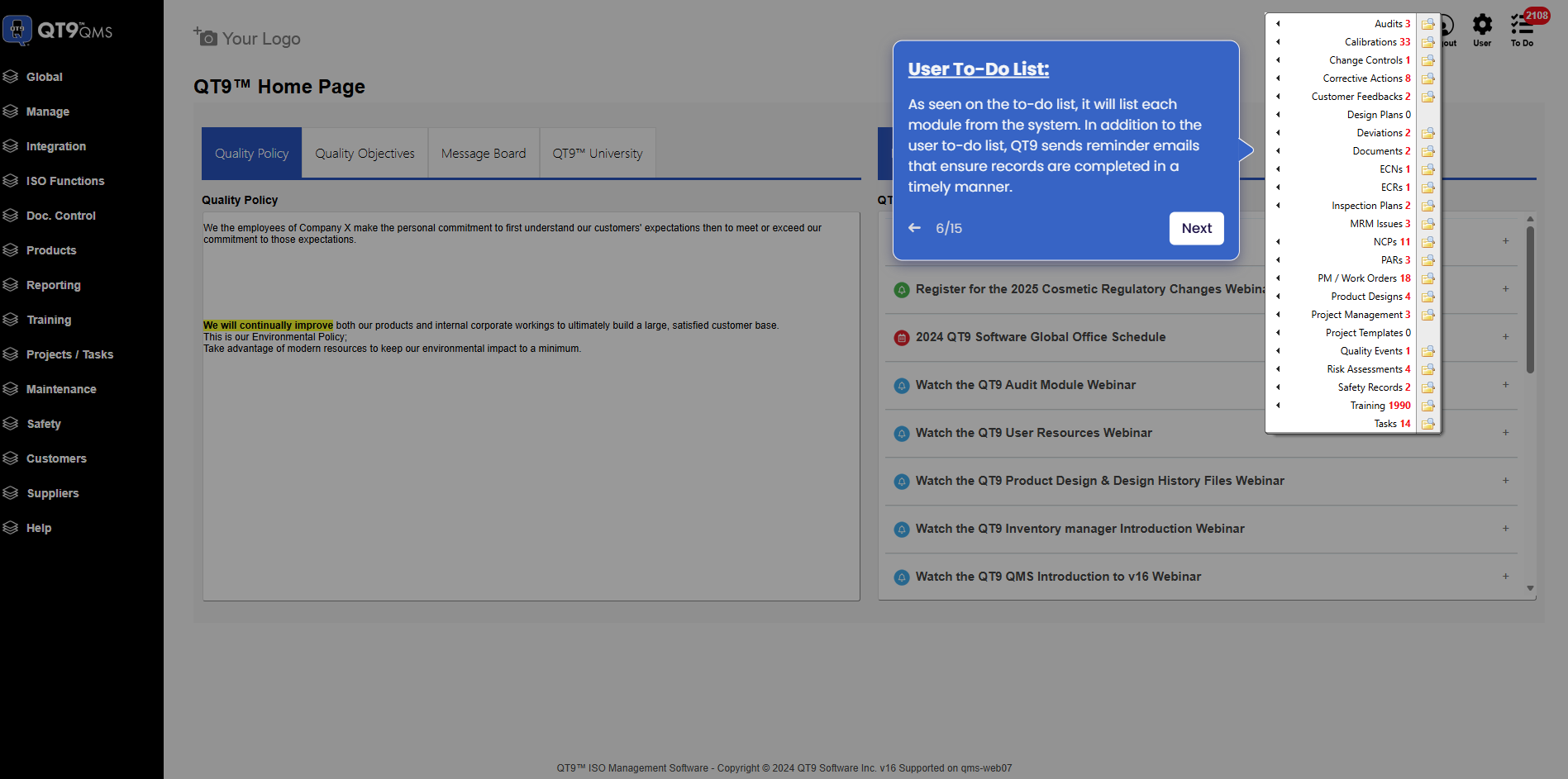
Simplify Quality, Compliance and Operations
Start a Trial
Try QT9 free — no credit card required.
Start Free→
Schedule a Demo
See QT9 live with one of our product experts.
Book a Time →
Get a Quote
Get custom pricing tailored to your team size.
Get Pricing →