EHS & Safety Incident Management in QT9 QMS | Module Walkthrough
September 25th, 2025
Full Webinar Transcript
Good morning, everybody, and welcome to the webinar. We're so glad you guys joined us. ⁓ today's session is going to be focusing on the safety and EHS tools here inside of QT9QMS. So we're going to be talking about not just safety incidents, we're going to talk about some other uses of ⁓ Qt9QMS for your EHS efforts. Now, before we get too far into the content here, I do want to go over some of the basic
tools and information about the webinar series. So the first thing I do want to bring to your attention ⁓ is going to be the orange arrow on the vertical webinar toolbar. Now that arrow is going to either expand or collapse your toolbar view. Now that's important because at the bottom of the screen there is an area for questions. So please submit any questions that you have during the webinar and our team is going to be available to address those.
All right, now I do want to talk a little bit about the webinar series themselves. So the Qt9 QMS webinar series is really designed to provide our users with the best usage cases, features, and functions that we can provide. Now, during the webinar, we're only going to stay focused on EHS and safety. All right. We aren't going to be getting into any other modules today, so please try to keep your questions down to just those areas.
We have a pretty wide range of users in attendance, and we want to make sure that we get ⁓ that we stay on the topic at hand. Now, if you guys do need to look at any form of module training, do remember you have unlimited access to training through QT9 University. You can sign up for courses through there anytime, and that's accessible right on the main page of your QMS. So feel free to register for as many sessions as you like.
After attending those sessions or if you do need to book a one-on-one session with the Q with the implementation team, make sure you reach out to support. They can be emailed at QMSsupport at Qt9software.com. And they can get you in contact with the implementation team when you need us.
The other thing I do want to point out here is that at the end of the session, there is going to be a brief survey. If you could give us your feedback on the presentation, on the software, we always appreciate your guys' feedback and we try to take that into account when we are moving forward with, you know, feature designs, upcoming webinar series. So your input matters and we want to make sure that you guys are heard. The survey is very brief and it'll be done at the very end of the session.
All right, now that we're through the general information, let's start talking about the topic at hand. All right, so in today we're going to talk about QMS safety topics. So how can we use or how can we leverage the how can we leverage the tools inside of QT9 to enhance our EHS processes? Now, QT9 is a world-class QMS, but within that architecture, we have a really strong ecosystem to support.
EHS activities for your organization. Now, the integration of different modules allows you to evaluate and track outcomes of your safety programs in an easy and effective way. The safety and incidence module really is one facet of what we offer. But today I'm going to help you unlock the true power of QT9 QMS for your safety efforts as an organization.
Now we're going to focus on a couple key areas here. So I am going to talk about SDS management. We are going to talk about ⁓ quality events, aka safety issue reporting, and we'll talk a little bit more about that as we go. We are going to talk about audits, how they can be used for your safety program. We are definitely going to talk about the safety incidents module, and we're going to talk about the projects module because
Your safety team likely runs different projects throughout throughout the year and they have different initiatives. Having a central location to track that could be a very useful tool. So over the course of today's session, we're going to spend some time focusing on those areas. I do intend to leave some time at the end of the session for questions, but do make sure you're asking throughout. We do have a team available to answer those as we go.
But let's go ahead and let's jump into the system. Now, the first place that I do want to start talking about here is SDS management. Now, we know that these are documents that every safety team needs to maintain. Now, inside of QT9, we don't have a direct SDS area, but what we do have is document control. Now
Document control is a great location to store your SDS information because what this is going to allow you to do is to have a primary centralized storage point for your SDS that's accessible from any web browser. Now, in here, this grid is just like any other module in QT9. It makes it really easy to find documents for SDS if I have a doc type for it.
The benefit here too is as well is to having that primary storage point, we now have the ability to see everything that's currently out there. And we also have the ability the ability to revision control. And we have approval and publication controls baked into the system. So if the SDS for the calcium carbonate needs to change, we can easily go in here, create a revision.
And start that process if somebody has the proper level of access rights. Now, when we talk about revisions, there's a couple different layers to this from a safety side. Now, that being said, the main thing here is that when you do start a document revision, of course, you can flag if training is required. And that is vital for a lot of management when we're talking about safety documentation.
Because if you are changing any of the documents, there's a solid chance that training is going to be required. Document control has a direct integration to the training module. What I mean by that is that you can associate documents from Doc Control to job titles. And if that association is there, when you create a training record from a document request, as you would here.
That is going to automatically generate or create a training record when this document request hits a certain point. This is going to help you with one of the more vexing problems with document control, whether it be for safety or otherwise, where if you're making a document change, there's a very solid chance that you need to be making a change or need to be training your team on that change. So if I check that box.
When this document hits a specific or this document request hits a certain point, it is going to create a training record here under the training area, and it is going to do so under the open records with a new document. This is going to give me the option here to go in. I can see that this is coming from a new revision or a new document. I can, of course, my employees would already be pre-assigned.
My document would already be here, and I could have them go in, train, and close the loop. So the integration between document control and the training module really supports the idea of having your SDS in one location. Because again, being able to close that loop on training is vital. Now there's one
there's a couple other integrations that you do really want to be aware of if we are talking about managing your SDS in the document control area. And that is the integrations to two locations, to the auditing module and to another location with quality events. Now, controlled documents. In case you guys haven't seen this before, your documents from Doc Control can be associated to the process. So, what I mean by that.
is if we look under the manage, under the maintain, under audit, and under our different processes.
I can actually associate any quality standard element that I need, I can associate any documents from document control that correlate to this. So let's use safety as the example. If I associate all of my SDSs here and any of my, you know, any of my applicable procedures, it's already here as part of the process. So now I can easily integrate this to an audit.
All right, so just pointing out having that having these SDSs in document control does allow for that assignment directly to an audit. All right, and it helps automate that process. All right. The other the other location, the other important thing to keep in mind about having your SDSs here is if you are a customer that uses the document viewing portal.
Now, if you guys haven't seen the document viewing portal, it is an add-on service that you guys can add. It does allow a different set of licenses where you can only view document essentially your approved active revision documents. So if you are an organization that is nearing the top of your of your licensing at current state and you do want a more cost effective solution as opposed to adding more licenses, you can look at the document viewing portal. That would allow your safety team
To look at documents and allow your entire team to look at safety documents, even if the main licenses on your site are currently tied up.
right, very, very important. So again, when we think about centralizing where your SDS is stored into the system, you can see that this allows you some opportunities that you may not have thought about. Now, SDS is one piece of what we're going to talk about today. The other thing that we are really going to talk about in today's session, though, is quality events. Now, quality events don't always correlate directly to safety issues, but
Let's talk about what a quality event really is. All right. We have quality events in here as a way to capture or be the initial point of evaluation of any issue within your organization. So that could easily involve safety. Now, the other reason that quality events can have a lot of credence to the safety team is
What if we want to allow our employees to participate in the safety program, but I don't want to give them full access to the safety incidents area because maybe we have private information in the safety incidents. That's okay. I can use quality events as an initial point for any it any any issue that they want to report. By doing that, what you can do is you could enter and they could enter a new quality event.
All they would really have to provide is a title, a responsible party. They would just select for the type, potential safety issue. They could select a category that they feel is that they feel is relevant here.
It's like a priority and then put in a description of what happened. They could then assign this to somebody from the EHS team. By starting the process here, they're putting in their observation, what they've seen, and they're reporting it up to your EHS team. Your EHS team can then go in and they can go through a full evaluation and investigation and determine what actions really need to happen here. So let's talk about that.
I've got an example or I've got a couple examples that I put in here. So let's say, in my case here, that I have a potential SDS documentation issue. All right, so let's say that we've reported it. Now let's say in our description here that there's an issue with an SDS for our sodium hydroxide solution. The concentration changed from 15% to 25%, and the SDS appears to still be on the 15% concentration.
So they added some additional context here with changing concentration was made at direction of maintenance, but unsure if any document changes were filed. So they're flagging here exactly their observation of what's happened. They're then assigning it or giving the responsible party context. That responsible party can now go in and they can begin the process of an evaluation and investigation here inside the quality event.
Now, they could go through and select or indicate any processes that are impacted by this, anything that they feel is relevant. But the real key element here is that this is your initial point of the evaluation and investigation. You are determining what needs to happen here. So let's say that we did some initial input here. So the maintenance indicated that a higher concentration was needed to adequately clean the machine in the extruder shop.
And they stated they made a change request to the document control team.
The follow-up to that is we spoke with document control. Maintenance made the request via email instead of routing it through QT9. So it appears ⁓ there is essentially there's a merit to the documentation issue, but need to re-uh retrain the maintenance team on the new document control procedure inside of QT9. So that being said, I could call for further investigation here, or if I feel we're at a good spot, the main
superpower of the quality event module really is related records. So in here I could easily stay say that we need a change control, we need a corrective action, ⁓ we we do need a safety incident or we need training. I could generate all of these off a single quality event. Now when we think about when we think about this process or we think about this,
This is this makes this a really great initial vetting point for any issue that we run into from a safety side, because I can generate all of these different record types off of a single quality event. So if a safe if an incident's required, great. If a corrective action and a training is required, awesome. Both any of those could be a relevant or a a essentially a decent outcome of this particular situation.
One other thing that I do want to point out here, this is really nice. The other thing that's nice though is the tie to the document control area. What I mean by that is if a document is involved in this particular safety issue, I can bring or I can add that document here to the quality event. All right, so I could just select what I want, add the assigned document, and assign selected.
Even when I bring a document in, you will notice that there's a gear icon over here on the right. When I review that document, this is going to give me two options here. This is going to allow me to say either the assigned revision has been reviewed and it's acceptable. So we don't need to make any changes. In the case here, we know that a change was made and the document wasn't updated. I could start that document change process directly from here.
All right, I'm just typing in my quick note here. And of course, I can initiate a new request. So I actually just started a document revision request directly from the quality event. So again, having those safety documents in there, whether they be SDS, procedures, instructions, anything of that nature, now this is giving me a more comprehensive system to manage that information.
So at some point I can come in here, flag the new revision. It's acceptable, put in my notes.
And I can complete that review. So just pointing out, quality events themselves have a vastly useful application for anything relating to safety or just about any other module inside of the system that you guys may need. The point standing here, this is a really powerful tool.
All right. And of course, as you guys see here, quality events can be a true anchor location for your safety team. Remember, you guys get to define all the different types and categories that you use. And if you're using the quality events module this way, at the end of the year, you can easily pull this grid view and you can see any type or any essentially any category or type that pertains to safety.
Simply by searching. So at the end of the year, if let's say I had, you know, thro 200 quality events and I do a search and 75 of those are potential safety issues, I can see that and I can also see the category that comes off of them. All right, so that gives me a good idea of what we may want to look at or focus on moving forward.
So the quality events module, as I stated, is a really, really powerful tool that you guys have to really evaluate before you bring something into a full safety incident. Now, the one of the other areas that I do want to get into that gets used very heavily or can be used very heavily by a safety team is the auditing module. Now, as I stated earlier, audits
You can build an actual save, you can actually build a audit an audit process called safety. The benefit to building that process is that you actually have the ability to associate specific quality standards. So if you guys do abide by ISO 45001 or any other quality standard, you do have the ability to go in there and associate a particular audit ⁓ to
or a particular process to elements, to documents from dot control, and to checklist. So let's talk about that. Under the auditing area, so under the processes, let's go back here and look at this one more time.
So under the safety process, in my example here, I've indicated here for 9001 any of the relevant the relevant quality standards that this could pertain to. Now you can assign elements from multiple standards if you need to. So if I did have ISO 45001 in here, I could easily select that and start making and start adding those elements here. The other piece of it though is I can actually associate documents from document control with
This process, and I can associate checklists. Now, checklists can be built in the system. And when you build a checklist, you can actually go in and add in questions that your team may want to ask or can or check during a safety audit. So the combination of indicating the elements, the potential usable checklist.
And the documents provide a really strong base to build a safety audit on. So once you build these elements here, let's show you what this looks like at the auditing level. So let's say that I have a safety audit for my stamping shop. I'm going to click in to that audit since I've already created it. And in here, I've got the core information that I really need. I can define who my auditor is going to be.
Simply by clicking on the add auditor. But here's the key thing. I've already selected the processes here. So in here, for each process, if I do want to add notes or context, I certainly can. But when I select the process, the other benefit that the audit module really brings to any team is the ability to predefine those associated checklists. So now they can go through here and determine.
Do they do these conform, yes or no? And they can add notes for each and every one to provide context. So not only am I pointing out the different standards that we're auditing against, I also have checklist here to help with this process. Additionally, I already have the documents from Doc Control loaded here. Because by using the reload documents function, what this is going to do, this is going to look
and all of the all the documents that are associated to that process, and it's going to bring in the most current active revision of that document.
All right, so now if I need this as part of the audit, ⁓ it's simple, it's clicking on it and it'll download a copy.
So just pointing out, very, very useful tool. Of course, the other benefit to doing your audits through here is that with an audit, you do have the ability to assign results. And from those results, you can tie back to your corrective actions and your preventive actions. So if you do have a major safety issue and a corrective action is required, you can generate that directly from here.
All right. So very, very powerful integrations with the safety team because again, safety is a piece of what we do, obviously, in quality. This is giving you guys the ability to have this information. And you could have anybody be an auditor that you want. Remember, the auditor list, just so you guys know, this is pulling from a list of auditors. So this could be somebody this could be a list of people from quality, from safety, from upper management.
And you could also give ⁓ your safety team access to the auditing modules to where they could be a an assigned user. Because remember, an assigned user
You can have multiple of them, but an assigned user can actually edit this record where an auditor is simply referenced. All right. So do keep that in mind as we're proceeding here.
So when we talk about how audits can be used, this is obviously a really powerful tool that your safety team could utilize at any point in time.
Now, some of the stuff we talked about so far with audits, with document control, with quality events, these are all really, really great tools that can support your safety efforts. Now, of course, the primary driver that we have inside of QT9 is the safety incidents. So, of course, safety incidents are an extremely powerful tool. And this is the typical standout for our EA for an EHS team. All right, but like I stated.
This can be a facet of the safety of your safety processes and safety programs that you guys are using. Now, incidents can be used to log a number of different issues. They can be used to log injuries. ⁓ so injuries, equipment damage, near misses, environmental hazards or issues, behavioral issues. Incidents can be f can be indicated in a lot of different ways.
Now, just to point out, you guys get to define your incident, your incident types, and your incident categories. All right, so again, these can be made to be customized for specifically what you need. Now, we have some of our, we have some of our customers that prefer to do most of their all of their safety incident logging here. And that includes even items that may not escalate to a full incident.
So instead of using quality events as like a screening program or like a screener, they're putting things directly into the incident and they're letting their team in here to actually just make the reports, allowing you guys to do the investigations directly here. Now, there's nothing wrong with that approach. It's just a different way to look at it. The benefit here with having the safety incidents, though, is that this has some drop-downs and some functionality that other modules don't have.
What I mean by that is that you do have the ability to capture injury details for an incident. Now, again, this is unique to this module. So if you do have an incident that does incur some form of an injury, you can indicate that here. All right, so in this case, and I've already got one in here, but let's say in my example here that we had two people that were injured over the course of this incident. When I add a person in here, I can select who they are.
Alright, I can add their basic information here. I can populate contact information if I choose, but most importantly, I can indicate if an injury occurred. So if I do indicate that an injury happened, the system is going to ask me some questions here. So did this result from a work accident or exposure to the work environment? If I say yes, then it's going to ask me the following questions. Alright, so has it resulted in death? Occupational hearing loss, loss of consciousness.
Days off work or restricted work transfer. Was the person admitted to the hospital? Was there an amputation or did someone lose an eye? So of course it's going to go down through here. When I submit that, the nice thing is the system's going to tell me immediately, OSHA recordable statement. This incident needs to be reported to OSHA within 24 hours. Based on your settings, QT9 will attempt to email notify the following users: your global admin, site admin, safety admin.
and incident responsible party. So everybody on that list is going to get notified to make sure that OSHA was contacted.
All right, and once we determine that now we do have the ability to classify the injury type, the class, and one thing that you get to populate here is your injury category. All right, so in my case here, I could say that this was a you know a crush injury. All right, so I could go in and add as much information here as I want, and I have the ability to add healthcare visits as well.
So we have the ability the ability to add a lot of information here. Now we do need to specify their role as well. So were they the injured? Were they were they a witness? What were they to the role? All right, so in this case
You type in as much information as you like, and of course you can save.
Now we can add as many individuals to this as we need. Now, I do want to point out this is one section of an incident, right? Not every not every incident that you have is going to all is going to result in injury or anything of that nature. This is just a nice tool to have in your toolkit in case this happens. You do have some other options in here that you do want to be aware of from an incident side.
You do have the ability to reference equipment. So if you are using our preventative maintenance module, you have the ability to identify or pull in existing equipment. So if this happened here with you know an injection molding machine, I can bring that in. I've got the information. I could indicate was equipment damaged or repairs involved, you know, repair, you know, the repair cost estimate, damage values.
I can capture all of this information if I choose.
But I do have the ability to bring in equipment to this incident. So it's not just for the human element, it's also for the equipment element as well.
Now, just like other modules here, you do have the ability to go through your initial analysis. So, what happened? So, in my incident here, let's say that somebody had a hydraulic press, ⁓ they reached in, they didn't use the lockout tag out, and they crushed part of their hand. In this case, we've got that information here. We have our initial analysis of what happened. We do have an incident, we can formulate our incident plan.
So obviously we did first aid, called, you know, called 911. Now we're going to go through our actual plan moving forward. So again, I've got an incident plan here that I can populate. I also have user-defined fields. So user-defined fields are vital to a lot of our say a lot of our teams here that we work with because user-defined fields is going to allow you guys to add additional fields or additional columns here that you want to be aware of.
All right, or data that your organization needs to track.
Now that being said, you could add as much information, you can build as many user-defined fields as you want. If you've never seen where these actually get built, they are constructed under the global, under the settings tab.
under UDF or under user defined field. And in our case here it would be under say or under incident. So over here on the right. So under here you could build as many sections with as many questions as you need to. And you can also make these questions required if you choose. So keep in mind user defined fields can really be where you guys can tailor this incident module to be useful for you.
even if we were missing some fields that you may need. This is your spot to really customize and make this your own.
The other benefit here is that you can reference departments that are involved in the incident. You can reference the process that this happened in. So maybe this happened during the machining process.
All right, so I've got a lot of good information here. Alright, so I'm gonna fill in some information here as we move forward.
Alright, just type in some information. Now, action taken, this is a requirement. So in this case, we're going to say that we're going to integrate interlock systems to prevent manual access during standby mode. We're going to develop a near-miss reporting program to capture small issues early. And we're going to strengthen accountability for bypassing safety procedures. Alright, so I've got a good idea of what we would do from an action taken field.
And the other thing we can do here is we can also vet and log other potential hazards. All right, so if we have additional additional hazards that came out of this or additional considerations, we have a place to log in.
The other important thing we have here is the capability to generate task. Now, task can be a really powerful tool for anybody in an incident. This actually allows you to involve other users of the system to be involved in a task. So let's say that as part of the incident here, we're going to have ⁓ the EHS team do a risk assessment on the machines.
Maybe we're going have them start or ⁓ generate a ⁓ you know a company-wide risk assessment for lockout tagout. That's a task that you could start from here. So there's a really powerful, this is a really powerful tool that you can use. You don't have to use task, but it can be a very useful ⁓ addition to what you guys are attempting to do as an incident occurs.
The other key thing I want to point out to you about incidents is that an incident must have approvers. All right. So we have to have somebody here to go in and review this.
All right, and of course the other key thing that on any incident is the timeline. Now, when we talk about this, this is vital. This is going to give you your date and timestamp when anything happened or when something was changed. So you can see the date and the time, who the author was, and what they actually modified. So this gives you a over the entire life cycle of the incident, you know who was involved, which is vital.
Obviously this is something that you guys will need to come back to and look at and check. Very, very useful.
The other thing that we do have here are related files. So if I have video of the incident, if I have images, if I have any type of documentation that I feel is relevant, I can add it here. So in my case here, let's say that I am including a we'll call it a completed risk ⁓ risk register. All right, I can set that, I can search my computer, and I can allocate that document.
Now I can upload as many items here as I want, as long as each file is under 150 megabytes and non-executable. All right, but just like any other record inside the system, when there are approvers, I've got to make sure have all the required fields. I can then submit this for approval.
Now, when you submit this for approval, that is an action that's going to send an email notification over to your team. They will have the ⁓ they will have the ability to come in and review things. So they will get the notice on the to-do list. They will also get an email. They can access this incident.
And as the approver, they can come in and they can review and they can decide if they approve or reject the outcomes or the lessons learned from this particular incident. In my case here, I'm going to go ahead and approve.
Right? And once all approval happens, you can add your optional approval notes, confirm, and now this incident is gonna move to a completed or closed status.
So incidents themselves are a very, very powerful tool. Again, you've got a lot of opportunity here to add in multiple, you know, multiple people, multiple pieces of equipment. And this gives you a place to really go through and evaluate everything that you have. Now, the other thing I do want to point out is that from an incident, much like a quality event, I could generate a corrective action from this incident. All right, so keep in mind that is an integration that does exist here.
Now, incidents were obviously a big focus of today's session because this is obviously a great jumping off point or a great spot for anybody in the safety in your safety team to actually see. But there is one other area that I do want to explore ⁓ before we take we break out into questions. And that is the actual project module. Now, the big thing here is: well, why would
Projects ⁓ be kind of the key thing here. Projects can be very useful. This is a pretty broad area that has a lot of application and a lot of usage. Whether we're talking about ⁓ doing a you know a quality improvement project, whether we're talking about ⁓ doing some type of a you know a lean project or some type of IT project, it doesn't matter. The project module is a very powerful tool that your safety team can leverage.
So let's use an example of something that I already have in the system. So in this case, let's say that we're going to do a lockout tagout program overhaul. So let's say that that incident with the lockout tagout is g we exposed a few errors or you know weaknesses that we had with our lockout tagout program. I now can go in, I could create a project, and with this project, I can go through and I can build and I can track what's going on with
This particular project as it proceeds through the organization. So in this case here, I've already got the project title, I've got the project type, and I've got my description here. I've got my project plan notes that we're going to operate off of. And the most important part is I've got my different phases. So in this case, we're going to break this project down into five phases. We're going to do an equipment inventory and energy audit.
We're going to do a procedure development phase. We're going to do a device standardization phase, a training phase, and an implementation and monitoring phase. Now, for each of these phases with the project, I have the ability to build tasks and assign them to each individual phase. So in my case here, I can call this, we'll call this ⁓ you know equipment.
Inventory audit.
All right, I can select a target date for when I want that done. I can indicate who I want the responsible party to be. And I can put in a description of what I want them to do. So in this case.
Alright, so I've got my notes. And of course I can save and that will create that task. Now the other thing that you do have to do here is select what phase this is going to associate to. So in this case, I'll go over to phase one and save.
All right. And I can add or associate as many tasks to each phase as I deem relevant. The important thing for you guys to keep in mind with projects is what actually determines completion of the project is completion of the task. All right. So as we talk through this and as we kind of see the project module itself, you can see how this is a really powerful and really easy tool for your team to use.
All right, so projects, this is a really great tool for you guys to use from a safety side and from just about any other quality quality application that you can think of.
All right, now I know I covered a lot of ground today and I wanted to really stress the integration that the system has. We have a lot of tools and a lot of integrated modules here that allow your safety team a lot of options within your quality management system. Now I do want to take a moment here and I do want to check and I do want to open up the floor for questions.
So I know we have ⁓ a couple, we have a few questions in here that have been answered, but if you guys do have anything else additional, ⁓ I do want to make sure that we that we can see those. So any questions that are currently out there that need to be addressed or any other questions that you have, I'd love to see what you have.
we did have a question from ⁓ from one of our one of our viewers here. ⁓ and this was in reference to the document portal that I talked about earlier. ⁓ the document viewing portal, she was asking, is it an additional license fee? It is a different cost. So yes, it is an add on service, so it is an additional cost, but those sets of licenses, so what it does come in you know, sets of five, ⁓ 10 licensed or unlimited license. ⁓ and it is cheaper.
per capita than adding licenses to the main site. So if you just need people to view documents and free up licenses that way, that's a way you could go about it. Another question that we did have is is there going to be a recorded version of this webinar? It is not going to be email, but it will be posted on your on the main site here. So it will actually be posted here on the news feed. So you'll be able to go back and review it.
so just like you see these other webinars here, it'll be posted so you guys will have easy access to that link.
⁓ great. So we had another really great question here. ⁓ is there a cheat code to get the SDS started in QT9 or just the hard work of data entry? So that's a really great question. If you've got a high volume of SDS that you want to bring into the system, you can do what we call a bulk document import. So if you do have those documents in hard copy, you can
work with the implementation team and we can show you how to actually put together an import template to bring all of your SDS in one big batch. So I believe Austin, that was your question. If you do want to follow up on that, make sure you send a question over to support so that QMS support at Qt9software.com and then get you in contact with our team to talk you through how that import could be useful.
Okay, other great questions here. So are the OSHA recordable incident details in here? Yes, they are. One of the global settings that are of that is available, and this is something I overlooked, so I'm glad you guys brought this up. One of the bigger tools available to you in the in that module for incidents is the ability to enable OSHA settings. So if these settings are turned on, this actually allows you to auto-generate your OSHA 300 and 300 301.
⁓ document immediately. So you do have that information ⁓ available. So let me see if since I turned it on now, I'll see if that works in one of my existing incidents. Bear with me here.
I'm gonna reopen mine here and then we'll use that as our example.
All right. So as you can see here, I can print the three hundred, three hundred A, or three one form. And this will obviously be populated if you do have an injury that warrants that information. So again, those integrations do exist if you do la if you do need them.
All right. Just looking back through some of the other questions that we have here.
so we had a good question here from Col from Colleen. would you demonstrate or the maintain process again? ⁓ so you may not have, so keep in mind you're only gonna have access to the manage menu if you are a global admin or a site admin with the data admin user designation. If that's the case, you would have access to manage, maintain, audit, and processes. So you would have to have a specific level of access to be able to come in here and make that change.
So again, that's where that would be. And of course, if you do want to add a process, you can do so up here by clicking on new process.
Or if you want to edit an existing process, you could go in and modify an existing process.
So we had a good good question here. Are SDS updated automatically when new versions are available? the system, if it is in document control, you would have to go through the revision workflow. Now, if you're being provided an updated ⁓ SDS, you would be able to quickly add it, submit it for approval, approve, and publish. It would actually be a pretty quick turnaround, ⁓ but it would not be automatic. You would have to go through the actual revision workflow and publication process.
okay, we had a good question here from Kevin. ⁓ for injury inputs, can a partial report be made, then reviewed, and then be addressed by the safety manager? For example, a shift supervisor can put in basic details and then the manager can take over completing the incident and assign corrective actions. So, Kevin, that's a really great question. ⁓ the way you could do this with an incident is that you could start off that it does start with EHS. Now, what you could do with that, you've got really two options.
It could start with a safety team. Then you could have them as a responsible party initially. They could do their part and they could reassign the responsible party to either quality or management. The other option you could do is that one could keep could keep custody of the record as a responsible party, or you could then assign them to a task. So let's say the EHS manager keeps it.
You assign the other information over to a manager to do task. They add their information in and then you take the action that they dictate. Or again, you can just reassign them as a responsible party. Either way works. It's just a mat it's a matter of what you would prefer for your workflow. But if you do want to work through that with the team, again, you can always reach out to book a book a one-on-one call with a with us.
all right, we had one last question here. So, can we create recurring checklists on a regular basis? For example, the weekly RC RCRA has storage inspection. Now, with your inspections, you can go a couple ways with that. If you do like a recurring audit, like a recurring checklist, you can determine how often you do those. That would be up for you guys to decide. ⁓ but ultimately you could use audits for weekly if you wanted to. ⁓
But again, if you do want to use the checklist function, that would be audit. So you could do that. You can also do what we call ad hoc audits because audit category defines recurrence. So you could just set the recurrence to zero and you just create them manually as you need them. Either way works, just an option that you would have.
we did have another follow-up question here. So when you upload the new revised SDS in the system, then what happens to the old version of the SDS? So let's talk about that. Anytime you make a revision inside a document inside a document control, it is going to take the once your new revert your new revision is published, your old version is going to go to your obsolete documents. So you don't lose that information. It just relocates. So
If I have revised a document multiple times, I would see every revision of that document under the obsolete document area. So you would still have the old version of your SVS. It would just be in a different location.
All right. It looks like we've got most of the questions taken care of here. I'm going to switch back over here to my to my slide deck. And I do just want to remind you guys here. So that's all the information that I had to cover with you guys today. But I do want to remind you guys that there is the survey at the end. Please make sure you guys take the time to fill that out. Let me know if you guys got something great out of this, if you guys have feedback. We'd love to hear it because we always want to get a little bit better.
The other thing I do want to point out is if you guys do have questions on the document viewing portal, the BI tool, any type of or you know, you guys are looking at expanding licensing, whatever the case may be, you can email ⁓ customer success at qt9software.com and that team can reach out to you to give you guys more information. The last thing I do want to point out here is that if you guys do need to get in contact, our number is right here. ⁓ so it you can we can be reached at 866.
nine one three five zero two two. I'm gonna have one last look here just to make sure we haven't missed anything.
We do have a question when entering an incident report, is there a way to pull in the employees address from the main data file? We wouldn't have their address ⁓ in the system. So that was something that would have to be manually added. So we wouldn't have a way to pull that in. You would have to add that d ma manually to that area.
Okay, but just taking a quick look back here, I believe we got most of the questions addressed.
All right. So again, thank you guys so much for joining us today. We're so glad you guys were here. We look forward to having you guys in future webinars. So have a great rest of the day. We'll see you soon. Thank you.
Questions From This Session
How can QT9 QMS be used to manage safety data sheets (SDS)?
QT9 QMS uses the Document Control module to centrally manage Safety Data Sheets (SDS), providing revision control, approval workflows, secure document storage and direct integration with employee training whenever an SDS is updated.
How can employees report potential safety issues in QT9 QMS?
Employees can submit potential safety concerns through the Quality Events module, allowing EHS teams to review each issue, investigate the event and create related records such as safety incidents, corrective actions, training records, or change controls when necessary.
How does QT9 QMS support workplace safety audits?
QT9 QMS allows organizations to build customized safety audit processes with audit checklists, controlled documents, quality standard elements and corrective action tracking. Audit findings can be converted directly into corrective actions for follow-up.
Can QT9 QMS track OSHA-recordable incidents?
Yes. The Safety Incidents module captures injury details, equipment damage, investigation findings, and OSHA-recordable information. When OSHA settings are enabled, QT9 QMS can generate OSHA 300, 300A, and 301 forms and notify the appropriate personnel of reportable incidents.
How does QT9 QMS manage safety investigations?
Safety investigations can document incident details, injured employees, equipment involved, root causes, corrective actions, supporting files, approval workflows, and a complete timeline of every activity associated with the incident.
How can the Projects module support EHS initiatives?
The Projects module helps safety teams manage long-term EHS initiatives by organizing work into phases, assigning tasks, tracking progress and documenting activities such as lockout/tagout improvements, safety training programs and compliance projects.
Key Takeaways
Presenters
See QT9 QMS in Action
Discover how QT9 QMS helps organizations streamline compliance, prepare for audits, and manage quality processes more efficiently.
Request a Demo →Explore QT9 QMS in Action
Take a self-guided tour of QT9 QMS and see how organizations manage audits, supplier quality, CAPAs, training, document control and compliance from a single platform.
Launch Interactive Tour →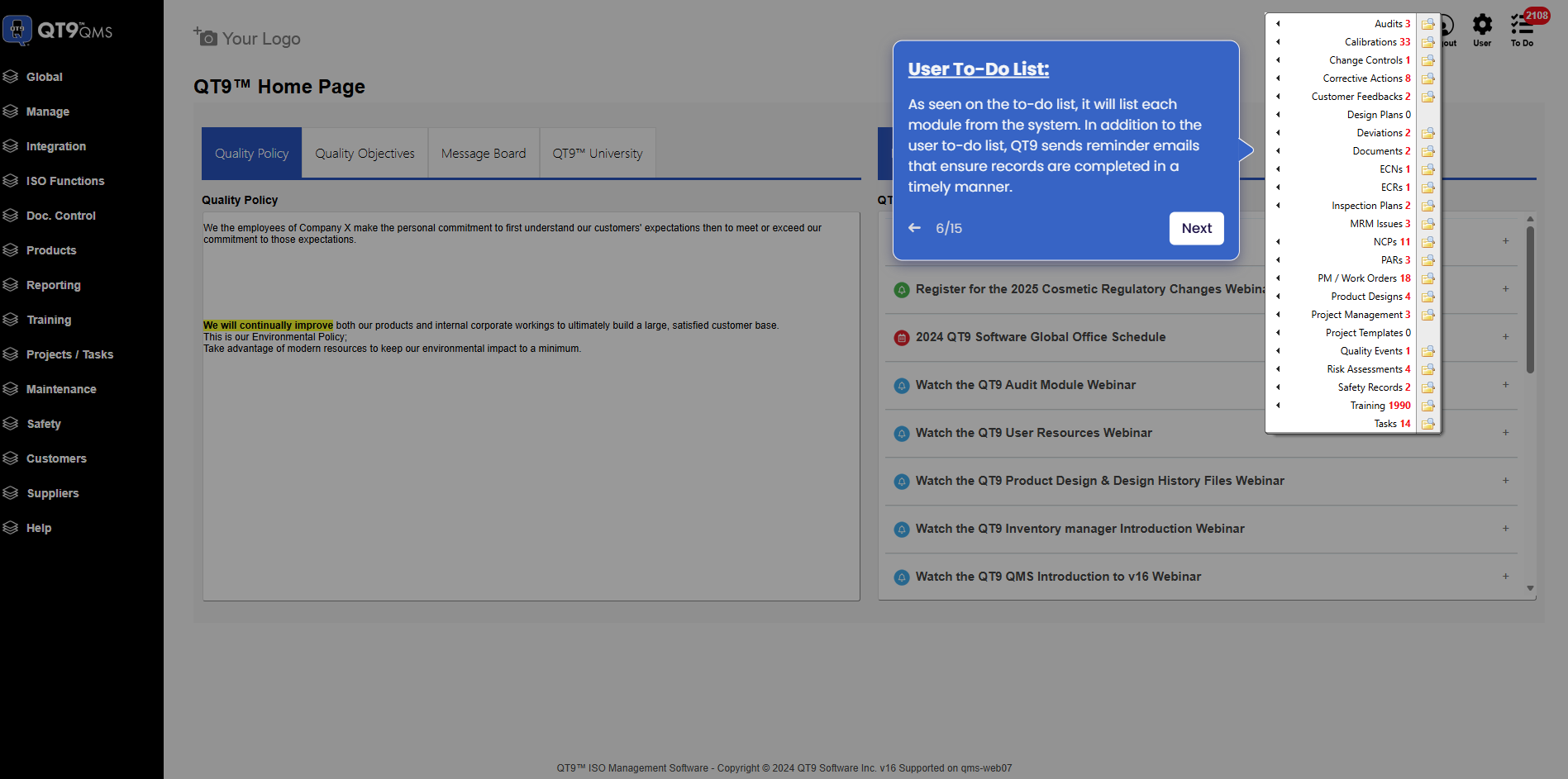
Simplify Quality, Compliance and Operations
Start a Trial
Try QT9 free — no credit card required.
Start Free→
Schedule a Demo
See QT9 live with one of our product experts.
Book a Time →
Get a Quote
Get custom pricing tailored to your team size.
Get Pricing →