
<img src="https://secure.office-information-24.com/785669.png" style="display:none;">
Overview Industries Modules Features ERP Integration Add-Ons
Track Design History

Product Design Controls for End-To-End Compliance

Accelerate innovation and maintain compliance with automated, traceable design control workflows.

Accelerate Approvals

Speed up product development with design review workflows.

Ensure Full Traceability

Track design inputs, outputs and changes in one secure system.

Simplify Compliance

Maintain FDA and ISO design control requirements effortlessly.

Collaborate in Real Time

Connect teams with centralized design files and instant updates.

Reduce Risk Early

Identify and resolve design issues before they escalate.

Link to Risk & CAPA

Seamlessly connect design data with risk and corrective actions.

Get a Quote Schedule a Demo Start a Free Trial

What is Design Control Software?

Design control is the structured process used by manufacturers, especially in regulated industries, to manage the development and lifecycle of products. It ensures that design inputs are met with validated outputs, changes are documented and quality standards (such as ISO 13485 or FDA 21 CFR Part 820) are maintained.

QT9’s Design Control software helps automate every phase of product development—from concept to completion. Easily manage design inputs, outputs, reviews, risk assessments and approvals. Fully integrated into QT9 QMS, it simplifies compliance, enhances traceability and accelerates innovation with real-time collaboration tools.

Interactive Video Demo

Centralize Design Control Data

  • Eliminate data silos: Work in one system for accurate traceability and compliance. 

  • Template your process: Create templates for any design control process – including Design History Files (DHFs) and ISO 9001 design controls.

  • Create custom phases: Organize phases of design and development however works best for you. 

  • See design plans your way: Customize design plans with the most relevant information for your team. 

  • Manage Technical Files: Centralize Device History Records (DHRs), Design History Files (DHFs) and Device Master Records (DMRs).

  • Connect your data: Link multiple QT9 QMS modules per phase, including document control, ECR, ECN, FMEA, risk assessments and inspections.
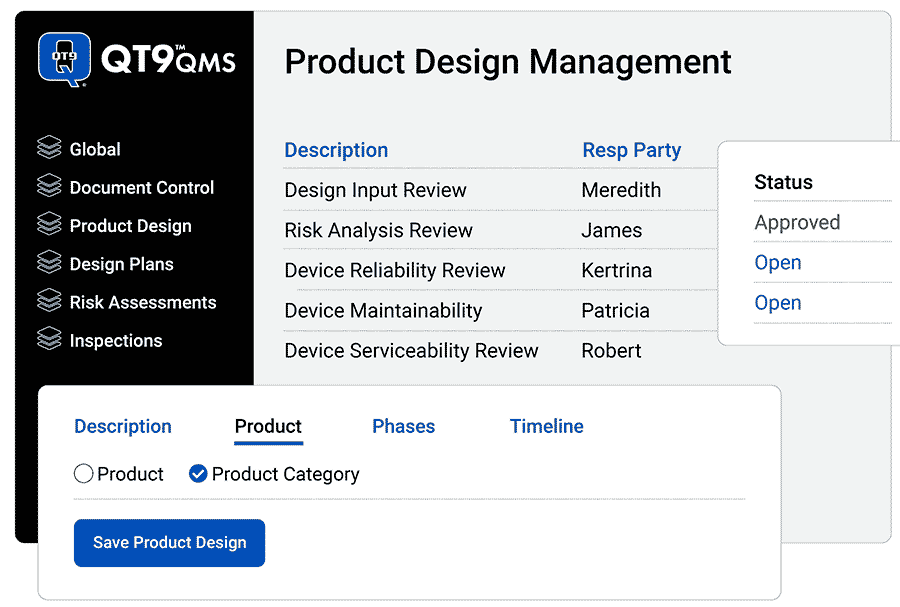
Product-Design

Get Total Traceability

  • Manage communications: Choose which team members are responsible parties, pre-assign approvers and approval levels. 

  • Create custom fields: Capture the right data to drive consistency. Choose between different field types, like multiple options, text, or numbers.

  • Manage anything: Build out a complete design and development package per product, product category, or even groups of products.

  • Get status updates: Get automatic updates to design data, so everyone is on the same page.

  • Build out complete design & development packages: Link with multiple modules to build out  complete design and development packages per product, product category or groups of products. 
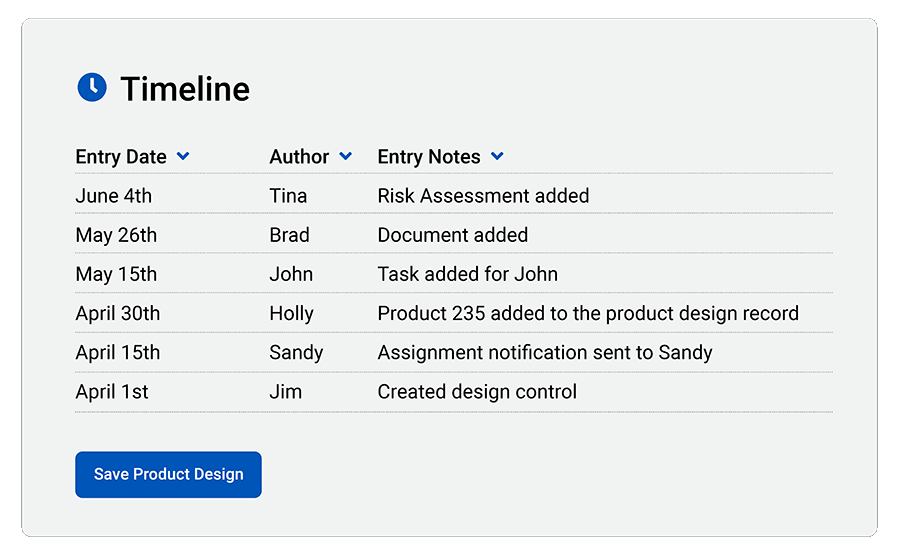
Product-Design-Timeline

Automate Compliance

  • Create Steps/Phases: Build custom steps/phases to match product design compliance with any standard.

  • FDA 21 CFR Part 820 and ISO 13485:2016 Compliance: Easily document and unify data for medical device FDA and ISO audits. 

  • cGMP Compliance: Current Good Manufacturing Practices (cGMPs) require proof of proper handling for every step of medical device production. QT9 makes it easy. 

  • FDA 21 CFR Part 11 Compliance: Review and electronically approve documents with FDA 21 CFR Part 11-compliant electronic signature approvals.

  • Maintain Design History File (DHF): Quickly prove that you have satisfied design controls for a review, inspection or audit.
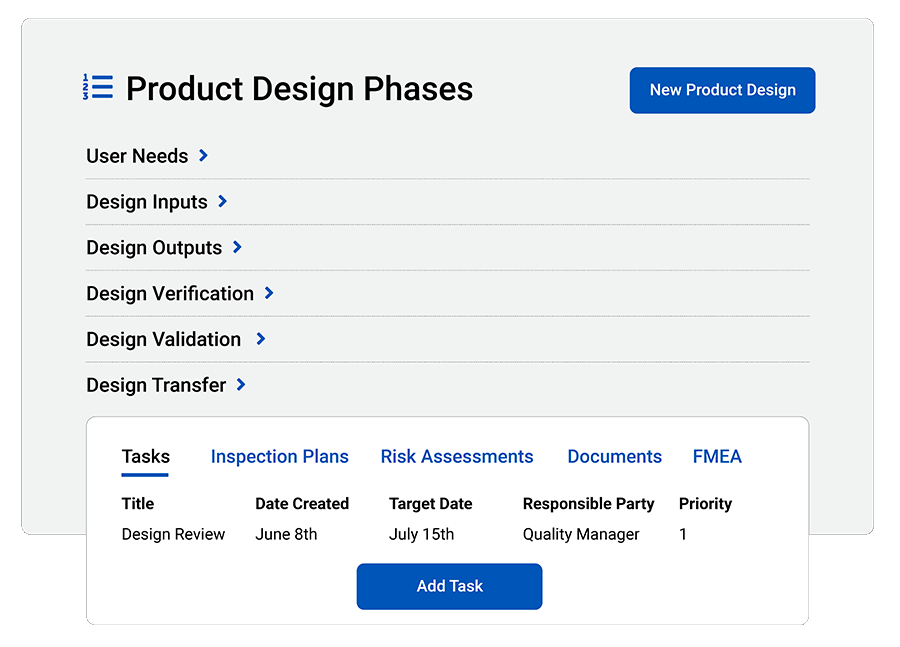
product-design-phases-1-1

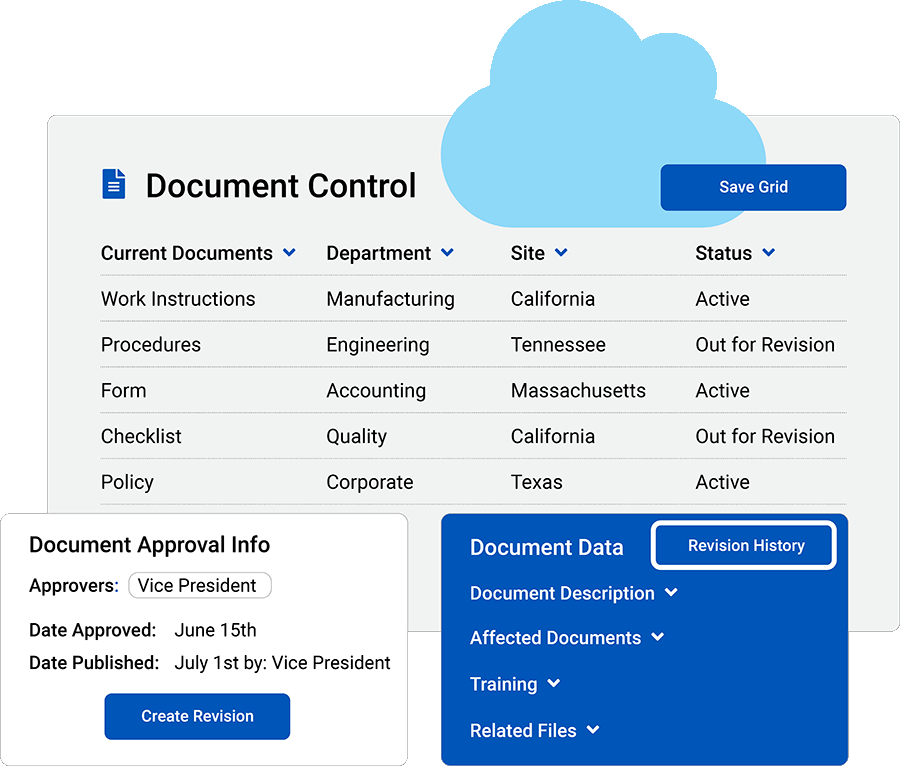
Streamline Document Control

  • Attach unlimited files: Access files from anywhere, and add resources so everyone is on the same page. 

  • Collaborate with teams: Share read-only links that enable customers, suppliers and employees to view items securely. 

  • Revision-level controls: Assign users to approve, reject or verify documents.

  • Automate training: Trigger training events by linking documents to training. 

  • DHF Accessibility: QT9 makes it easy for your entire team to access Design History Files and keep them up to date. 
Document-Control-Software-1

Get an End-to-End Solution for Product Design Management

Free up time with product design controls built in to QT9 QMS.

Get a Demo Get Started Free

See what Quality Leaders say about QT9 QMS

“I love that QT9 is an all-encompassing suite of modules that covers every part of my QMS. We maintain an ISO9001:2015 certification, and this program will take the place of countless spreadsheets and emails.”
Sara Cutigni
APR Allen Plastics
“Easy to use and helps to organize information across our company. I like that you can easily load in tasks and reminders. Also, you can see who in the group still needs to complete something.”
Bill Ranous
Fulton
“QT9 QMS Software is a gamechanger for my organization. Implementation of the software was easy and quick. The customer support was unmatched. ”
Tara Buchanan
Torrent Photonics

Get End-to-End Quality Management

FAQ: Design Controls

What are design controls?

Design controls are a set of quality practices and procedures that play a continual role in both premarket and postmarket medical device development.
Design controls manage the design process to assure that medical devices meet user needs, intended uses and specified requirements to improve and prevent future issues. 

Who do design controls apply to?

Design controls apply to all Class II and Class III medical devices. 

Design controls apply to the following class I medical devices:

1. Devices automated with computer software
2. Tracheobronchial suction catheters
3. Surgeon's gloves
4. Protective restraints
5. Manual radionuclide applicator system
6. Radionuclide teletherapy source

What is design control software, and how does QT9 support medical device development?
Design control software is a digital Quality Management System (QMS) tool that helps medical device companies manage design control activities such as planning, documentation, verification, validation, and traceability throughout the product development lifecycle. QT9 design control software centralizes design history files and supports compliance with regulatory standards including FDA requirements, ISO 13485, and EU MDR.
Why are design controls important within a quality management system?
Design controls establish structured procedures during product development to ensure medical devices meet user needs, intended use, safety, and performance requirements. They improve product quality, reduce development risk, support regulatory compliance, and help organizations prepare for audits and inspections. QT9 integrates design controls into the broader QMS framework to keep development and quality aligned.
How does design control software help meet FDA and ISO regulatory requirements?
Design control software helps organizations comply with medical device regulations such as FDA 21 CFR 820/QMSR, ISO 13485, and EU MDR by organizing design documentation, enabling end-to-end traceability, and maintaining a complete design history file (DHF). QT9 ensures these records are structured, searchable, and audit-ready.
What is the difference between design controls and a general QMS?
A general QMS manages organization-wide quality processes such as document control, CAPA, and training, while design controls focus specifically on product design and development activities, including planning, design inputs and outputs, verification, validation, change management, and traceability. QT9 design control software enforces these requirements within the broader QMS to maintain compliance and product integrity.

Related Quality Management Resources

Design Control Software for Medical Device Manufacturers
Design control software for medical device manufacturers

Design Control Software for Medical Device Manufacturers

October 26, 2025 7 min read