QT9 QMS 2025 Release: Full Feature Walkthrough (What's New)
July 29th, 2025
Full Webinar Transcript
QT9 (00:03)
Good morning everyone and welcome to the webinar. We're so glad you guys joined us today. ⁓ Today we are going to be going over the version 17 release that's going to be coming out here on August 11th. So over the course of today's session, we're going to be talking about some of the new key features that are going to be available on the V17 release.
Now, before we get too far into the workflow or too far into the session, I do want to go over some basic tools that you guys are going to have at your disposal during the webinar. So the first thing I do want to bring your attention to here is the orange arrow on the vertical webinar toolbar. Now, that is super important because that's going to either expand or collapse the toolbar view.
The reason that's important is at the bottom, there is an area for you to enter questions throughout the process today. If you do have a question, do put it into the prompt there. We do have a member of our team available to answer those questions during the session. All right, so again, if you guys do have questions, make sure you're putting those into the question box at the bottom of the screen. Now, a little bit about the webinar series itself.
So these QMS webinars are really designed to provide our users with features, functions, and tips on optimizing your usage of the system. In today's case, we're focusing very heavily on the new release and telling you guys what's coming so you know what to prepare for. Now, during this webinar, we are going to stay focused just on version 17. We've got a really wide variety of users in attendance today.
And just out of respect for everybody's time, we do want to make sure we're keeping our questions targeted at just the version 17 release. Now, after we wrap up today, if you guys do feel like you need training, that's completely fine. You guys can register via QT9 University. Remember, you guys have unlimited access to the university, so any user of the system does have the capability to go in and schedule training through the university.
Now, if you do have more detailed questions where you do need to set up a Q &A with the team, that's completely fine. You can schedule a Q &A, just reach out to our QMS support team, and they can get you routed over to us to get something booked. The other thing I do want to bring to your attention here is at the end of today's session, there's going to be a really brief survey. All right, your feedback is valuable. We want to know that these webinars are hitting the right notes.
So if you guys can give us just a couple minutes just to fill out a brief survey that lets us make sure that we're targeting the right information for you guys and making sure that you guys are getting what you need out of these webinars. And that's the most important thing to us.
All right, so now that we got some of the housekeeping items out of the way, let's get to the good stuff. All right, so let's start talking about some of the key features from B17. All right, so I'm gonna switch my screen over here and let's get you guys introduced to version 17. Now, I am starting here on the sign-in screen because one of the key features coming in the version 17 release is SSO access for our document portal.
and for our employee portal. So you guys have known we've had SSO for the main site for quite a while. But now if we attempt to access the document viewing portal, I now have access or the ability to use an SSO login here. I have the same ability to do so from the employee portal access as well. All right, so this is one of the new features that was heavily requested from many, many users. And that is now available here in version 17.
All right, so we now have the capability for SSO sign in on the document portal and on the employee portal.
All right, so I'm gonna go ahead and sign in and let's talk through some of the other changes. Now, one of the more obvious changes that is here on the main screen is going to be a new look on the newsfeed. Now, the functionality here hasn't changed by any means, but we do have the newsfeed updated with the new look. It's still gonna contain the same information. So you are gonna see when we have upcoming webinars, you are gonna see our upcoming office schedule.
So you'll know if we're in the office or not in the office. And any other relevant updates for QMS will be posted here in that newsfeed. All right, so again, nothing too crazy there so far. Now, let's get into some of the more detailed changes. All right, one of the changes that did come up, because as we expand and as we get more into the global market, one of the key things that we're recognizing is date formats have to update.
Now version 17 allows for you to update the date format at the site level. So what I mean by that here is if we go under the site administration area and I grab one of our one of our sites here you'll now notice I have the ability to set a date format for that site. So I can go with a month day year setup, a day month year setup, or a year month
day. Each one of these also has a variant to include time. All right, so each site, so just to be clear, if you've got 30 sites, each site could have any combination of using these date formats that you deem relevant. This is decided at the site level. Now the other thing that is important here as well when we talk about date format is the month abbreviations.
All right, so as an example, if I hover over the question mark here or the thought bubble, in this case, checking this box will display the month abbreviation instead of its number. So as an example, if we were on December 15th, 2025, I could see that instead of, you know, 12, 15, 2025, it'll give me DEC-15-25. Now we know some industries prefer that stand or prefer that set up. So we allow you guys to turn that on here if you need to.
All right, so that is one of the new features that is coming out with version 17. All right, so again, date format and the ability to use month abbreviations and that is decided under the global, under the site administration area.
All right, so that's one of the other new features that is available as part of this release. Now, these have been pretty small so far. Let's talk about the new module that's available to everybody, and that's the Audit Prep module. Now, this is a really, really powerful tool. So if we look under the ISO functions, and we look under here now, we notice we have a new tab for Audit Prep.
So when I click into the audit prep module, this is going to open up the screen. Now you're gonna notice there's a few different tabs here, all right, but nothing's populated just yet because in order for me to run or to do anything here, I have to run the audit prep and it's gonna run it as of today. So when I click the run audit prep, this is gonna start populating these dropdowns, all right, or these areas.
Now what the audit prep module is really intended to do is to help you look at your entire quality system and make sure that you are audit ready. So in this case, this will tell you as an example, and we'll work on the tabs moving from left to right. So in this case, documents that are either coming due for review or overdue for review. Obviously we want to make sure that those are handled before the auditor ever steps foot in the facility.
All right, so we wanna make sure that that is set. Now these grids are just like any other module inside of Qt9. All right, meaning I can sort and filter. So if I only wanted to see for site one, I certainly can. All right, so I do have the ability to filter. All right, so because if you are in a multi-site configuration, you are going to be able to see all the sites in one location. All right, so I can review documents.
I can also review overdue records. So, corrective actions that are overdue, non-conforming products that are overdue, deviations that are overdue. So not only can I see what we have, I can go and quickly access that by clicking here on the go to record. So this gives me a very good idea of what I have outstanding from corrective action, NCP and deviations.
All right, very, very powerful. The other thing that we have here is overdue training. Now, this is similar to the delinquent training report that you guys are probably familiar with under the reporting area. But this is going to tell you for skill sets and for documents, which individual is overdue and what they're overdue on. So as an example here, we'll go over a couple of tabs here.
So I can see here that Emily is overdue on being trained on the external audit skill set. All right, makes it very easy for me to see. All right, same thing with documents. So in this case here, I can see that Carlos is overdue on this document training. So in this case, ultimately they need to train or they have a recurring training that they need to retrain on. All right, this is for both skill sets.
and documents. again, think of the overdue training as showing you your delinquent trainings from the reports. All right, this just allows you to bring it into more of a dashboard setup.
The other thing we have here are overdue gauges. So if you guys are using the calibration module, this is going to show you any gauge that is overdue for its calibration. All right, very, very simple, very easy for me to see here.
Same thing with Overdue Equipment. So if I'm using the Preventative Maintenance module, it'll tell me the equipment name, the maintenance activity, that is overdue. So in this case, this is telling me anything that I need to make sure that I execute before the auditor comes. So ultimately in this case, Overdue Equipment, this is showing me anything that I have outstanding that needs to get worked on.
The other thing we have here are training gaps or missing trainings. So think about this as the training gap report that you guys have probably seen under the reporting area. All right. This is going to tell you based off someone's job title, if they are missing a skill set or a document. All right. So we make it a very simple method here when we're talking about the way this gets viewed and looking to see what people need to be trained on prior to an auditor coming on site.
The other thing we do have here are missing records. Now, a lot of people have seen this and they wonder, well, what do we mean? So in this case here, we do have customer surveys, supplier surveys. So that tells me that at that site that we don't have any supplier surveys or any customer surveys. All right, so I can see that we add the other sites here that we don't have any audits, any corrective actions, any customer surveys. So to be clear,
This is showing you if there are record types that just don't exist. All right? This is meant to help you guys really make sure that you've checked, you you've crossed all your Ts, you've dotted all your Is, and make sure that you have these records in the system prior to the audit.
So the audit prep module is using information from all these other parts of the system and it's giving you guys a set location to go in and actually review and make sure that you guys are as audit ready as you can be. All right, so the audit prep module is a new tool that's available to you guys in version 17. So you guys will have this to go back to. And once this gets released, you guys can run this audit prep immediately.
And so Audit Prep is one of the big new additions to version 17. Now, one of the other big settings or big changes that is coming with version 17 is a change to the document control collaboration. Now, one of the most common things that people have asked us is the ability to do parallel document collaboration as opposed to waterfall. So let's talk about what that means. So if we go into the global settings here,
We're going to go to the Approvals and Miscellaneous tab, and we're going to go here to Document Control. Down here at the bottom, you're now going to notice that we have a new box for document collaboration type. So in here, we have waterfall or parallel. Now, what's the distinction between the two? All right, when we talk about waterfall, that means it is working in a sequential order. So that means that if I add four people as a collaborator on that document,
The first person is going to be notified prior to, or they're going to be notified when the collaboration starts. Once they complete theirs, it's going to go to the next one. And then it's going to keep working down the list. So it's going to work in that sequential order. Parallel is different. Parallel means that you guys are going to have the capability to do your document collaborations at the same time. So let me show you what that looks like. So if you go under document control,
We're going to go to document request.
All we're going to grab this document right here.
All right, and this is going to bring us here into, so this is an open document request, but when I go to the collaboration, you're going to see that parallel collaboration is enabled. All right, so that being said, in here, what we can do is we can go here and click to start collaboration. Now, in the past, it's notified the first person in line. Now, when I start the collaboration, it's going to notify everybody at the same time.
So everybody's going to get the same email notification telling them that they have a collaboration to work on. All right, so now they can come in, they can click, and they can begin their collaboration immediately. It no longer has to work in that sequential order. All right, this is just giving you guys the capability to do this in tandem. All right, so this is something that has been heavily requested from a lot of our users.
So this is going to be something that you guys will definitely want to test in your sandbox. All right. It is a new feature. It is available to use. If you guys do prefer to stick with the existing waterfall method, that is completely fine. All right. It shouldn't cause any issues, but just pointing out that it is present. It is there if you guys need it.
All right, so the document control collaboration set up, that was one of the other big ads. Now, we also included some new module integrations. So what do I mean by that? So now, one of the big common things that we've had requested from our users for a while is the ability to create a training record from a corrective action. Now, you're gonna have the capability to do that. So.
When I go to a corrective action, I'm going to grab an existing one here.
And you'll notice here that now over here on the right, I have the ability to create a risk assessment still. I still can create a deviation. And now I can create a training record. So we know that a training record is a common outcome from a corrective action. Now, if I find one is necessary, I can click on the create training required.
And now it's going to bring up this prompt. I need to indicate an instructor. So in this case, I'll use myself. Training date, so maybe it's going to be today or tomorrow, and it's going to go through next week. Subject, so in this case, this is going to be packing and shipping process review.
Alright, put in my objective.
All right, I can select who the user is going to be. So in this case, who's going to be administering or overseeing this training. And when I'm ready, I can assign that user. And now I can create that training record. And now we are going to have the ability to generate the training record directly from here. All right, and now you can see that that linkage is built. All right, so we do have that training, that ability to create a training record from here now.
Now, one of the other key things that we did add is the ability to generate a training record from a quality event. So, as you guys have probably known, the quality event is going to give you guys the ability to generate or to review specific items and determine if something is going to need to occur. So remember, that quality event is designed to be the initial vetting point for most things that come up.
One of the new things that we have here under the related records is now we can generate a training record from here as well. We also can now generate a safety incident from here as well. So when you really think about it, the quality event can always be the initial vetting point for just about anything that comes in. So that being said, this is going to give you guys the capability to vet any type of issue that comes up.
And from here, you can generate any of the record types that you may need. This even talks about or even has linkages to the document control module. But the key thing here is that from quality event, we can now generate additional related records. So with the safety incidents and with the training record.
All right, so those are a couple of the new module integrations that were just built and going to be released in version 17.
All right, so we're giving you guys more opportunity to create training records and have that linkage to make life a little bit easier for you guys as you guys move forward.
Now, one of the other big changes that is coming with version 17 that people should be aware of, all right? There are going to be some changes to global admin notifications, all right? So global admins are going to no longer be notified of unassigned training records, supplier certifications expirations, unassigned work orders or PM activities that are coming due or past due.
They will not have overdue ISO actions, new document queue or documents required review or unassigned audits showing up in their daily notification email. All right, so that's a lot. We're trying to cut down on how much information is in there for a specific global admin. Now that doesn't mean that people aren't going to be notified. What it means is that now we are going to have some of those unassigned records
are now going to be included on the daily notification for module admins and site admins. All right, so as an example, if somebody is a preventative maintenance admin, all right, so let's look at the user designations, we'll talk about that here.
All right, so we'll grab a user here. So let's say that they have the, under the maintenance area here, they have the PM admin. So if there are unassigned records that are open at the site that they're assigned to, they are going to get that notification. It's not gonna roll up to the global admins. So it is gonna go to the module admins and the site admins. All right, so we're gonna be leaning a little bit more on them and taking some of the notification load
from the global admins. So we're trying to do this to make life a little bit easier for all of our global admins out there. All right, we know that you guys get a lot of notifications. We know that you guys get a lot on your daily notifications. We just want to make sure that the information that you're getting is relevant and useful to you.
All right, so there have been some changes to the way notifications are sent out. The other thing that did come out with version 17, there's a lot of stuff that happened under the hood. So what I mean by that is there have been some performance tweaks, things to make things work a little bit smoother. All right, so do keep that in mind. All right, so those are a lot of the key changes to version 17. Now, there's a lot of really, really big things coming in the future.
All right, so version 17 is a great jumping off point, but there's gonna be more coming. All right, so this is a, we're excited about this release. We know that you guys are gonna get the most out of some of the new tools that we've provided. Now, a couple key things to keep in mind here. So again, the upcoming release date is going to be on August 11th of 2025. Now, the version 17 release notes are going to be available in the user community. All right, so that is a really, really big deal.
So if you guys haven't accessed that area yet, you do want to make sure that you are going to the community. So that is under the help area under community. All right, so they are going to be released notes available in there. The validation report is going to be available in the customer portal for those clients or those customers that that applies to. All right, so if you have the validation as part of your licensing, then it will be available in the customer portal. That will be the only location to get it.
Alright, so if you need access to that and you don't have it, make sure you reach out to your customer success.
All right, other key thing is for any of our on-premise customers, you will be contacted for the version 17 upgrade after the release date. So we are gonna go through some basic troubleshooting, get some things taken care of there, then you guys are gonna get the release. All right, so you guys will be contacted about that as we go.
All right, now one other thing I do want to point out, since we do have a release coming up, it is always good to go over the different resources that you guys have available to you. All right, so remember, you guys do have unlimited access to the QT9 University, to the Help Center. Our implementation and training team, obviously we run the university, but we're also here to help you guys with that information. All right, so we're gonna run most of the trainings, and if you guys have Q &As, you're likely gonna be working with the implementation and training team.
We do have our technical support team, so they can answer any technical questions. If you guys do have any type of issues or bugs to report or simple questions, tech support is gonna be here to help. The other key thing that we do have here is the user community. All right, so with the user community, ⁓ that is something that is new, but we do encourage you guys to go and use that. That is where you can interact with all the other users on the call today. You guys can all post, you can share.
It gives you guys the ability to put up questions, share your experiences, and you can communicate with QT9 from there as well. So the user community is a great tool that you guys have, and that'll be super important with the upcoming release. So do keep that in mind. All right, and again, if you guys have never seen the user community, it is under the Help area, and it is under the Community tab. So you guys should be able to log in from there directly.
The other thing that you guys do have are your customer success representatives. All right, so you know that they are your guys' ongoing partner. All right, they are going to take care of you guys. And if you have any questions, concerns, ⁓ any type of questions that aren't addressed today, your customer success is going to be the person to reach out to. So they're there to help you guys and help maintain the account. Make sure you guys are staying in contact with them. I'll share their shared inbox here in a minute so you guys can email them if you don't have their direct contact information.
The other thing that we do want to talk about is our channel partner program. We have a ton of really great channel partners that we work with. You guys have seen some of the webinars with our partner, Lumanity. That being said, our channel partners are here to help. They're essentially people that are industry experts that can help you guys throughout the process when you need them. All right. So definitely make sure you guys are checking into the channel partner program.
All right, so I just wanted to make sure you guys had a recap of the resources that you have available. All right, and lastly, if you guys do have questions, you can always check out our website at qt9software.com. Your customer success reps can be reached at customer success at qt9software.com. And of course, you've got our toll free number here at 866-913-5022.
Now I do want to look here, it looks like we have a good amount of questions coming through here, so I do want to help kind of address some of those.
So we did have a couple questions here on validation. The validation is going to be there for you guys to review. It will be in that customer portal. So if you guys do need to review that, it will be available for you guys. ⁓ If you do have questions about it, of course you can reach out to support and they can get you routed to the QC team. All right, this meeting is being recorded. It will be posted here on the ⁓ main site. So you guys will see that.
So one of the questions was, will this meeting be recorded? It is being recorded. It will be posted on the newsfeed so you guys can come back and review it as you need to.
⁓ We did have, the additional SSO options affect the current setup? ⁓ It should not, but if you guys do have technical questions or anything comes up with that, again, reach out to technical support.
So just so you guys know, on the deployment of the V17, that is going to be pushed out on Sunday. Everything should be active by Monday the 11th. So everything should be deployed by that time. All right. So yes, and just so you guys know, just to follow up to the question on it being pushed out. So yeah, when you guys log on on the 11th, V17 should be live.
All right, and that being said, the validation report will be out with the release. You guys will be able to access that when we get closer to that timeframe. The validation report is done, but it will be out shortly.
All right, so I know we've looks like I think we got most of the repeated questions here. If you guys do have any other follow up questions, do make sure you reach out to your customer success team. But again, thank you guys so much for attending today. We hope you guys have a great rest of the week and we look forward to seeing you guys here in the future. We're excited to give V17 out to you guys and we're looking forward to seeing you all soon. Thank you very much. Have a great day.
Questions From This Session
What is the Audit Prep module in QT9 QMS Version 17?
The Audit Prep module is a new dashboard designed to help organizations prepare for internal, customer, and regulatory audits. It automatically identifies overdue documents, corrective actions, training records, calibrations, preventive maintenance activities, training gaps, and missing quality records so teams can quickly address issues before an audit takes place.
Does QT9 QMS Version 17 support single sign-on (SSO)?
Yes. Version 17 introduces SSO support for both the Employee Portal and the Document Portal. Organizations can now provide users with a more streamlined login experience while maintaining security and reducing password management requirements.
What is parallel document collaboration in QT9 QMS?
Parallel document collaboration allows multiple collaborators to review a document at the same time instead of following a sequential review process. This can significantly reduce document review timelines and improve collaboration efficiency for document changes and approvals.
Can training records be created directly from corrective actions?
Yes. Version 17 allows users to create training records directly from corrective actions. This helps organizations ensure that training activities resulting from CAPAs are properly documented and linked to the original quality event.
What new integrations were added to Quality Events in Version 17?
Quality Events can now generate additional related records, including training records and safety incidents. This enhancement allows organizations to use Quality Events as a central evaluation point for quality, safety, and training-related activities.
What changes were made to notifications in QT9 QMS Version 17?
Version 17 reduces notification overload for global administrators by routing many unassigned record notifications to site administrators and module administrators instead. This ensures alerts are delivered to the users most responsible for taking action while keeping global administrator notifications more focused and relevant.
Key Takeaways
Presenters
See QT9 QMS in Action
Discover how QT9 QMS helps organizations streamline compliance, prepare for audits, and manage quality processes more efficiently.
Request a Demo →Explore QT9 QMS in Action
Take a self-guided tour of QT9 QMS and see how organizations manage audits, supplier quality, CAPAs, training, document control and compliance from a single platform.
Launch Interactive Tour →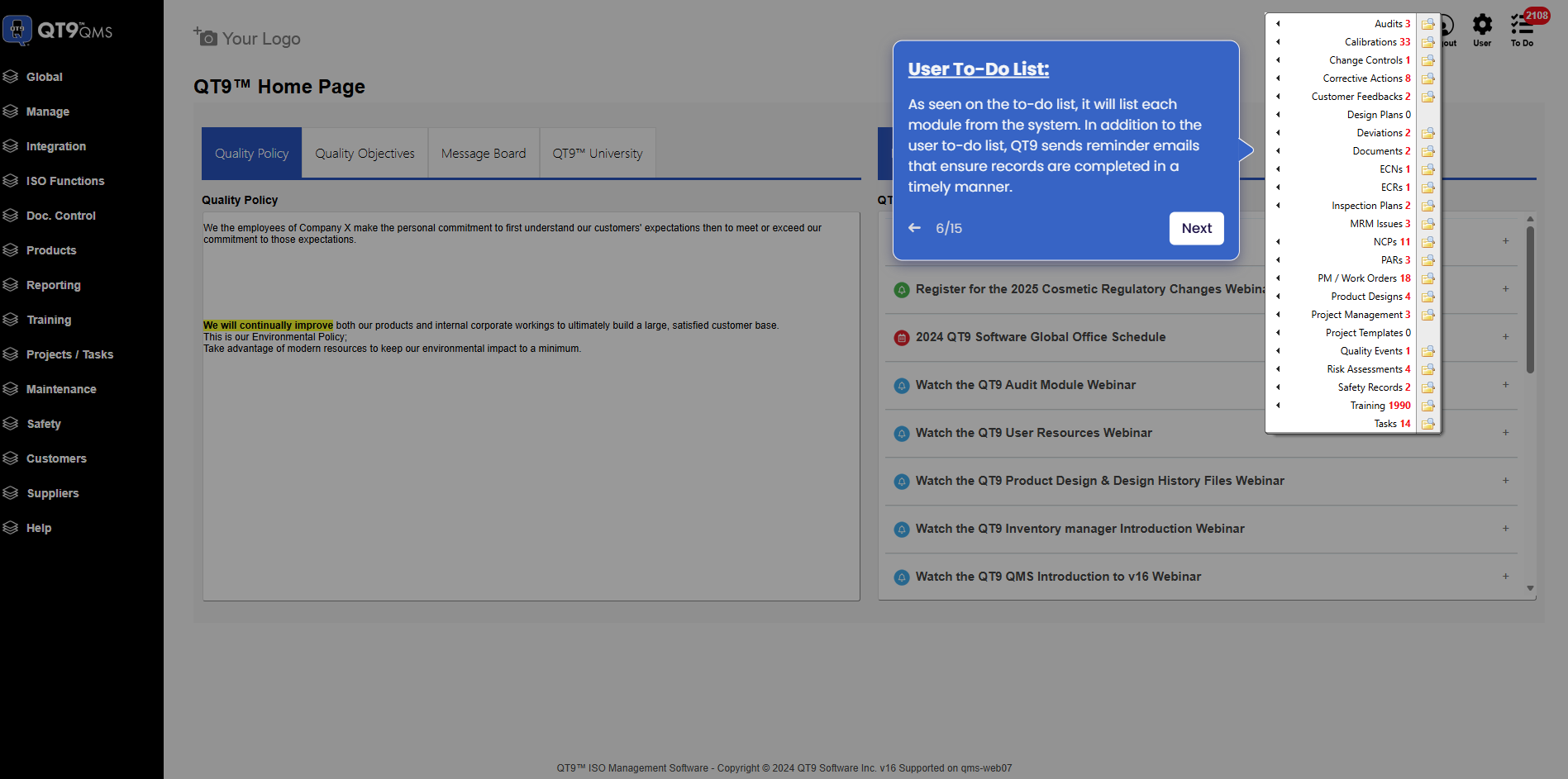
Simplify Quality, Compliance and Operations
Start a Trial
Try QT9 free — no credit card required.
Start Free→
Schedule a Demo
See QT9 live with one of our product experts.
Book a Time →
Get a Quote
Get custom pricing tailored to your team size.
Get Pricing →