Quality Events in QT9 QMS: complaints, NCPs and Closed-Loop Workflow
February 18, 2025
Full Transcript
Good morning everyone and welcome to the webinar. We're glad you guys joined us. In today's session, we're gonna be focusing on the quality events module. Specifically, we're gonna focus on the intention and the concept behind it, best practices on setup, basic workflow overview, and practical usage cases of the quality events module. So we're gonna cover a lot of ground today.
Now before we get too far into the workflow, I do want to go over some of the webinar tools that are available to you.
First and foremost, I do want you guys to take note of the orange arrow on the vertical webinar toolbar. Now, this is important because that's going to either expand or collapse that toolbar view. When you expand the toolbar view, that'll actually allow you to ask questions of our staff down in the bottom right-hand corner. All right, so we do have staff available to answer questions throughout the presentation, so they will be able to get you taken care of. All right.
One other key thing is that this session is being recorded and we are going to post this on the news feed ⁓ afterwards. So you guys were you guys registered for this? You guys will be able to go back and view the video later on.
All right, so before we dive into quality events, one last thing I do want to go over here is just the webinar series. So we are really glad you guys joined us today. The QT9 webinar series is really designed to provide our customers with the best functionality, features, and usage cases. So we want to give you the best tips on how to get the most out of your investment in QT9 QMS. All right, so.
We love having these. This is a good opportunity for us to have these conversations with you and share the info that we've discovered from working with so many of our customers. All right, the webinar focus, we are going to stay focused just on quality events today, all right, because we have a lot of users here from a lot of different areas and a broad spectrum of roles within organizations. So to be respectful of everybody's time, we are going to stay focused on quality events.
Now, if after today's session you guys do have additional questions, there are multiple ways for you guys to get assistance. First and foremost, we have the Help Center right there on the main screen ⁓ of the QMS, so you guys can go to the Help Center. ⁓ If you guys do have additional questions, you can go to qmssupport at qt9software.com, and that'll get you linked in to our technical support team. Also, if you guys do have one-on-ones,
questions or if you guys do need to set up a Q &A with the implementation team, you can also coordinate that through the support. So we are here to help you guys if you have any additional questions after what you see today. The last thing I do want to point out here is that there is going to be a brief survey at the end of the webinar. All right, this is really, really important for us to gather your feedback. That gives you guys an opportunity to tell us.
⁓ how things are going with the webinar, if you guys have any feedback, anything that we can do to improve the webinar experience ⁓ and the content that we provide. Getting your feedback is invaluable to making sure that we're giving you guys the best experience possible.
Alright, so now that we have got the basic stuff out of the way, let's get into the topic at hand. So let's talk about the quality events module.
Now, on the page or on our website, we've got a really good high level explanation of what managing quality events really is. So boost efficiency and compliance when you standardize your quality event management with the QT9 QMS. Now, the key statement in this entire area here is the next one. Investigate, track, and log any type of quality event. All right, so that really speaks to the core functionality of the quality event module.
Now, what I mean by that is at its core, what the Quality Events module is allowing you to do is to formalize your investigation and evaluation of issues to determine if other actions are needed or required. All right, so looking at any type of quality event or issue that you guys determine, having a single place to log it in a formalized process to investigate and evaluate that particular issue.
When you take away or you distill down all of the fluff, the main focus here is that formalizing the investigation and evaluation of issues. It also gives you the ability to review or log issues that may not fit other record types, or you're not sure if another record type is warranted just yet. So let's talk about that.
All right, so let's imagine that we have a, you know, there's a potential nonconforming product, but we don't know if it's gonna meet that criteria yet. So we need a place to log it. Doing a quality event is great because I can go through a full evaluation and investigation and I can determine if a nonconforming product is required in the first place. All right, so this gives us an initial vetting point before we move forward with other record types that may not be necessary.
All right, so it's gonna give us a place to log it. So even if it doesn't escalate to another record type, that's okay. We're still logging and we're still capturing the data and we're still determining what actually comes of it.
All right, now one thing that we are going to cover today as well too is some actual usage cases. So when we talk about quality events, are, like the applications are limitless. You can come up with so many different ways to use this module, but we're gonna focus on three specific usage cases today. We're gonna focus on documentation investigation, on a vendor issue or ongoing vendor issues, and a gimbal walk observation.
All right, so we're gonna give you guys some general examples of what that can look like. Now, we're gonna get to the usage cases at the very end. One thing I wanna lead off this presentation with is getting you guys keyed in into how to set the module up and how to use the basic workflow. So we're gonna start there. Now, I'm gonna switch over to the site here. So you guys should be able to see the QT9 QMS site here. All right, so we're here on our homepage.
If you guys do want to utilize the Quality Events module, there are some building blocks that need to be in place prior to utilizing the module. Now, where these building blocks reside is a couple spots. All right, first and foremost, we do want to go to your global menu and go to the Settings tab. When we do, we do want to go to the Approvals and Miscellaneous area, and we want to go to Quality Events. Now,
In case we have users here that do not have global admin access, you won't be able to access this area. However, if you do work or partner with your local global admins, they can either come in here and make these modifications for you or grant you the specific level of access that you need. But what I want to talk about here is your quality events. So under approvals and miscellaneous quality events, we do need to determine our minimum number of approvers.
All right, because one key thing about quality events is that based off the type, it will require approval or it won't. All right, but if approval is required, this is where you can set your minimum. You also can use the require all assigned function. So even if your minimum number of approvers is one, if you assign multiple approvers, you will have the ability to make sure that all of them sign off.
All right, so you do have that. That is one of the key building blocks. Some of the other building blocks here are actually in a different location. So I do wanna go over to the manage menu, over to maintain, and I do wanna go all the way down here to quality events. All right, and there are a couple key things that we need to establish. So we need to establish our quality event types, our categories, and our dispositions. We also need to establish our
Quality Event Priorities or Record Priorities, which is right below. Now let's talk about quality event types first.
Now, quality event types, this is the primary level of categorization for a quality event. The other key thing that you're establishing here is if approval is required. Now, I do want to be clear that this is blank by default. All right, so you would need to populate this prior to using the module. But we do have some examples here of some quality event types that you could think about. All right, so continuous improvement opportunity.
a customer end user event, documentation issue, environmental or facility related event, gimbal walk observation. These are all potential quality event types that you could consider.
Now, to add a type here, it's actually pretty basic. You click here on the new event type. You indicate the labeling you would like to use. You can type in whatever description you want. You can set if approval is required or not. This is important. So if you do check approval required, you are stating that if you use this type, it is going to require approval. All right, and then you can save.
So again, remember quality event types is the primary level of categorization for a quality event and it determines approval.
The next building block we do want to talk about here are your quality event categories. Now category is your secondary level of categorization for a quality event. All right, so a complaint, equipment failure, human error, instrumentation or gauge issue, late arrival, process failure. These are all potential quality event categories that you could have.
Now when you think about a category, you always want to think about it as that secondary level of categorization or that secondary level of bucketing. All right, so if we have a quality event type, that is a gimbal walk observation, right? From that gimbal walk observation, we could find human error. We could find a process failure. We could find a training gap, know, human error. These are all potential.
event categories or secondary level. Now, the other thing that you do want to think about when you're thinking about the difference between type and category is that at the end of the year, when you are running your numbers or you are running reports based off your quality events, right, or, you know, in your grid view, let's say that you had 10 gimbal walks, gimbal walk types, all right? And of those 10, maybe five were process failure.
maybe two were human error and maybe three were equipment failure. Having this category as that secondary level of categorization is really important. All right, so when you think about building these in here, you do want to be aware and mindful of what you're adding.
All right, so we do have those categories. So that's the secondary level of categorization and that is also required. The other thing we need here are quality event dispositions. All right, these are of course our outcome for a quality event. So documentation change required, no further action required. That is a viable outcome or a viable disposition. All right, because if we go through the investigation and we determine that no further action's required,
That's a great place to indicate it. All right, so when you're thinking about your quality of the dispositions, these are similar to your dispositions from like an NCP or corrective action. But the difference here is that these can have a little bit more specific response. ⁓ know, having scrap is a viable outcome of a quality event, right? But so is no further action required. So keep in mind when you're talking about your dispositions, these are of course your outcomes.
for a quality event or your dispositioning.
Now, the last thing I do want to point out here is your record priority. Record priority is a really, really important part of a quality event. And I say that because just like any other module in the system, quality events record priority is going to drive or define its due date. So these must be built prior to utilizing the module. All right, now this is also important because we're setting those due dates here.
So if I say that I have a quality event and I use the major priority, that means that I have 10 days until that needs to be completed. So that means either submitted for approval or if approval is not required, it needs to be closed by that 10 day mark from creation, or from record creation. The other thing that you will define here are tickle days. So in this case, five days prior to that due date is when it's gonna show up in the daily notification.
All right, so when you're building your priorities, you can use any structure that you need. All right, remember, think about your priorities and how it will support the usage of the module. Is it easier for you use something like low, medium, and high? Or major, in this case, major minor, critical, non-critical? These are all potential options that you can use.
So when we are thinking about quality events, these priorities are going to be key.
All right, now from a building block perspective, those are the primary building blocks of the module. One thing that I do want to bring up just from a high level. All right, one of the key features of the quality events module is its integration to other modules inside of QT9 Specifically, from a quality event, you can create a change control, a corrective action, a document revision request, a deviation, a customer feedback record,
nonconforming product, preventive action, and a risk assessment.
Now you can generate one or all of those from a single quality event. So you can branch off a lot of different modules. That being said, if that is the intention, if that is your plan, then you would likely want to have the modules that you're going to split off of here already implemented. So quality events can be almost like a capstone for some people where they've got other modules that they establish first and then
they bring online, their quality events to kind of tie everything together. All right, or you can do it upfront and then implement other modules as you go. So you can view it from two different lights. It's just a matter of what makes sense for you.
All right, so one other key thing I do want to point out here is that your quality events is going to reside under the ISO functions. So if I go under ISO function here, and if I go all the way down here, that'll take me to the quality of an area. Now this grade is just like any other module inside of QT9, meaning of course that I can grab and drag columns where I want them to go. I can right click in that black column header at the top and I can add or remove columns as I see fit.
So if I do want to make any type of changes here to this grid, all I have to do is add it in and I can save that grid layout. Keep in mind when you do save the grid layout, that is unique to you as a user. It is not shared across the entire enterprise. Each individual user can have their own grid layout for all modules that they have access to. Now, if I do want to export this grid, it's as simple as me clicking here on the export grid function that will allow me to export it.
as an Excel or a CSV file. And if I do want to pivot any data out or if I do want to build any type of reporting separate from what's already inside of QT9, I can extract the data and of course I can do that in Excel.
One last thing I do want to point out here is the ability to reset a grid layout. When you reset it, this is going to return it to the system default. All right, so it will wipe out any saved settings and it will return it to what it is directly out of the box from QT9.
All right, so now that we know our way around the grid, let's talk about the actual quality event record. So I'm going to click here on the new quality event, and this is going to bring me into the actual record workflow. Now, one thing that you guys do want to note, and this is unique, ⁓ this is pretty much not unique here, but this is kind of unique with QT9, is that this is going to follow that universal layout or that universal design.
So the feel of a quality event is going to be very similar to a corrective action or non-conforming product or a change control in that the flow and the actual layout of the module is pretty much the same. There are different tabs and different requirements, but it follows a similar structure. We do that to make it easy for you guys and to make it easy for users coming on board so you don't have to learn multiple workflows for different modules. We try to keep it as streamlined as possible.
Now, if you guys haven't seen this before, what is actually required to create a quality event record? Let's talk about that. If you're unsure what that is, all I have to do is hit the Save Quality Event button at the bottom of the screen, and that is going to show me exactly what I need. All right, now at minimum to create a quality event, you really only need a few things. You need a title, an event type, an event category, an event priority, and an event description.
One other unspoken item here is that if you are in a multi-site configuration and if you as a user have access to multiple sites, you will need to determine the location that this is going to occur at. So is this at our Aurora site, our Chicago site, Naperville? Where is this happening? So in our case, I'm just gonna select Chicago.
Now I do need to provide a title. So what actually is occurring here? So in my case, you know, I could say that this is a, you know, potential. NCP.
All right, now I could drop a date on here if I wanted to. I'm just gonna use potential NCP as the title. Now I do need to select a type. So remember, type is that primary level of categorization that we discussed, and it's gonna tell me if approval is required or not. So in my case here, I'm going to say that this is a, ⁓ maybe this is a product related issue.
All right, and in our case here, maybe this is a tolerance issue. All right, so we know it's product related and we know it's a tolerance issue. Now, one other thing I need to determine here is the priority. All right, remember, that priority is going to drive or define the due date. All right, I can indicate the day we were notified.
All right, and I can type in my description in this. Okay, so in our case, let's do something general, right? We'll say that the product was on higher end of tolerance for last two jobs. All right, so let's say that we have delivered a product to a customer and it's been on the higher end of the acceptable tolerance, but it's still within specs.
Maybe the customers reach out to you to talk about this or they've brought it up to you because it's on the higher end, which is maybe that's abnormal for you as your organization. The idea being that what is going on isn't necessarily a nonconforming product yet, but they are noticing a trend where things are on the higher end. So they want to bring it to your attention. This is a great place to go through that evaluation and investigation here inside the quality of that. All right. So the product was on the higher end of tolerance for the last two jobs.
All right, now I could type in a more detailed explanation here as this is an expandable text field. So if I do want to add additional detail here, I certainly could. But in my case, I'm going to go ahead and save that quality event.
Now, when you save a quality event, all right, you're gonna know you've done it correctly because now it's in an open status. A due date has been assigned and you now have a quality event record number. All right, so that's how you know that you saved this. Now, if somebody identifies that and they assign it to the quality, to the person in quality, maybe you guys have a quality team, but other people within the organization can report or put in potential quality events, they can select.
who this is going to go to from a responsible party perspective. All right, now keep in mind the only people that will appear in that responsible party area are those that have the quality events user designation. Site admins and global admins would also appear in that dropdown.
All right, but in this case, maybe you're assigning this to this person to do the evaluation of the investigation. When you think about the responsible party, they are managing this record up until the point of approval. So they are tasked with overseeing the investigation of the entire record.
All right, so now that we know some of the general items, let's talk about some of the tabs here. Now, customers, suppliers, and products, these are pretty self-explanatory, right? This is where I can add relevant customers, suppliers, and products. Here's one thing that is unique about quality events from any other module inside the system. As part of this quality event, I can indicate multiple suppliers, multiple customers, and multiple products.
All right, so if I did, if this was going to be assigned to 7L Logistics and to Sour Sub, I could add that in here.
Now I can assign as many as I want here, but when you do that you do get a notice that says and I'll show you one more time at the top.
Only one supplier can be added to any related records created from this quality event. All right? So what that means is even though I can assign multiple suppliers, I can't assign them to all to a single NCP or to a single corrective action. All right? So do keep that in mind. That is a limitation.
And again, you can go through here and select the product. So in my case, I'm going to select the product here. So I'm going to use our cooling tower. All right, so I'm going to go ahead and I'm going to save that. Now again, I can apply multiple products here if I choose. All right, but just pointing out, this is the only module in the system that really allows for multiple suppliers, customers, and products to be associated to a single one, especially in current build. Check back with us in future versions. That may be changing.
All right, so customer, suppliers, products. I do want to point out that none of these fields are required because this could all be entirely internal. For my example, I'm just assigning them to show you what it looks like.
All right, the other thing that we can identify here are processes. So if this potential process is stemming from our machining, from inspection, from batching, whatever the case may be, I can select the processes. Now keep in mind, again, this is a completely optional field. Where this data is pulling from though, is from somewhere you may not expect. So it's under the manage, under maintain, under audit, and under processes.
All right, so when you guys populate your auditing module, you're also populating the different business processes that you do. So that being said, that process list is shared with other modules.
Now the first required field that we come to here is the evaluation and investigation. All right, so customers through processes are optional because they may be relevant, they may not, but regardless of what you put in here, you need to evaluate it. All right, so in order to meet the system requirement, I have to add in an evaluation. So in my case, I can type in whatever my evaluation may be. All right, so in this case, we can say that maybe we check job info and inspection records.
So maybe we're gonna say that we need to check our instruments, maybe our gauges. All right, now I can add those notes. Now I can add as many evaluation notes as I choose. Keep in mind, evaluation notes are the requirement. Investigation notes are optional. You can even indicate if deeper investigation is required, because evaluation and investigation are two separate things.
Alright, but remember evaluation is a requirement. Investigation is optional.
All right, action taken. Again, this is optional. This is where you guys can indicate what action you plan on taking, if it is even relevant for this particular quality event. All right, so if I do want to populate this, I certainly could, but I don't have to. All right, now once we've saved the record too, you guys may wonder, well, what's required in order for me to submit this for approval? All so if I hit submit, the system's gonna tell me if I'm missing anything. All right, and in this case, I'm just missing
any required user defined fields, populated disposition and indicating if an approver is required. All right, very straightforward. All right, so action taken is optional, but I can populate that if I choose. Same thing with departments. All right, if I do want to indicate what departments are primarily impacted by this, I can select it. Departments here have no bearing on the behavior of the record. This is purely referential, but
If you do want this to be on the, you know, on the potential printout for this, you can easily drop these in here. Very straightforward.
Now, one of the integrations we already kind of mentioned was the integration between a quality event and the document control module. Now, let's say as part of this issue, we determine that, hey, we need to bring a document into this. I could easily go over here to the add documents. And from here, I can actually bring anything in. So maybe this has to do with that CNC machining connection strut. Maybe that's part of the cooling tower.
So in my case here, I could add that assigned document.
and I can assign selected. All right, so by bringing this in, I've now brought that document into the quality event. So if this quality event or potential event is going to make me consider this document, I can easily go over here and when I bring it in, I can actually review the document right here by clicking on the gear icon. Now, when I click that gear icon, it's really gonna give me two primary options. All right, and what those primary options are,
is either the assigned revision has been reviewed and is acceptable or from this from this issue, a newer revision is required to conform to the quality event.
So as you can see here, this gives you a lot of options. All right. In here, I do have the ability to indicate who the responsible party is if a new revision is required. I've got the prefix here. I could type in whatever information I want. And of course, I can initiate that new request. All right. So if I do determine that a new document is required, I can start that process directly from here. I can also do the assigned revision. I can review it.
and I can enter my notes. So let's say that there's not a revision required. So in this case, you know, no action needed. And I can complete that review. But as a note, if I determine that a revision is required, I can do that from here.
All right, and if I do start that revision from here, it would automatically create a document revision under the document request area in doc control for the associated responsible party that you indicated.
Now, one of the other key elements here for a quality event is the user defined fields. Now, you guys are probably familiar with this with other modules, but as you can imagine, user defined fields for a quality event can be really useful. All right. In particular, what I mean by that is that this is where you guys have the ability to customize these input fields. It allows you to actually go through here and put in the core information that you need.
So if there are specific items or specific details that you need to track that we don't have direct fields for, this is your location to do it.
All right, so in this case with the user defined fields, those are built at the global level. But in my case here, we'll notice that I only have one that's required. So is the quality management team aware of this issue? Yes or no? All right, I can say maybe yes or no. Does this event incur any additional risk for the organization? Yes or no? Now, again,
As you've probably seen in other modules, you do have the ability to add in any additional root cause. So if you do want to put in an additional, like in my case, I use 6M. But if you do want to build in any additional methods, you certainly have that capability.
All right, but user defined fields can be whatever you need them to be, which is really powerful for this particular this particular option.
All right, the other thing that we do have here is the task area. As part of this module, tasks can be very powerful because you may be involving multiple people in this particular quality event. At its core, adding or using tasks, you guys have probably seen this in other trainings, so I'm not gonna fully go into this today. All right, but I do wanna point out that the core of using the task is the ability to involve other people without changing ⁓ who owns the particular quality event.
It's just involving other SMEs from your organization or other people to be responsible for this quality event. All right, so tasks can be a very, very powerful tool. If we want to task somebody with doing an investigation, if we want to task somebody with doing an observation, these are all things that we can do.
All right, so tasks are optional, but can be very, very powerful. Now, disposition is also a very, very important location because if this area or if part of quality events is determining what other records may be required, us going through our initial vetting here, maybe our disposition is no further action required, like we discussed. Maybe this just needs to be escalated to the appropriate management team, right?
Maybe this needs to involve notifying the supplier, creating a corrective action or an NCP. Maybe a document change is required. These are all potential outcomes that you may want to track. So in my case here, I'm gonna say that, in our case, maybe we're gonna say that no further action is required.
All right, so I do have that option.
But remember, dispositions are required. You also have the ability to add disposition notes as well. So you're not limited to just picking what's in the dropdown. You can add additional info under the disposition notes if you deem it necessary.
Alright related records. This is the crux of this entire module. Alright, so we've talked a lot about all the different functionality, but this in my opinion is the biggest piece that you guys will find benefited. Right, we formalize the investigation process already. Alright, so you guys have already seen how you can do that in here. Now. From that investigation, what needs to happen? Do I need to create a change control?
Do I need to create a corrective action, a deviation, a customer feedback record? Now, in other modules, you can create maybe a corrective action and a risk assessment. Here, you can create all of these if you deem them necessary. All right, so if this quality event is gonna cause me to do a change control, do a corrective action and a deviation, I can indicate that they're required. Now, when you indicate that this is required,
It's going to bring up the prompt.
And in this prompt, this is where I'm actually getting into. The actual corrective action type that we're going with. Alright, maybe this was an inspection issue. I can identify the priority the problem type.
All right, the responsible party, who's the customer. Now keep in mind, if you're selecting from the customers, or the suppliers, or the products, it's only allowing you to select from the suppliers, customers, and products that you indicated in those areas. All right, so in my case here, I've got everything set up. I'm gonna go ahead and create that corrective action record. Now I can go through the same process with any other record that you see here.
All right, so now I've generated a corrective action from this quality event. I can now do the same with the change control, with the deviation, right, with a non-conforming product, with the customer feedback. So I can go through this workflow with one or none of those modules, but the key thing here is from a single quality event, you could kick off all of those different records. All right, so what that gives you though is traceability.
you indicated the first, you indicated and evaluated the issue upfront and you determined what came of it. It gives you a direct link to those records that are created from here. As an example, if I want to go directly to that corrective action from here, I can easily click on the corrective action and I can confirm that navigation.
All right, and that'll bring me right to it. All right, and of course I can navigate back to that quality event directly from here.
All right, so from the related records, this is again a very, powerful area. And in my opinion, it is one of the core functions of the Quality Event Module. I think you guys will find a lot of usage for this. And when we get into a little bit more into the actual ⁓ usage cases, you'll be able to see how this can be even more powerful when you really think about it in process.
Now again, you guys do have to identify approvers. So remember, this is going to pull from your approver list. So anybody that has the quality event ⁓ approver user designation, site admins and global admins will appear in that dropdown. Now one other thing I do want to point out is that if the type determines that no approval is required, so if I was to select one where the approval required is false, this tab would not appear. You would not see it.
All right, it would disappear and you would just not have the option to submit for approval. You would only have the ability to close.
All right, so in this case, I've got my approver established. We do have a verification of effectiveness notes area. Keep in mind, a quality event only has the responsible party phase and the approval phase. There is no verification of effectiveness on a quality event. If you need to get to that point, you're probably gonna be doing that from the corrective action ⁓ or change control that is generated from the quality event.
All right, but if I do want to add verification notes, I do have that capability right here.
Now, one of the other key elements of the quality event is the timeline. This is really, really important. This is gonna show you essentially anything that has happened inside this record throughout its life cycle. So you'll always have a date and timestamp, who the author of that change was, and what they actually did. You'll see his notes are added. As records are created from this quality event, you will have all that information in a single location.
All right, the other key thing that we have here are related records. Now, when we do talk about related records, the key area here is this is where you can add in any type of external document that you feel is relevant or necessary to this particular quality event. Maybe that's pictures, maybe that is some type of a form that you filled out, ⁓ maybe that is some type of investigation that you've done and that's generated documentation. Whatever the case may be, you can upload as many files in this area as you like.
Alright, so you can easily click here on the add file.
Indicate what this is. In my case, maybe I have photos. I can set that I can search my computer and I can locate that document.
I can upload and now I've added that related file here. Now keep in mind you can upload as many related files as you want as long as each one is under 150 megabytes and is non executable. Alright, so no.exe or.msi or batch files, but other than that, we're pretty wide open what you add.
So at this juncture, this is where you're gonna have the ability to submit for approval. All right, so in this case, you can click here on the submit for approval, and now that's going to send it over. Now in my case, I need to quickly answer questions here again.
Make sure my disposition is accurate here.
and I can now submit for approval.
All right, now just like any other module in the system, when you do submit something for approval, it is gonna send an email notification to the approver letting them know that they have something to do. All right, they will get that email notice and they will also get a notice in their to-do list at the top of the screen. So if I do go up here to my to-do list, I go under quality events down here, I can see that I have three open quality events, so that tells me that I'm the responsible party on those, and I need to get those submitted or closed.
I can also see quality event review. So that tells me that I am the approver on that quality event. All right, so in my case here, as the approver, I can go into this quality event and now I can review all the information. As an approver, this is just like any other module in the system, meaning that I really can't modify anything. I can review the data here, I can see everything, but I really can't make any type of modification. All right, I do have the ability here.
to look at everything, I do have the ability to actually either approve or reject. All right, that's my primary goal here. Now, the one thing that you can do here is that if you do need to update the due date, you can modify that up here at the top of the screen if necessary. But in my case here, I'm to go ahead and approve. All right, now, and as a note, if you do reject, it is going to send it back to the responsible party. You'd have to in your notes as to why you're rejecting it.
And they'd be able to see that under the management notes. But you would process that rejection and it would send it back.
Now, in my case here, I'm to go ahead and approve. Once you approve, the quality of it is now going to move to a completed or closed status. All right, so in my case, I'm just going to say approved. When I do go to approve, it is going to prompt me for my password. All right, now that's based off a global setting, but if that setting is turned on, it will help the system towards that 21 CFR Part 11 compliance. All right, now in our case, we have that setting turned off right now. But if it was turned on, I would have to enter my password.
I would electronically sign the record and then it would move to a completed or closed status.
Now, I did want to give you guys an overview of the Quality Events module. It is important to understand the workflow and how it can be beneficial to your organization. Now, let's talk about some of the usage cases. So now that we know some of the base function, if you didn't know it before, now let's talk about some of the application for this. So I'm to go back to my open quality events. Now, as part of today, one of the things that we talked about was putting some usage cases in here. All right?
So let's talk about how some of these can operate. So let's start with like a potential documentation issue. Alright, so let's go ahead and click into one of the records that I've already created here.
So in our in this case here, we have a potential documentation issue. Alright, so I've got a title here. I've got the type. I've got the category and I've got the priority. Now for the description here, I've already indicated that an employee reported that they're having an issue using the work instruction for the CNC machine. They're saying that steps are missing from the document, but it is the active revision ⁓ inside of QT9. Now we need to ensure that the current revision is still effective with engineering and document control teams.
So this isn't necessarily, this is a document review, but also this is indicating that, hey, there's a step missing. So there may have been something that was missed during the approval process of that document. So this may be a larger issue. All right, so this quality event gives you the ability to investigate that. All right, so I can easily go through here and in my evaluation, I can now go through the process here. So let's say that we're going to have,
We're going to have, you know, engineering.
is going to review the document.
Alright, so can go through here and indicate what's going to happen. Do my brief evaluation and I can continue adding evaluations here too. If I wanted to task somebody in engineering with that information or with that task, I could easily do so. Alright, they would get that email notification. They would go in and they would actually go through their task. Do the investigation on that particular document and be able to provide you detail. We can specify the document right here.
So in this case, this is our CNC machining connection strut. All right, so here we're identifying the actual document that is impacted or could be impacted by this quality event. All right, so we could go through the entire review of this and maybe that review determined that we have a gap in our document control process because maybe we do find that this is in fact missing steps.
or that this is in fact missing key information and that wasn't caught during the approval process for this particular document. So for this quality event, we know that we need to generate a revision for this document, but we also need to go further. So in my case here, I could go into the document piece.
I could identify that a new revision is required. So I can initiate that new request directly from here.
Alright, so I can do that. I'm not quite done with this yet because I still need to make sure this new revision is acceptable, but I'll tag that for now.
All right, just gonna call it effective. I'm gonna complete that review. The idea being here is that now I know that that document revision is in process and I can go over to the related record here and we need to do a corrective action to go through and correct our process. So in this case, I can generate that corrective action off of here just like you saw before.
Alright, so can go through here. I can update the description and I can create that corrective action record. So again, from this quality, then I can start generating or you know can do that investigation and depending on what the investigation gave me, I can now take the appropriate action. Alright, so thinking about this from a potential document issue, this gives me a place to log what happened and to push forward with that investigation in a single spot. And if action is needed, that document can that document record can be created.
that corrective action can be created. Maybe we're going to have a temporary deviation put in place to take care of that in the meantime. The idea being this is showing you the connectivity of the module and how this can be a single source or a first stop for a lot of these different areas. All right, so a potential documentation issue is something that you can think about. Maybe you have an ongoing vendor issue, right? So let's say
as another as another usage case here, you want to vet what's going on with a particular supplier. So I can reference that supplier here in the supplier area. Right. This is going to be for 7L logistics so I can add that in.
Now, I can indicate here, I can see the description here. Maybe we've had late shipments with them, maybe they've had problems with labeling the contents that they are shipping us. Whatever the case may be, I've got that description. So again, I've identified the problem. Now I can go through the actual evaluation and investigation on that particular supplier. So have we contacted the supplier? Has anybody reached out to gather information from them?
Have we issued any supplier corrective actions in the past for what's going on? Yes or no. If we haven't, maybe that's needed. ⁓ If we haven't been in contact at all, maybe an initial contact is needed. That could easily be a task. The idea being here, just starting to think about whatever these outcomes can be, we have different mechanisms here within the system to help you get there.
All right, so thinking about the different processes that you're gonna go through to really get to the root cause of this problem and address it and determine do we need to go further? Is a corrective action really needed or is just a stern conversation gonna handle it? You guys ultimately are gonna define what that is and what's effective for you. All right, so ongoing vendor issue, that is a good potential quality event. All right, you can capture it.
You can indicate what the category is, the priority is, and what the outcome is going to be.
All right, and of course, one other thing that you can do is based off like a gimbal walk. All right, we know these are things that you guys, these are actions that happen within your organization or within many organizations. Somebody reports a problem, they're gonna go out, somebody from quality or operations is gonna go out to the floor to where that's happening and they're going to observe. All right, and during that observation, in this case, they're observing the process and the material cutting process.
So they've had five nonconforming products coming from that area in the last month. All right, so as part of the gimbal walk observation, they're gonna put in a quality event. All right, so they were able to review the operator's process and determine that they're not following the correct process on the cutter. All right, so maybe they were, maybe they're improperly loading the material and they're not following the SOP for the new machine. So we can really dig into that description, right?
We can dig in and figure out, why do they have the wrong description? Have we updated the document? Have they been trained on that new document or not? Were they even made aware that there was a new loading process for that new machine part? Maybe, maybe not. The idea being, I can identify the description here and I can start really digging into every particular element of this process that was generated from the gimbal walk.
All right, so when we talk about this, we are really thinking about how do we identify the problems that we may have or the issues that we may have as an organization? How are we logging and formalizing that evaluation process? And how are we formalizing the outcomes? All right, so when we talk about integrating and, you know, fully getting, you know, fully getting the most out of QT9 from the quality events perspective, this is giving you some ideas about how it can be used.
Now I know we covered a lot of material today. All right, so I do want to stop here. I do want to check and see if we have any questions here that were left unanswered. So I do want to check that here before we wrap up. I don't see any outstanding questions here. It looks like everything has been handled by our team. But if you guys do have any additional questions, now would be the appropriate time to put them in the chat.
If there is anything in there that we need to address, I'm more than happy to do so. But I do want to give you guys a moment here to indicate or add any questions that you may have. So we'll give it a brief second here.
Now, one thing I do want to point out while we are waiting for some questions to come in here, ⁓ first and foremost, if you guys haven't done so, I would recommend getting in contact with your customer success team. So if you guys do, if you guys haven't been in touch with them, they are a great resource for you guys. They are your main contacts here at QT9, and they're always with you guys throughout the entire life cycle of the product. So if you guys haven't been in touch with them, I would highly recommend that you check in.
with them and go through, ⁓ just get in touch. If you haven't scheduled annual reviews with them, I would recommend doing so. They can always give you guys the highlights about what's going on with your account and what's going on here at QT9.
All right, so they're always a great source of information. Now we did have some questions come in. ⁓ So what happens if a request gets rejected by the approver? So if a quality event is rejected, goes back to the, it actually goes back to the responsible party in a rejected status. All right, so you will actually see that it comes back and it is in what we consider a rejected status. So you would see that here at the top of the screen under reject.
All right, so if it is rejected, goes back there. You can make whatever appropriate changes. And from there, ⁓ you can, of course, determine if, you know, you can determine if it's gonna be approved the next time or not. So when it is rejected, it just goes back to the responsible party in that rejected status.
All right, so just seeing what else we have here. So we did have a question, can we use the quality event for NC effectiveness verification? ⁓ You certainly could, I would make sure that you're checking with your local auditor on that ⁓ as an effectiveness verification. You could in fact use that, but I would check with your auditor to make sure that it meets all the needs that you may have. So I would check there.
All right, other questions we had here?
So we had a really good question here. Can a quality event be closed if other things are still open, like a corrective action? They certainly can, because a quality event is its own record. So once it completes its component or its part, even if you have records created off of it, it can still be closed. So it doesn't matter if that's an NCP, corrective action, anything like that. You do have that capability to close it before the connected records are taken care of.
A good question here, does equality events come up in notifications? In your daily notification emails, they certainly will that you get. And of course, if you get assigned directly to a quality event as either a responsible party or as an approver, ⁓ that would automatically be taken care of.
to do list as we demonstrate.
Another good question or quality events connected to maintenance in the system. So when you're talking about maintenance, you're probably talking preventative maintenance calibration in current structure. It is not connected to their ⁓ that may change in the future, but in current build it is currently not connected to the ⁓ to the preventative maintenance or the calibration module.
All right, just checking to see if we have anything else here.
⁓ Good question here. Will my floor staff be able to assign an NCP to the quality department? ⁓ From here, they could, let's say that somebody on your shop floor identifies an issue. If you don't want them to directly put in a non-conforming product, they could create a quality event and assign it to you as the responsible party. So as a responsible party, you could go in and you could determine if a non-conforming product is required or not.
If it is, you can generate the NCP. So in that case, technically, they could tell you about it and then you could run with it, or you could have them put in the quality event. ⁓ And of course, if they generate an NCP off of it, they could assign it to you directly if they wanted to. ⁓ Or depending on the nature of what it is, if they know it is in fact a non-conforming product, they could go directly to the non-conforming products area if they have access to it, and they could directly assign you an NCP.
Another good question here, can external customers report quality events? They can report them, but they can't do it through the customer portal. So you would still get an email notification from them, but it would not be something they directly log into the system to address.
All right, so we've, at this point we're coming up on the hour here, so I do wanna make sure we get everybody out of here on time today. If you guys do have any additional questions, again, make sure you guys are checking in with the support team or with your customer success rep. They're a great wealth of information and they can address most of what you guys have. Remember, you do.
There is a survey at the end of today's session, so any information or any information or feedback you guys can give us about how things went, your feedback on the presentation, we would love to have that so we can work on that for future, you know, for the future and make sure the content that we are producing is on point. All right, but that is all the information we had to cover today. So again, thank you guys very much. Have a great day and we'll see you guys soon. Thank you.
Questions From This Session
What is a quality event in a quality management system?
A quality event is a formal record used to document, investigate, evaluate and track quality-related issues within an organization. Quality events help teams determine whether additional actions such as CAPAs, nonconformances, document revisions, deviations or risk assessments are required while maintaining a complete audit trail of the investigation.
When should I use a Quality Event instead of a CAPA?
A Quality Event should be used when an issue has been identified but requires investigation before determining the appropriate course of action. Unlike a CAPA, which is designed to address confirmed problems and corrective actions, a Quality Event acts as an initial evaluation and decision-making process that can ultimately lead to a CAPA, nonconformance, document revision or other quality records.
Can QT9 Quality Events automatically create corrective actions and nonconformances?
Yes. QT9 QMS allows Quality Events to generate related records including corrective actions, nonconforming products, document revision requests, deviations, preventive actions, customer feedback records and risk assessments. This helps organizations maintain traceability between the original issue and any resulting quality activities.
How do Quality Events improve quality investigations and compliance?
Quality Events provide a structured process for documenting observations, assigning responsibilities, recording investigations, capturing evidence, and tracking outcomes. This helps organizations standardize investigations, improve consistency, maintain regulatory compliance and ensure that important issues are evaluated before additional actions are initiated.
Can Quality Events be used for supplier issues, documentation concerns, and process observations?
Yes. Quality Events are designed to be flexible and can be used for a wide range of quality-related scenarios including supplier performance concerns, documentation issues, process deviations, gemba walk observations, customer complaints, product quality concerns and continuous improvement opportunities. This flexibility makes Quality Events a valuable entry point for managing quality issues across the organization.
Key Takeaways
Presenters
See QT9 QMS in Action
Learn how QT9 QMS helps manufacturers manage supplier audits, corrective actions, and supplier compliance from one centralized platform.
Request a Demo →Explore QT9 QMS in Action
Take a self-guided tour of QT9 QMS and see how organizations manage audits, supplier quality, CAPAs, training, document control and compliance from a single platform.
Launch Interactive Tour →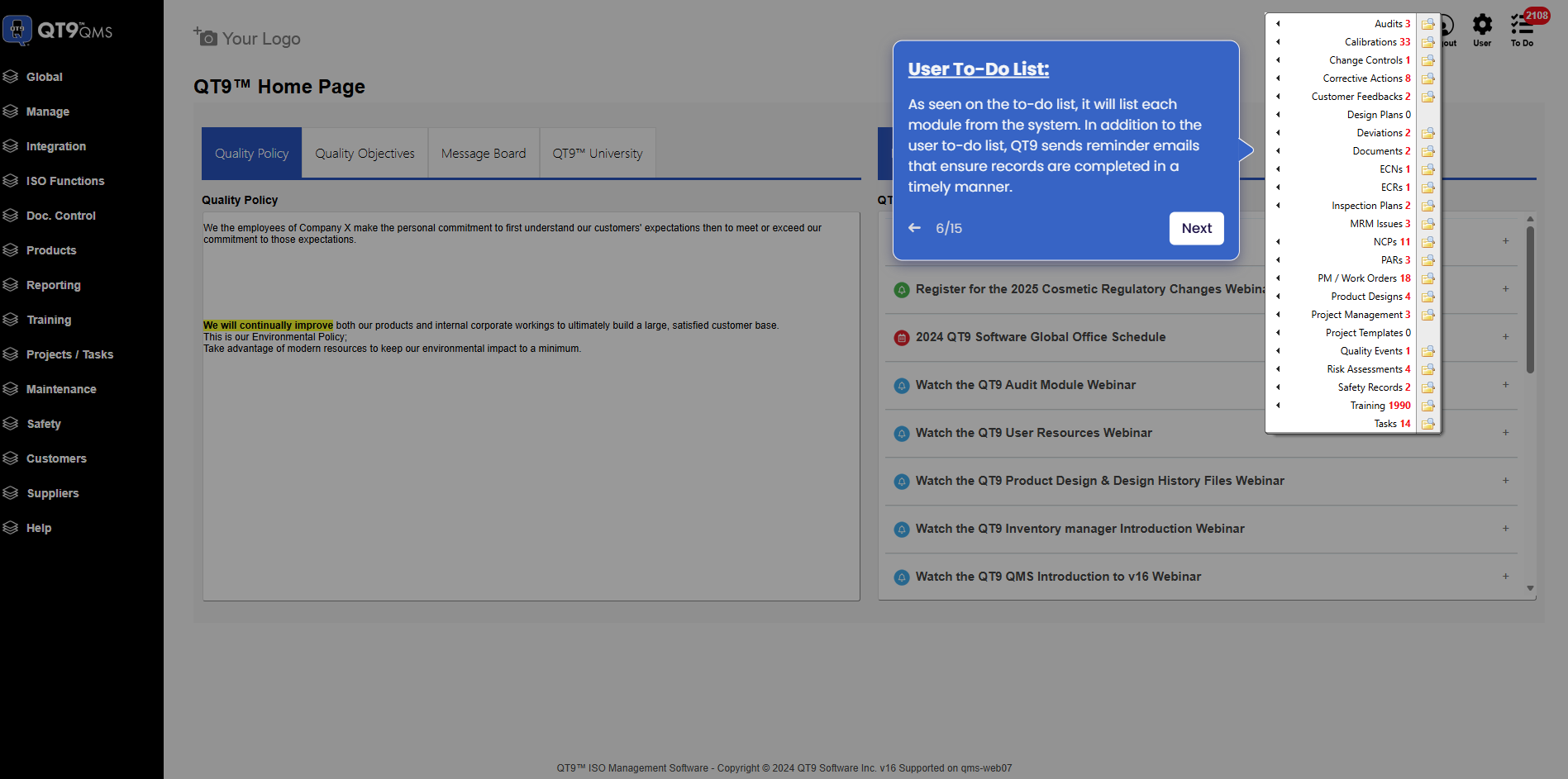
Simplify Quality, Compliance and Operations
Start a Trial
Try QT9 free — no credit card required.
Start Free→
Schedule a Demo
See QT9 live with one of our product experts.
Book a Time →
Get a Quote
Get custom pricing tailored to your team size.
Get Pricing →