
Share this
by QT9 ERP Software on February 26, 2025
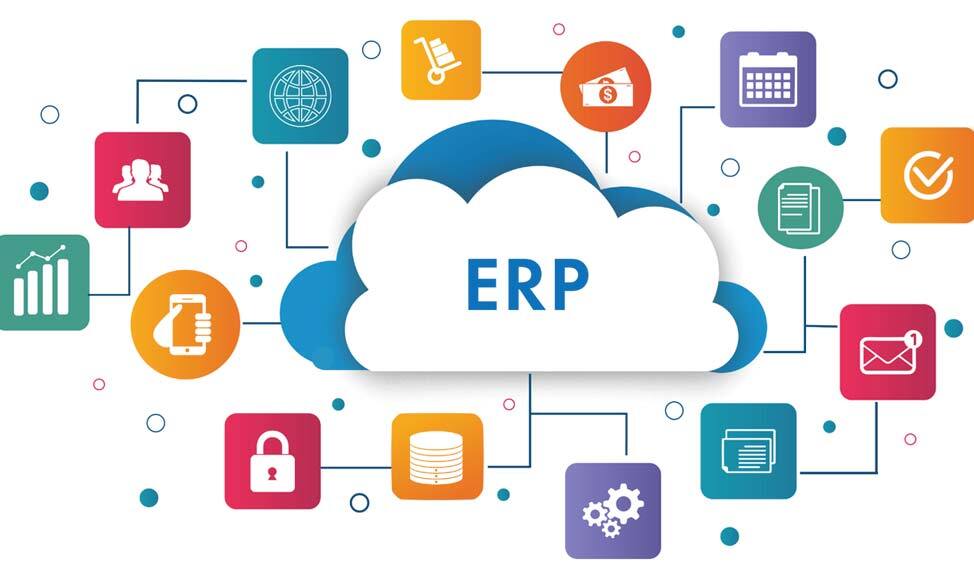
Cloud ERP is enterprise resource planning software hosted in the cloud and accessed through an internet connection, instead of installed on a company's own servers. It connects core business functions, such as inventory management, purchasing, manufacturing production, sales and financial management, within a centralized system.
For manufacturers, that cloud-based system connects and provides visibility across front-office and back-office operations without requiring the business to maintain the underlying ERP software infrastructure.
This guide explains how cloud ERP works, its primary benefits and features, how it compares with on-premise ERP, and what manufacturers should consider when evaluating a cloud ERP system.
Contents
How to choose a cloud ERP system
QT9 cloud ERP for quality manufacturing
What is cloud ERP?
Enterprise Resource Planning (ERP) software provides a single, centralized platform that bridges a company’s operations, departments and locations to boost productivity and efficiency. It unites a company’s resources and functions, such as accounting, purchasing and manufacturing, into one system accessible to all.
Cloud ERP software takes those abilities a step further by making all of those functions available via the internet and a web browser. Similar to how you would log in to streaming television, you can log in to cloud ERP from anywhere with an internet connection and accessibility.
Cloud ERP characteristics:
-
ERP users access the ERP online, typically through a web browser.
-
The provider manages the underlying infrastructure, including servers, maintenance and system updates.
-
Internal IT requirements are reduced because the business does not have to maintain the ERP hosting environment.
-
Easier deployment and maintenance, since the vendor pushes implementation and updates out via the internet.
How does cloud ERP work?
Cloud ERP stores business data and runs ERP applications in a cloud environment rather than on servers located at the business. Authorized users connect to the system online, giving teams access to the same, real-time information across operations.
Because ERP functions are connected, activity in one area can automatically update information used elsewhere in the system. For a manufacturer, that means:
-
Purchasing records materials ordered from suppliers.
-
Receiving confirms materials as they arrive.
-
Inventory reflects available quantities and material movements.
-
Production tracks materials used and goods produced.
-
Sales connects customer orders with inventory and fulfillment.
-
Accounting captures the related financial activity.
Instead of each department working from separate operational data, cloud ERP creates a connected flow of information across the business. This gives teams greater visibility into what is happening from purchasing and inventory through production, fulfillment and financial reporting.
Cloud ERP vs. on-premise ERP?
The main differences between cloud ERP and on-premise ERP are where the software is hosted and who manages the supporting infrastructure. A cloud environment uses remote servers accessed over the internet to host the ERP software and its data, while on-premises ERP is installed within an organization’s own IT environment.
|
Cloud ERP |
On-Premises ERP |
|
|
Hosting |
Hosted in a cloud environment |
Hosted on company-managed servers |
|
Access |
Accessed online, typically through a web browser |
Accessed through the organization’s IT environment |
|
Infrastructure |
Managed primarily by the ERP or cloud provider |
Managed by the organization |
|
Updates |
Typically managed by the provider |
Managed and scheduled by the organization |
|
IT Resources |
Requires less internal infrastructure to maintain |
Requires internal resources to maintain servers and infrastructure |
|
Scalability |
Capacity and users can typically be expanded without adding local infrastructure |
Growth may require additional infrastructure |
|
Control |
Provider manages more of the technology environment |
Organization maintains greater control over its ERP environment |
Cloud ERP can reduce infrastructure demands and simplify access across locations, while on-premise ERP gives organizations greater control over their hosting environment.
The right choice for a business depends on its existing IT infrastructure, security requirements, connectivity, internal resources and how much control the organization needs over its ERP environment.
Key cloud ERP features
Cloud ERP brings core business functions into one connected system, giving manufacturers a more complete view of materials needed and available, production schedules, inventory, orders and financial activity. While capabilities vary by platform, common cloud ERP features include:
Inventory management
Cloud-based ERP inventory control applications enable organizations to track inventory across locations, using barcoding to quickly capture inventory data. That data is used throughout its lifecycle, from warehouse to production to after-market monitoring.
Cloud ERP inventory applications give businesses real-time insight into inventory levels and can be configured to automatically initiate common inventory management tasks, such as allocate inventory or auto-reorder/manufacture product when it reaches a certain level. Material purchases can be easily monitored and warehouse space optimized with built-in forecasting features.
Manufacturing
Manufacturing ERP applications unify production planning and resource management, so companies can better manage costs while optimizing inventory levels. Manufacturers use ERP modules to set production schedules and allocate material resources using bill of materials and machine utilization. Cloud-based ERP manufacturing systems can automatically link sales orders to jobs, automate job scheduling, link to MRP and provide built-in traceability for reporting and analytics.
Accounting and financial management
Basic ERP accounting functions encompass accounts receivable, accounts payable and general ledger functions, allowing organizations to oversee budgets and transactions from a single source. Cloud ERP accounting modules draw data from integrated applications, such as sales and purchasing for greater accuracy and speed.
Bring general ledger, accounts payable, accounts receivable and other financial information together with operational activity for a clearer view of business performance.
Material Requirements Planning (MRP)
MRP in the cloud continuously analyzes your production schedule, open sales orders, current inventory levels and supplier lead times to generate intelligent purchasing recommendations.
Purchasing
Cloud ERP purchasing applications enable businesses to manage all purchasing processes from one central system, no matter their location. This includes material requirements planning, PO approval, supplier management and receiving inspections. An integrated ERP enables businesses to monitor purchasing activities and quickly address any issues that arise.
Sales and order management
ERP sales management applications hone sales workflows for better internal use and customer outcomes, with the goal of increasing revenue. Sales workflows are automatically integrated with related business processes, including accounting and manufacturing.
Reporting and analytics
Cloud architecture fosters the ability for analytics tools to provide real-time insight into sales, purchasing, profitability and costs.
Use dashboards, reports and KPIs to monitor areas such as inventory, production, purchasing, sales and financial performance using current ERP data.
Benefits of cloud ERP
Cloud ERP gives manufacturers access to connected operational information without requiring them to host and maintain the ERP environment themselves. Key benefits include:
Real-time visibility
With all business operations in one internet-accessible system, cloud ERP platforms provide real-time information and data across all departments and locations. This gives management a comprehensive view of current performance metrics, such as financials, inventory levels and production schedules. In turn, this enables data-driven decision-making and the ability to react with greater agility in the event of market or operational changes.
Lower IT demands
Because the provider manages the cloud infrastructure, manufacturers don't need to maintain the servers and related infrastructure required for an on-premises ERP deployment.
Anywhere access
Authorized users can access cloud ERP through an internet connection, making business information available across offices, facilities and other locations.
Easier scalability
With cloud ERP systems, it is easier for businesses to grow their use of the software according to their needs. The flexible nature of cloud-based software deliveries allows businesses to add or eliminate functions without additional hardware and little interruption to current use.
Multi-site connectivity
Manufacturers with multiple facilities can use a shared ERP environment to connect information across locations, providing greater visibility into operations across the organization.
Data security
Cloud ERP platforms offer robust security features, including centralized data storage, encryption, secure cloud environments and regular updates to protect against potential threats. Role-based access ensures that only authorized users can access sensitive information, enhancing data security across the organization.
How to choose a cloud ERP system
Choosing cloud ERP starts with understanding how well the system supports the way your business actually operates. Manufacturers should look beyond basic ERP functionality and evaluate whether the software can connect materials, production, inventory and financial activity as the business grows.
Consider these areas when comparing cloud ERP systems:
-
Manufacturing capabilities: Look for functionality that supports your production environment, including planning, scheduling, work orders or jobs, material usage and shop floor activity.
-
Inventory and traceability: Evaluate how the system tracks materials, locations and inventory movements, as well as lot and serial numbers when greater traceability is required.
-
Planning and purchasing: Make sure MRP, demand planning and purchasing capabilities work together to help teams understand material requirements and coordinate supply with production needs.
-
Integration: Consider how the ERP connects with other systems that support your operations. For regulated manufacturers, integration with quality management software can provide stronger connections between operational and quality information.
-
Scalability: Look at whether the ERP can support additional users, locations, products and operational complexity as the organization grows.
-
Reporting and visibility: Determine whether dashboards, reports and KPIs provide useful insight into the areas your teams need to monitor and manage.
-
Implementation and support: Understand what will be required to configure the system, migrate data, train users and support the ERP after implementation.
The right cloud ERP should fit both your current manufacturing requirements and where the business is headed. Evaluating the system in the context of actual workflows, rather than individual features alone, can provide a clearer picture of how well it will support day-to-day operations.
QT9 cloud ERP for quality manufacturing
Cloud ERP gives manufacturers access to connected operational data without having to maintain the underlying ERP infrastructure. QT9 ERP takes that connection further by bringing production, quality, traceability and compliance approvals together.
Connect operations and quality
QT9 ERP manages core manufacturing operations including planning, purchasing, inventory, production and shop floor activity. Integration with QT9 QMS connects those operations with quality processes, such as inspections, nonconformances, CAPAs and controlled documents.
When a quality issue occurs, teams have the operational context to understand the materials, production activity and products involved.
Maintain end-to-end traceability
QT9 ERP maintains traceability as materials move from receiving and inventory through production and finished goods. Manufacturers can trace materials and products forward and backward, while connecting that history with related production and quality information.
Build compliance records
For regulated manufacturing, production records need to show more than what was made. QT9 brings BOMs, routings, materials, inspection data, controlled QMS documents and electronic approvals together to support electronic device history and batch records. Production, quality, traceability and compliance approvals come together in one controlled record.
Choose your deployment
Manufacturers that want the accessibility and reduced infrastructure demands of cloud ERP can deploy QT9 ERP in the cloud. QT9 also offers an on-premises option for organizations whose IT or operational requirements call for greater control over their hosting environment.
With either approach, QT9 connects quality and operations to give manufacturers greater visibility from materials and production through quality and compliance.
